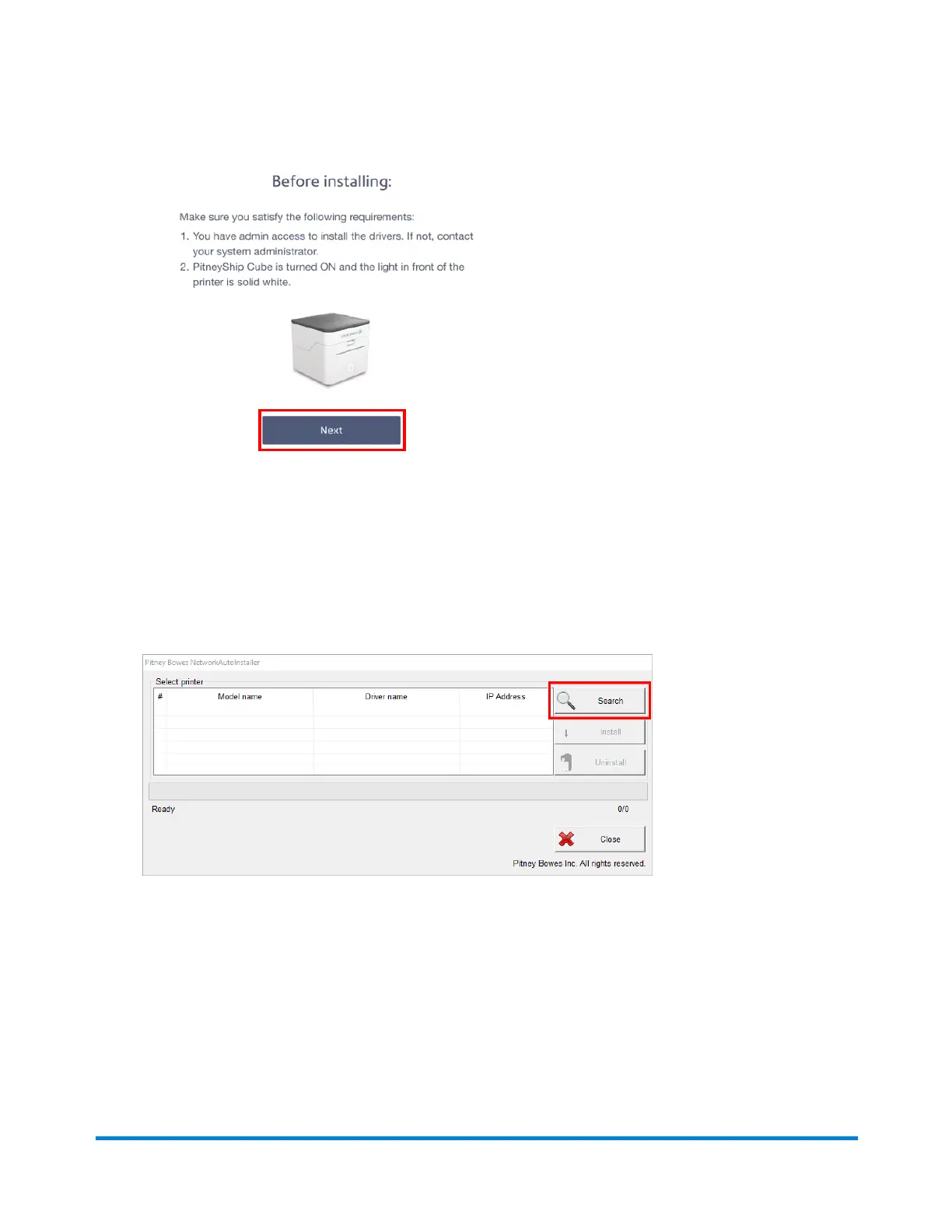
3. Review the Before installing prompt and click Next.
4. Click Download PitneyShip Cube Driver.
5. Once the download is complete, go to your Downloads folder, or your designated page for
downloads, and double-click the NetworkAutoInstaller.exe file. This will open the installer.
6. Click Yes on the User account control permissions pop-up.
7. Select the installation location and click Next. The installation will start.
8. The Pitney Bowes NetworkAutoInstaller will open. Click Search.
9. Select Pitney Bowes Printer and Scale and click Install.
10. Once the installation is complete, you will see the driver name updated to PitneyBowes Printer
and Scale. Click Close to complete the installation.
11. Go to Printers and Scanners on your computer. Click Yes to confirm that your PitneyShip
Cube has been added to your printer list.
Pitney Bowes User Guide June 2023 33
1 • Installation










 To Next Page