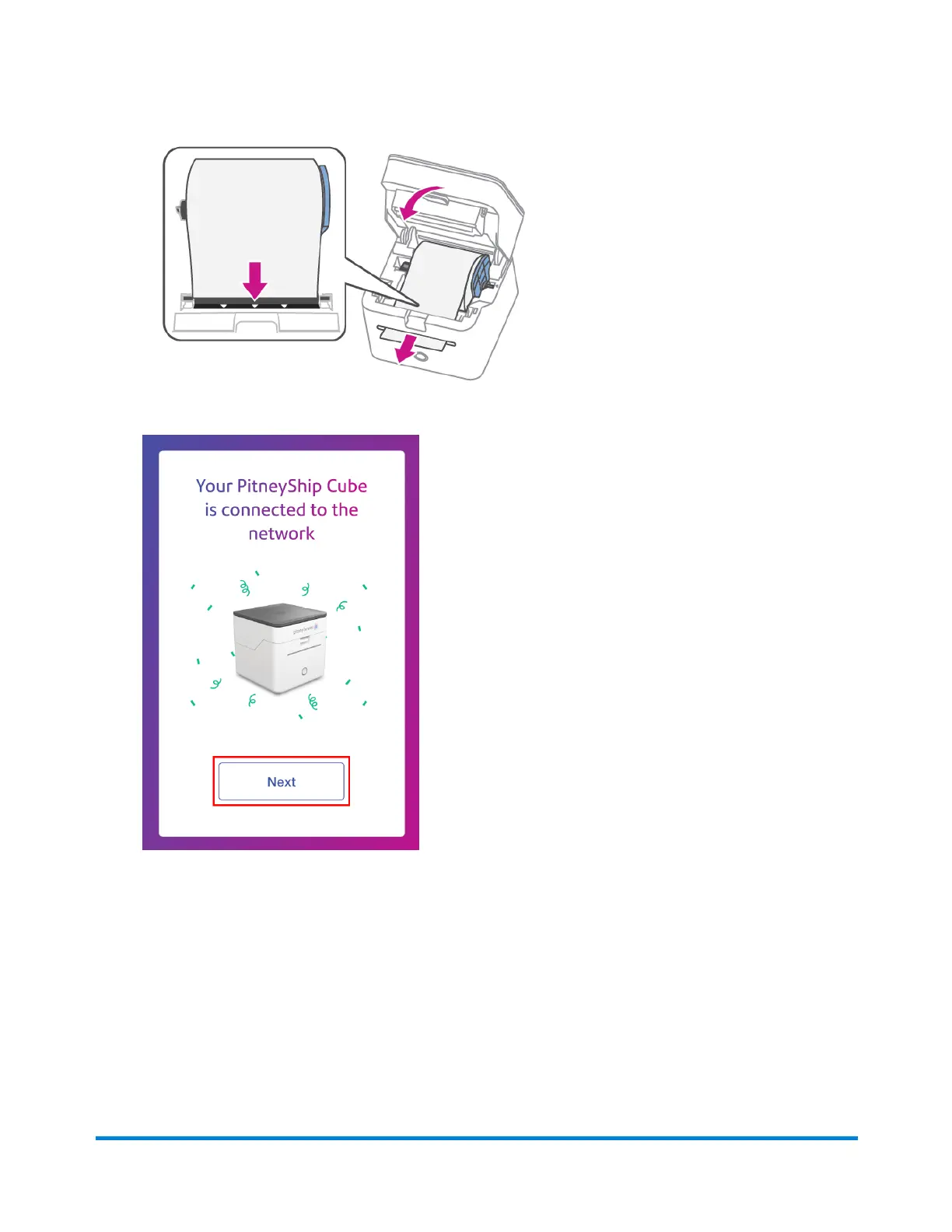
3. Feed the label roll through the slot, and close the cover.
4. Tap Next.
5. On the Print a Test Print page, tap Print.
6. If the test print was unsuccessful, tap No. Then, tap Print Again. If the second test print was
unsuccessful, please contact us using the contact options.
7. If the test print was successful, tap Yes.
8. PitneyShip will now prepare your device and finalize setting up your account. Once complete,
tap Get Started.
Your PitneyShip Cube setup is now complete.
Pitney Bowes User Guide June 2023 63
1 • Installation










 To Next Page