- 24 -
4.4.2.2 Port Configuration
From the Switch Configuration sub-screen (see Figure 4-9), highlight Port Configuration and press
enter. The Port Configuration screen in Figure 4-18 appears. Table 4-3 describes the port configura-
tion objects of switch.
Figure 4-18 Port Configuration screen
Table 4-3 Descriptions of the Port Configuration screen Objects
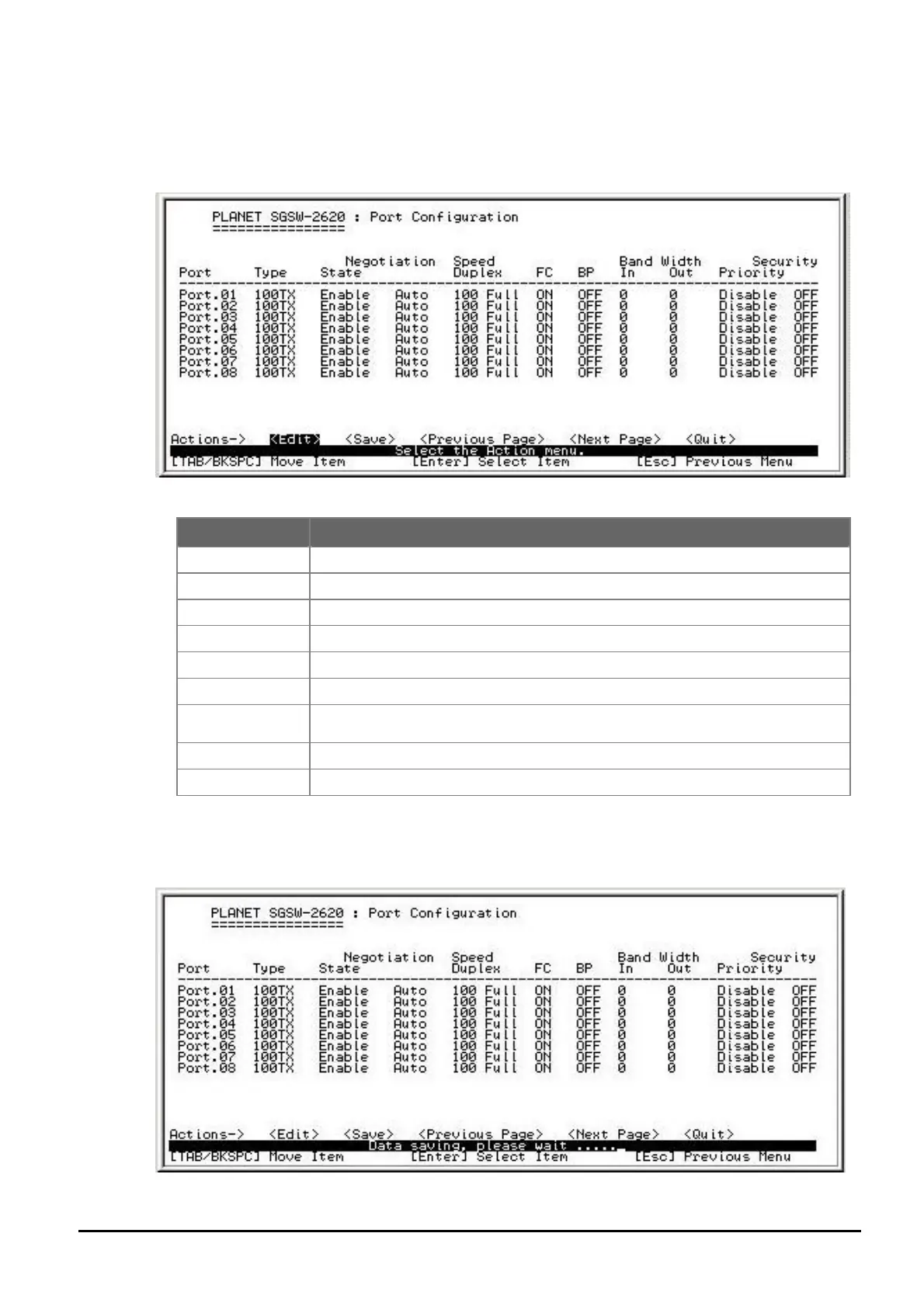
Press ” Edit” to configure each port. After setup completed, press “ESC” and choose “Save” to
save the current configuration. The following screen in Figure 4-19 and 4-20 appears.
Figure 4-19 Save Port Configuration process screen
Object Description
Type
Display per port connection speed duplex mode.
State
Allow disable or enable per port.
Negotiation
Allow set per port run at Auto-negotiation or force mode.
Speed Duplex
Allow set per port speed duplex mode.
FC
Allow disable (off) or enable (on) per port flow control function.
BP
Allow disable (off) or enable (on) per port backpressure function.
Bandwidth In/Out
Allow assign incoming / outgoing bandwidth per port. The available range
1-999(per level 100Kbps).
Priority
Allow assign low or high priority on each port.
Security
Allow disable or enable port security function on each port.


 To Next Page
 Loading...