User Manual of WNAP-W2200
-21-
5.2 LAN Setup
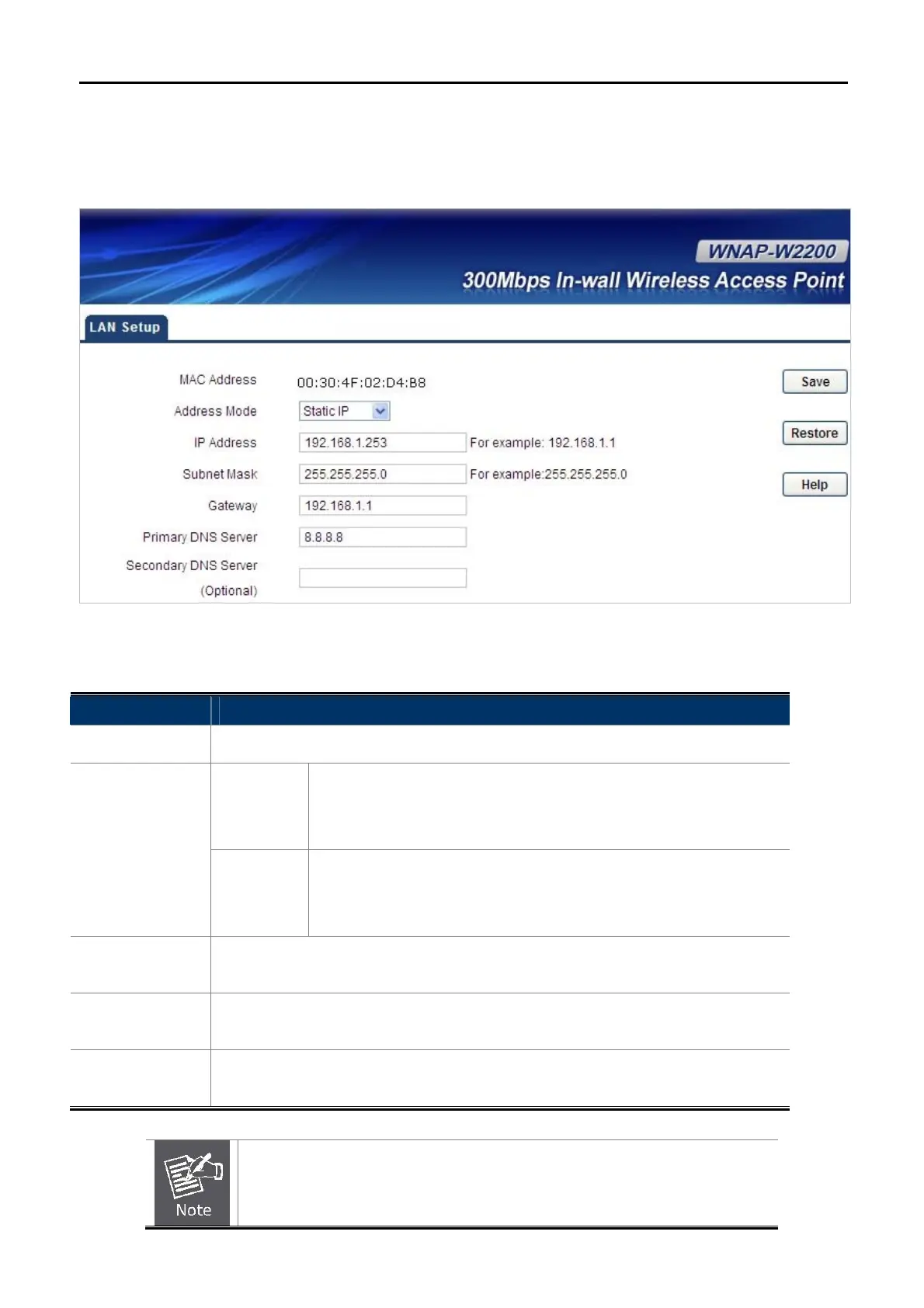
On the LAN Setup page, you can configure the IP parameters of the LAN on the screen as shown below.
Figure 5-6 LAN Setup
The page includes the following fields:
Object Description
MAC Address:
Displays MAC address of the AP’s LAN interface.
Static IP
Specify a static IP address, subnet mask, default gateway and DNS
server for WNAP-W2200 manually. Make sure the specified IP
address is unique on your network in order to prevent IP conflict.
IP Type:
Dynamic
If a DHCP server exists in your network, you can select this option,
and thus the WNAP-W2200 is able to obtain IP settings
automatically from that DHCP server.
IP Address:
Enter the IP address of your AP or reset it in dotted-decimal notation (factory
default: 192.168.1.253).
Subnet Mask:
An address code that determines the size of the network. Normally use
255.255.255.0 as the subnet mask.
Gateway:
(Optional.) Suggest to input the IP address of the LAN port of the Router; default
value is 192.168.1.1
If you change the IP Address of LAN, you must use the new IP Address to
login the AP.



 To Next Page
 Loading...










