User Manual of WNAP-W2200
-27-
WPA WPA is a medium level encryption and is supported
by most wireless devices and operating systems.
WPA2 WPA2 is a high level encryption and is supported by
most wireless devices and operating systems.
AES AES is a specification for the encryption of
electronic data. We strongly recommend choosing
AES as your default setting.
Cipher Type:
TKIP
TKIP is a security protocol used in the IEEE
802.11 wireless networking standard.
Key:
Enter the security key you want to set up.
Key Update Interval:
It represents the time interval where the encryption key is automatically
changed for added security. The default value is often 3600.
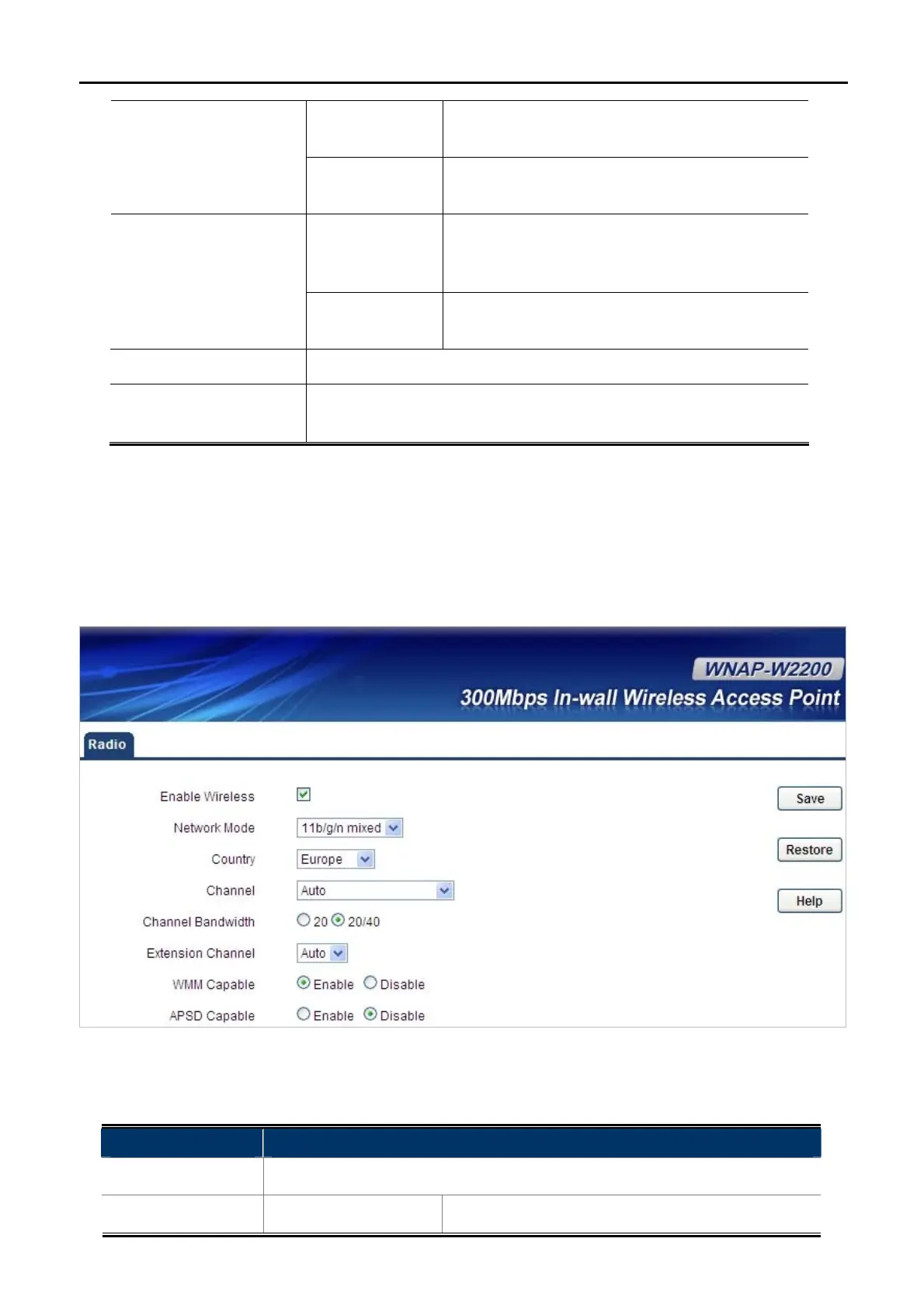
5.4.2 Radio
Choose menu “Wireless Settings Radio” to configure the basic settings for the wireless network on this
page. After the configuration is done, please click the “Apply” button to save the settings.
Figure 5-10 Wireless Radio
The page includes the following fields:
Object Description
Wireless Enable:
Click “Enable” to enable the wireless signal.
Wireless Mode:
11b/g Mixed Mode Allow the 11b/g-compliant client device to connect



 To Next Page
 Loading...










