◆ Entering a Group ID
You can enter a total of 30 Group IDs, and assign names to them of up to 10 characters.
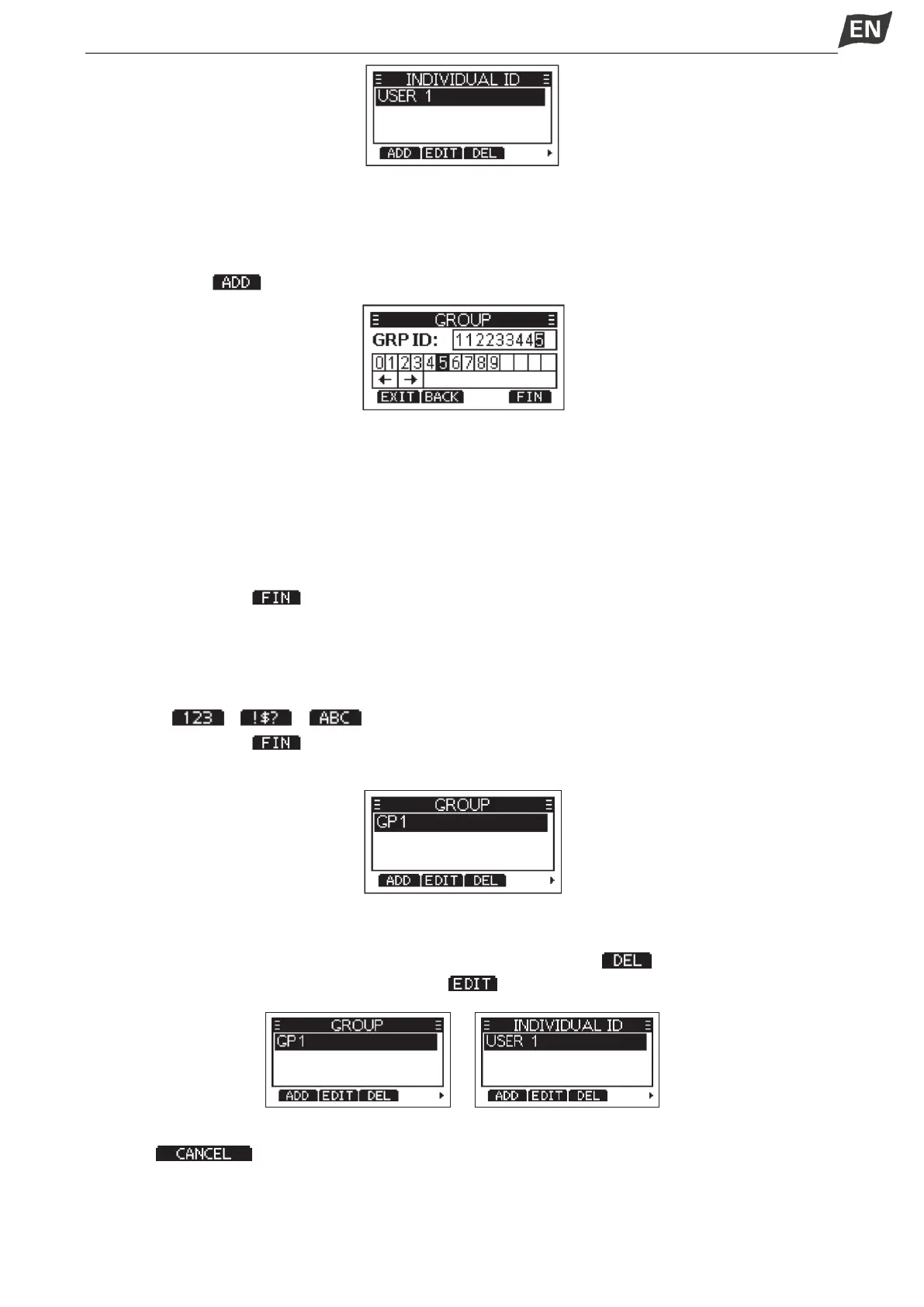
1. Display the “GPURP ID” screen.
·”NO ID” is displayed if no ID is entered.
2. Press softkey [ ], “GROUP ID” entry screen is displayed.
3. Enter an Group ID:
·Press [◄]/[►] to select the desired number.
·Press [OK] to input the selected number.
·Select “←” or “→” to move the cursor, then press [OK].
※ The first digit is fixed as “0” for a Group ID.
※ The first two digits are fixed as “0” for any coast station ID.
4. Repeat step 3 to enter all 9 digits.
5. Then press softkey [ ] to start entering the name.
6. Enter a Group ID Name:
·Press[▲]/[▼]/[◄]/[►] to select the desired characters.
·Press [OK] to input the characters.
·Select “←” or “→” to move the cursor, then press [OK].
·Press [ ]/[ ]/[ ] to select numbers, characters and letters.
7. Then press softkey [ ] to save, and return to the previous screen.
·The entered Group ID name is displayed.
◆ Deleting an Entered ID
1. Display the “INDIVIDUAL ID” or “GPOUP ID” screen.
2. Press [▲]/[▼]to select the ID you want to delete, then press softkey [ ].
·You can edit an ID and its name by pressing [ ].
3. Then press [OK] delete ID, and return to the previous screen.
·Press [ ] to cancel the deletion.
◆ Auto Acknowledgement (Auto ACK)
The Auto ACK function automatically sends an Acknowledgement call when an appropriate request is
recevied. Auto Acknowledgement includes: Individual ACK, Position ACK, Polling ACK, Test ACK, the


 To Next Page
 Loading...


