24-92 PN-0908073 Rev. 11
PS 164-2
THE ART OF WELDING
BT 1
BT 3
BT 5
BT 7
BT 16 BT 15
BT 14
BT 9
BT 11 BT 10
BT 8
BT 13
BT 12
BT 6
BT 4
BT 2
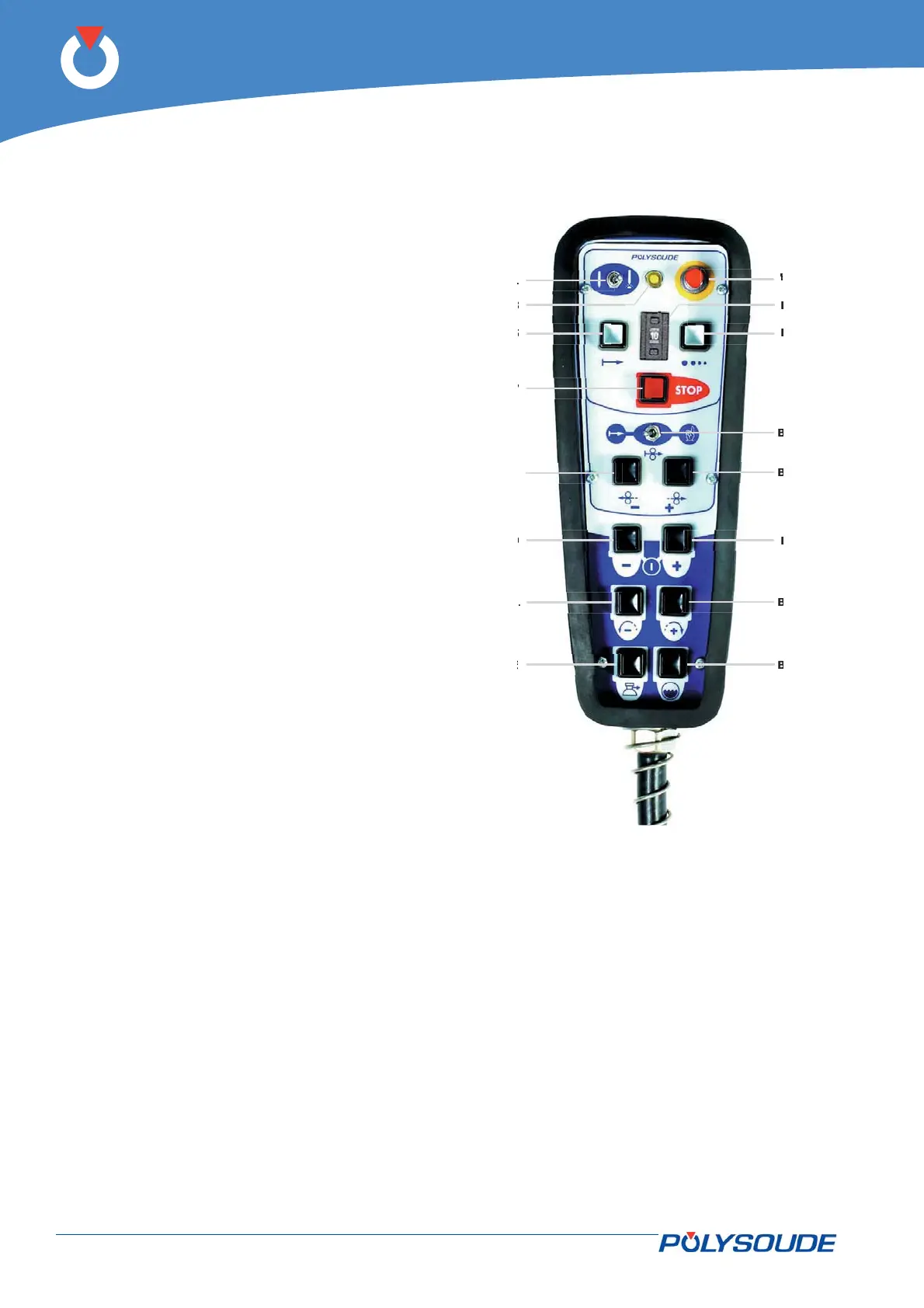
4. 4. 4. The remote control pendant
BT 1 Selection switch - "Set up / weld".
BT 2 Emergency stop button.
BT 3 Indicator
Illuminated: Cycle in process.
Flashing: Fault detected.
BT 4 Switch for selecting the number of a user
program.
BT 5 Push button "Start cycle".
BT 6 Push button "Stop cycle with downslope".
BT 7 Push button "Stop cycle immediately".
BT 8 Push button "Increase pulse current (+)"
if pulsed current used.
BT 9 Push button "Decrease pulse current (-)"
if pulsed current used.
BT 10 Push button with two functions:
Out of weld cycle: Forward rotation.
During weld cycle: Increase rotation
speed (high) if pulsed rotation used.
BT 11 Push button with two functions:
Out of weld cycle: Backward rotation.
During weld cycle: Decrease rotation
speed (high) if pulsed rotation used.
BT 12 Wire start "Automatic / Manual".
BT 13 Push button with two functions:
Out of weld cycle: Wire forward.
During weld cycle: Increase wire speed
(high) if pulsed wire used.
BT 14 Push button with two functions:
Out of weld cycle: Wire reverse.
During weld cycle: Decrease wire speed
(high) if pulsed wire used.
BT 15 Push button to start the cooling pump
"Test cooling circuit".
BT 16 Push button "Gas test".
Fig. 4.15 - The remote control pendant



 To Next Page