Chapter Five: Printer Operation Instructions
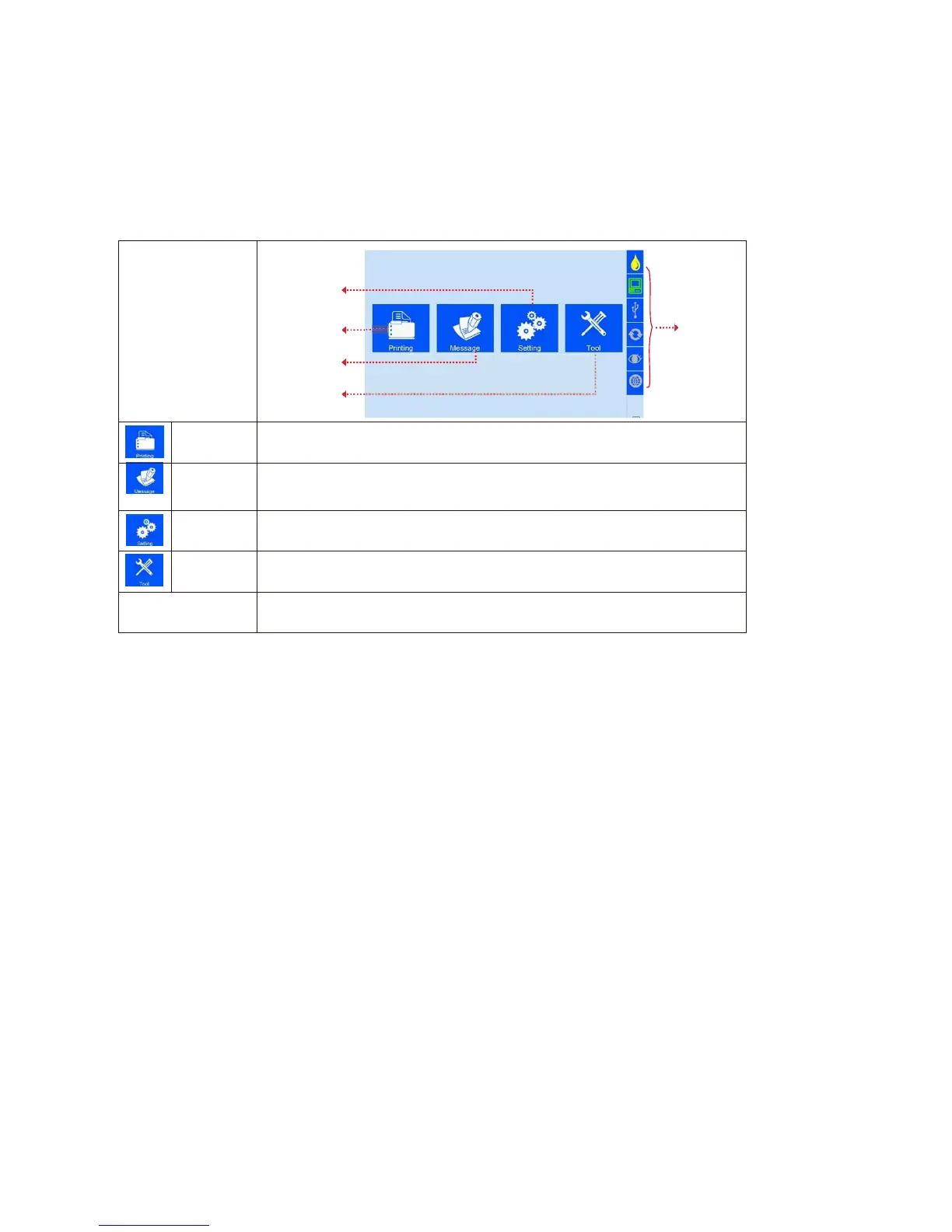
This chapter is about how to operate printer interface, including Printing Management, Data
Management, System Management, Tool Management, and Status Bar.
Status bar
(Image 1)
printer starts
initialization
After
initialization
startup, “main
interface” appears
(see Image 1).
Printing
Management
To Find/Preview, create-new, Edit, Copy, Delete data (see 5.2).
Dat
a
Management
To manage system setting, editing options, printing options, user authority,
and screen correction setting (see 5.3).
System
Management
To manage image logo, system upgrade, system backup, system record,
equipment default restoring, system resetting (see 5.4).
Tool
Management
Display information of ink, equipment, USB, encoder, external photocell,
Ethernet status and Clean Printhead (see 5.5).
Status bar
Display information of ink, equipment, USB, encoder, external photocell,
Ethernet status and Clean Printhead (see 5.7).



 To Next Page