34
5.5 Tool Management
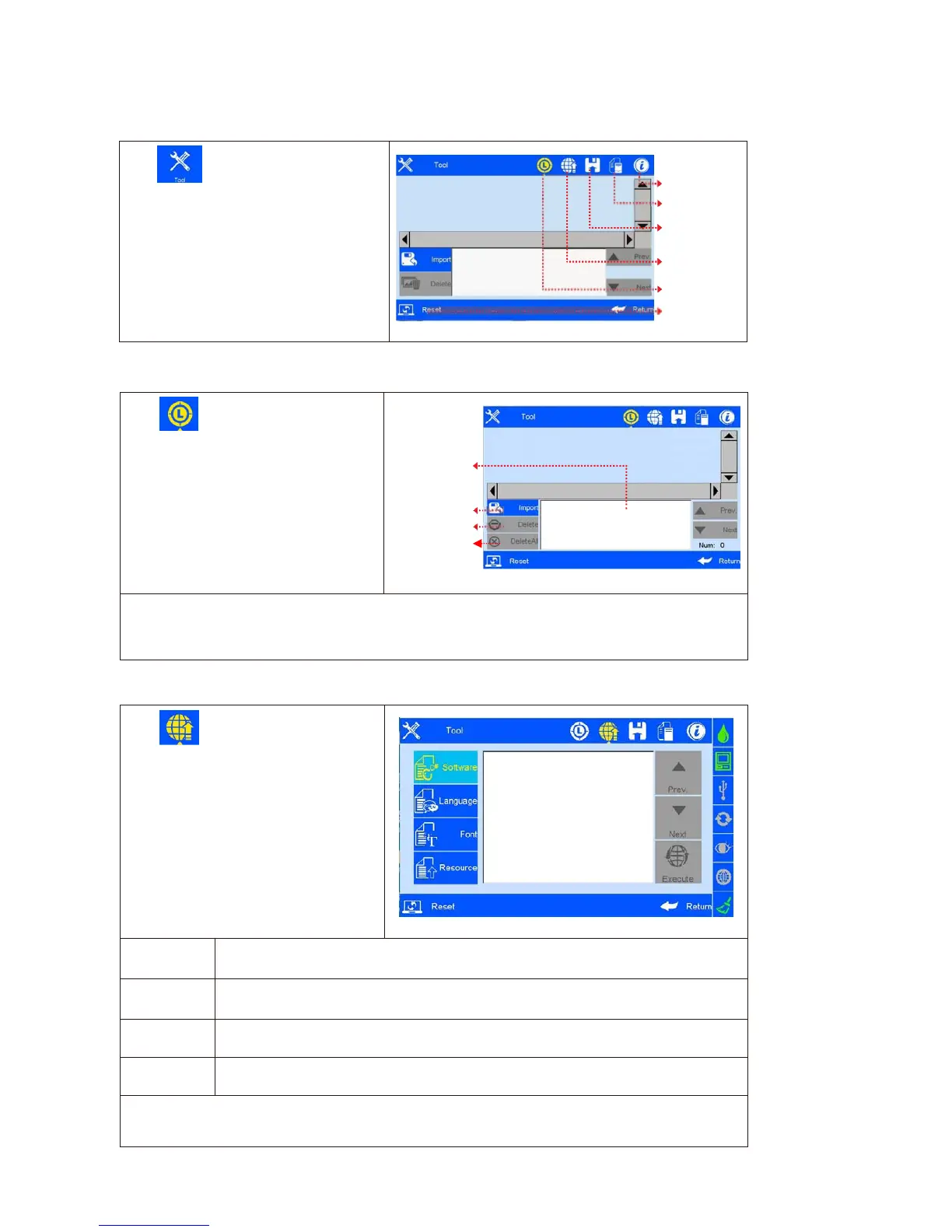
Click on main interface to enter
Tool management interface
About printer
System logs
Backup
management
Upgrade
management
Image Logo
System reset
(
Image
42)
5.5.1 Image Management
Click to enter imageLogo
management interface
( Image 43).
Image import: importing image from
USB or Ethernet.
Image format: Monochrome BMP;
Image height: 0-150 pixel point.
Image length
:
0-1000000 pixel point.
File list of
Image Logo
Import image
(Image 43)
Note: 1) System indicates and cuts the excess part if the imported image exceeds borders.
2) Image import cannot be executed when images exceed 100 pcs.
3) Image Logo restore route at U Disk: \InkJet\Logo.
5.5.2 System Upgrade
Click to enter upgrade
management interface
( Image 44).
User can use USB to upgrade the
software and add or change
languages and fonts.
(Image 44)
A. Software
upgrade
System automatically searches for software upgrade documents in designated folder and displays
the upgrade documents by list. User can select and upgrade any file in the list.
Document route under U disk : :\InkJet\Upgrade\Appliction
B. Language
upgrade
The machine is with multi- languages upon delivery. Special extra language can
be added if request.
Document route under U disk:\InkJet\Upgrade\Language
C.Resource
upgrade
Custom resource packs, Select the resource pack in the list and perform the
upgrade.
Document route under U disk: \InkJet\Upgrade\Res
D. Font
upgrade
System supports two fonts; user can add another font besides the default
Document route under U disk: \InkJet\Upgrade\Font
Note: Software upgrade documents, language documents, font documents can only be identified by
using the conversion tools provided by our company. The default language, font can’t be replaced and
deleted.
Delete image
Delete all



 To Next Page