32
5.4.5 Special Features
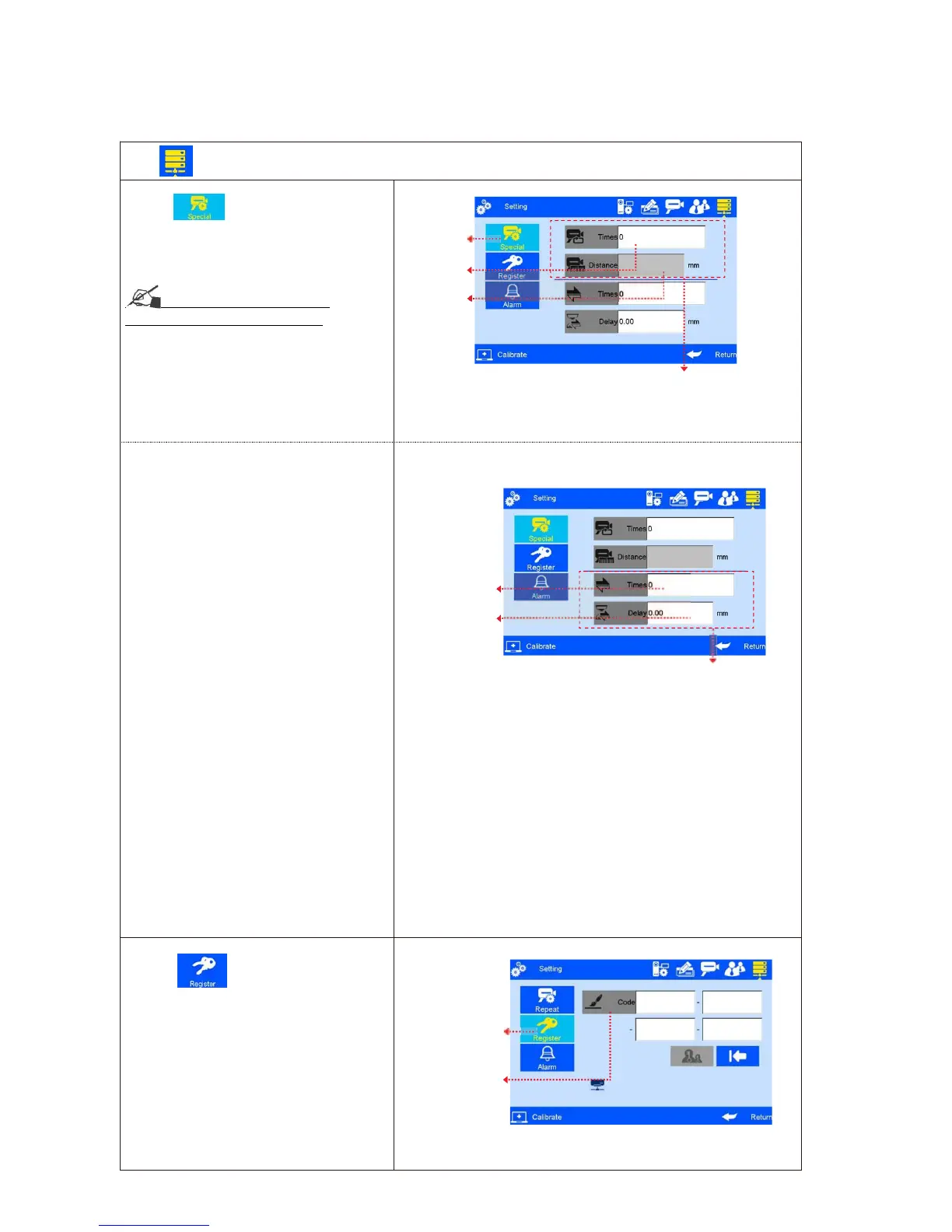
Click on system management interface to enter “Special
“Features
A. Click to enter “Special printing”
printing
Continuous printing:
Continuou
s
output
See Appendix 1: Terms and
Definitions 9 for more information.
1) Continuous output times: system default
0 (OFF). Adjustable scope 0~9999.
Note: 0 means OFF; 9999 means infinite
times
2) Continuous Output interval: “off’ is default
system default OFF,
adjustable scope 0~999mm.
Two-way printing, from left to right(forward
print) or from right to left (reverse print)
1)Reverse frequency : printing directioncan
be reversed automatically when the system
Reach the set printing times. For example,
the set printing times is 3, when printing
finished from right to left, the printing
will be changed automatically from left to right
adjustable range: 0 -9999
2)Reverse delay : printing delayaccording
to the set direction
system default : 0 (off)
adjustable range: 0 -999.9
it should be set before printing not during
printing process
Note: normal delay (from right to left) set in
the printing interface. see: 5.2.3
B. Click
to enable “Value-added
function ( Image 39).
function
Note: Enable special features by
registration code like (1/2 ink saving,1/4 ink
saving, Probation period)



 To Next Page