5.6 Input Methods Introduction
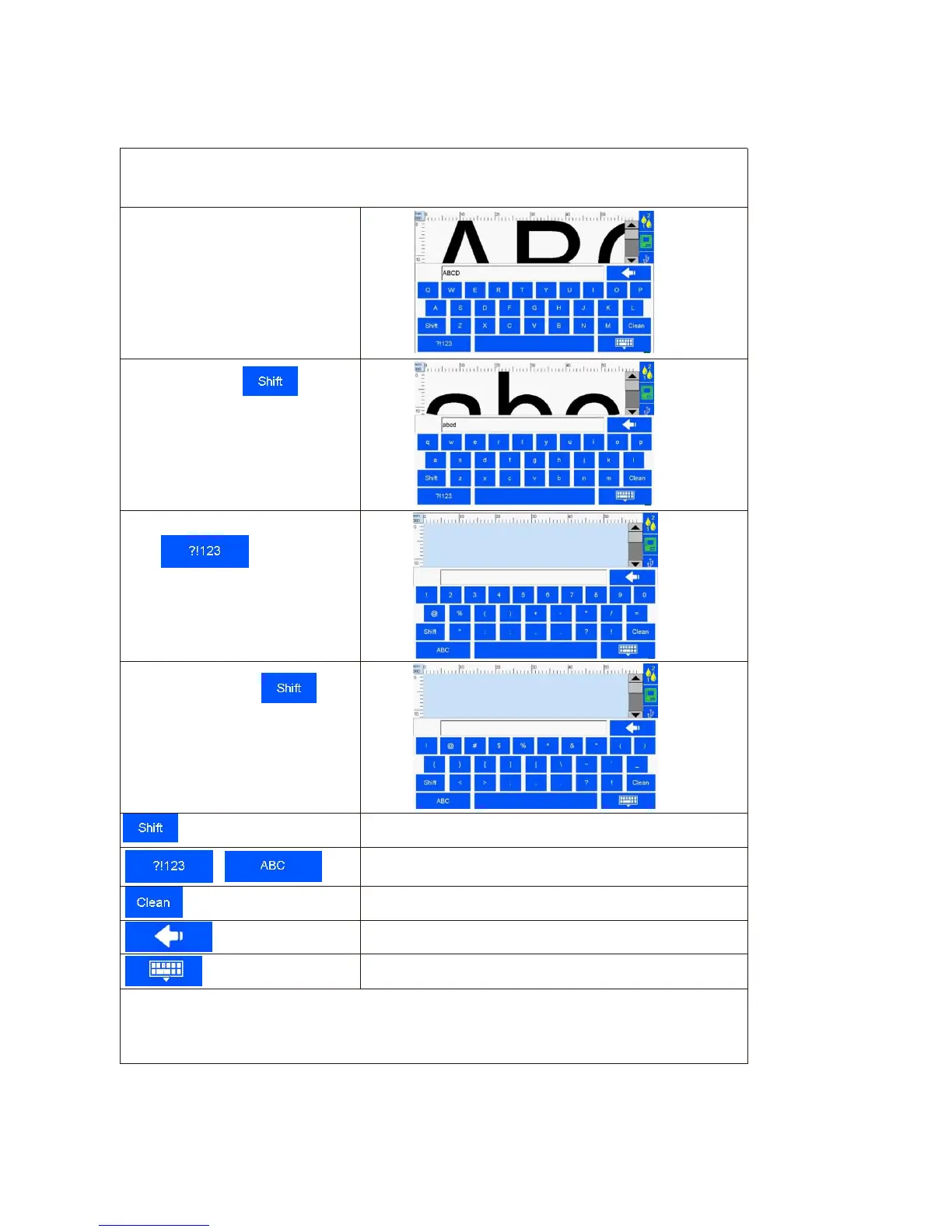
When click the input value in the input bar, the system interface automatically pops up the
keyboard input method. You can enter uppercase English, lowercase English, Chinese, numbers,
and common symbols (see Image 50, 51, 52, 53).
A. Uppercase: the system default
uppercase English input when
keyboard pops up
( Image 50).
B. Lowercase: click to
change between uppercase and
lowercase (Image 51).
C. Numeric and common symbols:
Click to change
between numeric or common symbols
input ( Image 52).
D. More symbols: click on
numeric/common symbols keypad for
more symbols (Image 53).
Numeric/common symbols and alphabetic input change
Delete (delete one character)
NOTE:
English for Arial fonts, characters in uppercase letters and numbers as the benchmark, lowercase letters
and symbols are not at same height



 To Next Page