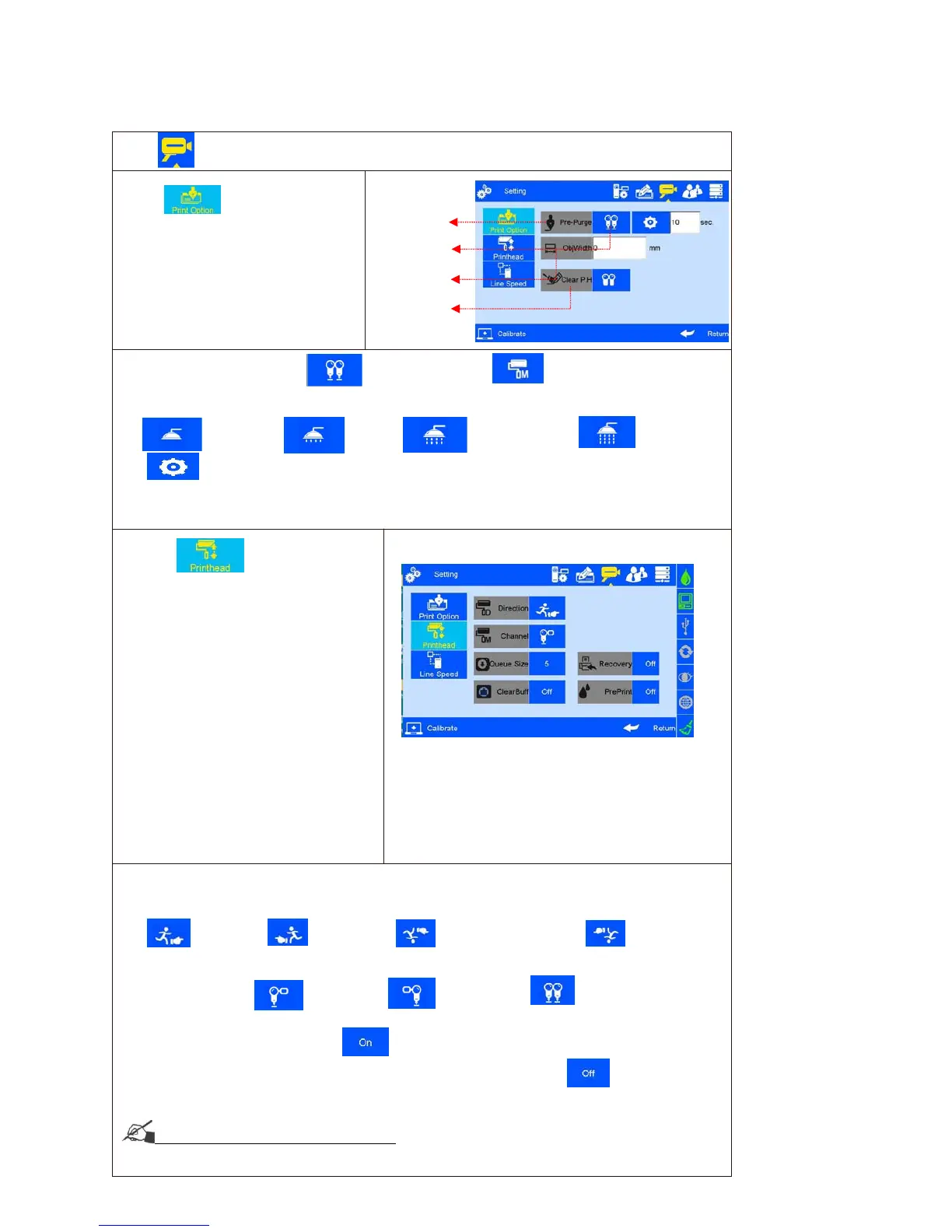
on system management interface to enter printing option setting.
A. Click to enter nozzle
maintenance setting.
Note: 1) Pre-purge Mode: 2 modes : both right & left nozzles; the working nozzles only.
2) Pre-purge:5 shifts: OFF, low, medium, high. see the following Images:
--Off;
--Low; --Medium; --High
--Custom Setting: User can set the interval from 1-3600 sec.
3) Object Width: After inputting the object width, the printer will not prepurge while the object passing to avoid
potential pollution.
4) One key clean: spit 300 ink dots one time; the function fail if the button is on during printing
C. Cache number: Printing numbers
D. Clear Buff: Clear the cache. This
function defaults to shutdown.
When set to open, The clear
cache button is displayed in the
printing report, and the cached
data is cleared by clicking the
button
E. Pre-Print: The pre-print
displayed when pre-purge is
open. Induction once ,Spray
once
Note: printing direction: system default from left to right.
1) Four directions optional: left-to-right, right-to-left, mirror sides of left-to-right and right-to-left, see image as follow:
--Left-to-right; --Right-to-left; -Mirror side of left-to-right; --Mirror side of
right-to-left.
2) Channel switch: Left channel is default, Left channel, Right channel, Dual channel, see the
image as follow: --Left channel; --Right channel; --Dual
channel.
3) Printing
Recovery: when the set is , The system automatically restores the printing
status before the power cut and automatically starts printing
,The default setting is .
Note: When the printing contains counter, operator need to check on
the counter value and do needful adjustment before the Printing Recovery is "ON",
see Appendix 1: Terms and Definitions 8.



 To Next Page