16
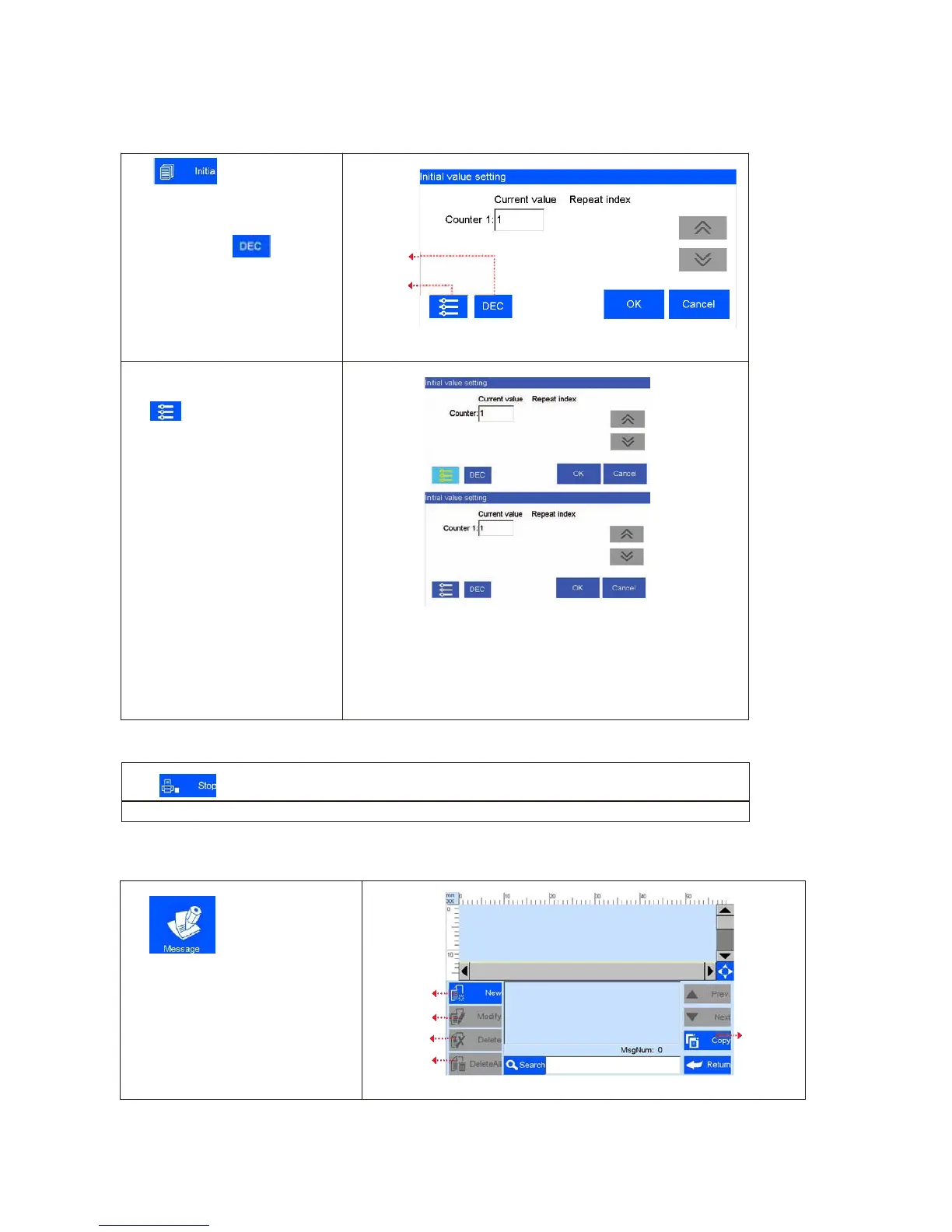
5.2.4 Print Initial Value
Click to enter
the
initial
value setting and repeated index
value interface
Hex switch: Click ,the current
counter value can be changed, but
the set value can’t be changed
DEC-10 decimal (0-9)
H36-36 hexadecimal (0-Z)
The Hex is editable; See 5.4.2
Hex switch
Counter
synchronized
Counter Synchronized: when multi
counter included in the same file,
click
, then all counters’
current value will be default value
1 synchronously .
Click “confirm”, Interface will
indicate the counter setting
interface, you can set counters
minimum, maximum, repeated
values, step values, and
hexadecimal rules.
String: all the same strings that
exist in the data are modified
synchronously after a string is
modified
CSV: If the document contains the
CSV file, you can modify initial
printing content at the start page
5.2.5 Stop Printing
Note: Printer automatically stops printing when power off, cartridge empty, counter alarming etc.
5.3 Data Management
Clip on main interface to
enter data management interface
New
Modify
Delete
Copy
Delete all



 To Next Page