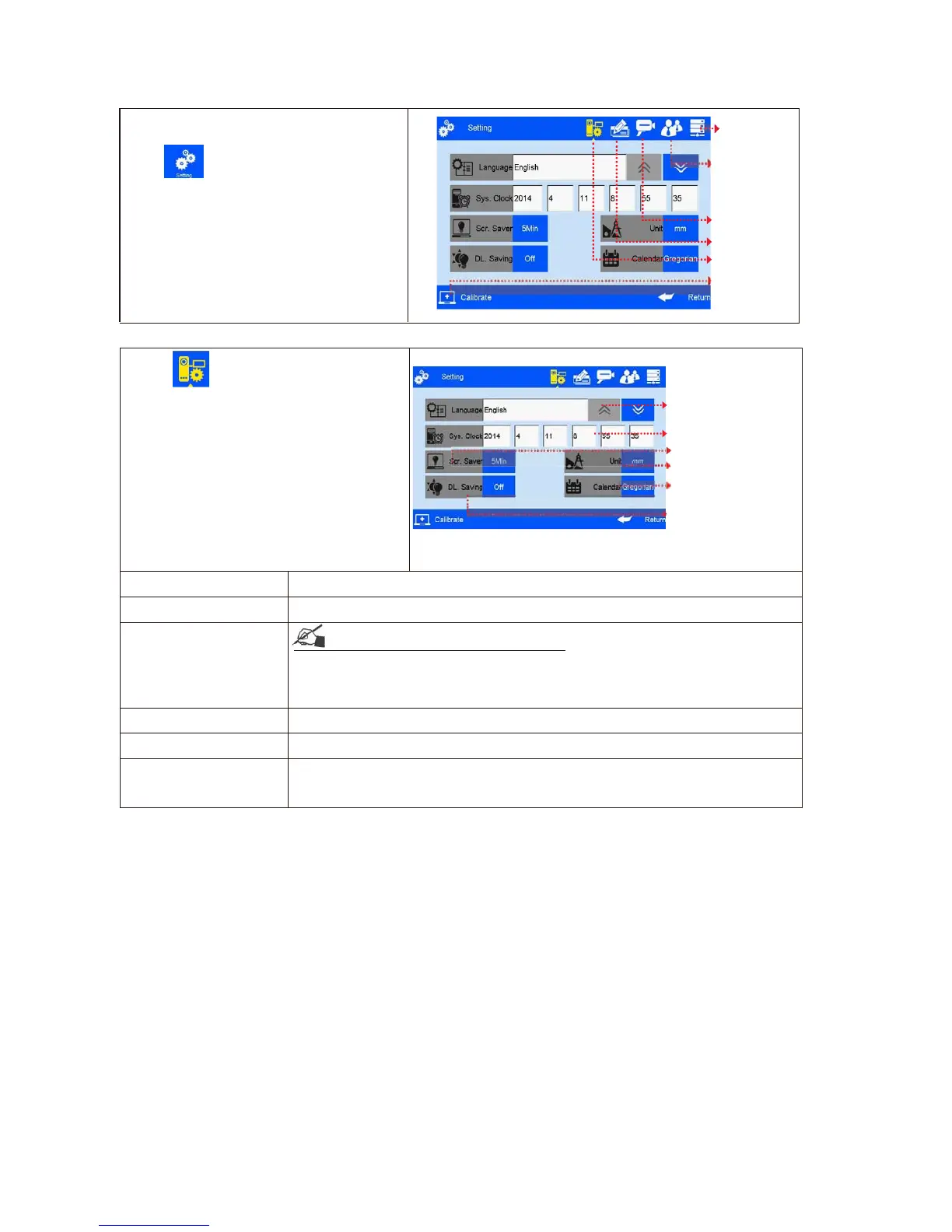
Management interface ( Image 26).
Editing options
System setting
26)
5.4.1System Setting
Click on system management
interface to enter system setting
(Image 27).
System Language
System time
Screensaver time
Unit
Calendar Type
Daylight saving time
(Image 27)
A. System language
The language of Shipping country is standard language as default
B. System time
Manufacture time as default time, user also can set the time
C. Screensaver time
see Appendix 1: Terms and Definition 3.
1) System default 4hours, 4 cycle switching : 0.5H,2H,4H, off (8H)
2) If screensaver is optioned OFF, screen enters standby status
3) Screen becomes active when there’s alarm or error.
D. unit
Switch between mm and inch.
E. Daylight saving time Three setting modes: OFF, European summer time, US summer time.
F. Calendar Type
Two setting modes available: Persian, Gregorian & Moslem
calendar .Gregorian is default calendar; the System time will be updated
according to the calendar setting.



 To Next Page