28
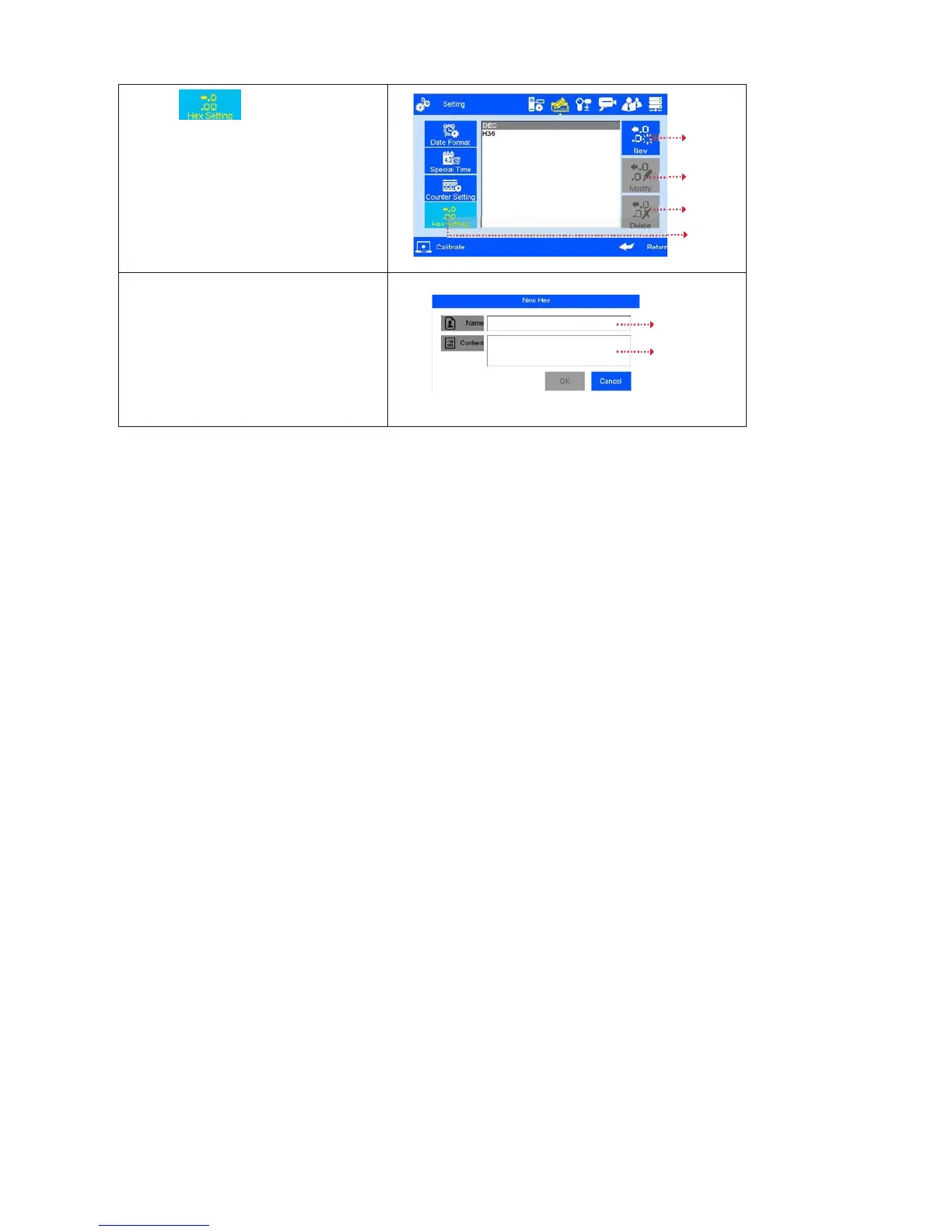
D: click ,enter the system
setting interface.
The system can be new-build,
modified, and deleted,
system default: DEC-10 decimal (0-9)
H36-36 hexadecimal(0-Z)
The default hex can't be modified or
deleted
New system
Modify system
Deletsystem
System setting
New-build and edit the system
1.
Input the system name with three
characters and Images only allowed.
2.
System content: Input Arabic number
from 0-9, 26 capital letters (A-Z) or
lowercase letters(a-z),non-repeated
input
System name
System content



 To Next Page