19
POSEIDON M28 USER MANUAL
Chapter 2 The menu system
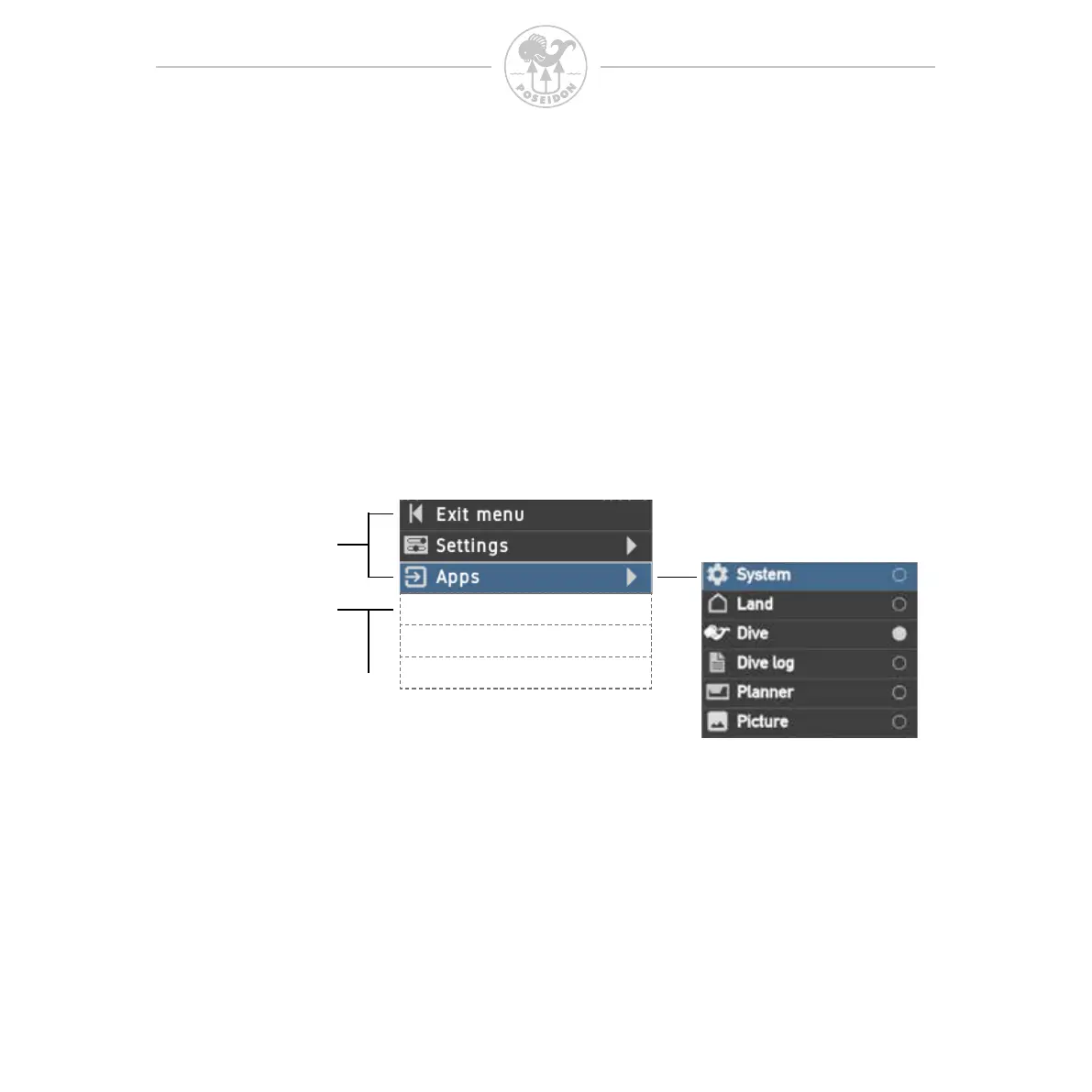
Most of the features and functionality of the M28 are accessed through the menu
system. To activate the menu system, simply press both buttons simultaneously.
The menu now becomes visible, the top three menu items are always the same,
starting with “Exit menu” that takes you back to the current application screen
“Settings” that makes it quick and easy to access key settings and “Apps” that
takes you into the various functions of the M28 shown in gure below.
The content below the “Apps” menu item is always related to the App that you
currently use. In this example having the Land app activated the menu will only
show the Stopwatch function. In the following Apps sections we will discuss the
application specic content.
Static Menu items
APP mode
dependent content
Press enter to activate the menu,
scroll up or down and press enter to select.
If no menu item has been selected within 30 seconds,
the menu is closed automatically.



 To Next Page