34
POSEIDON M28 USER MANUAL
Dive log app
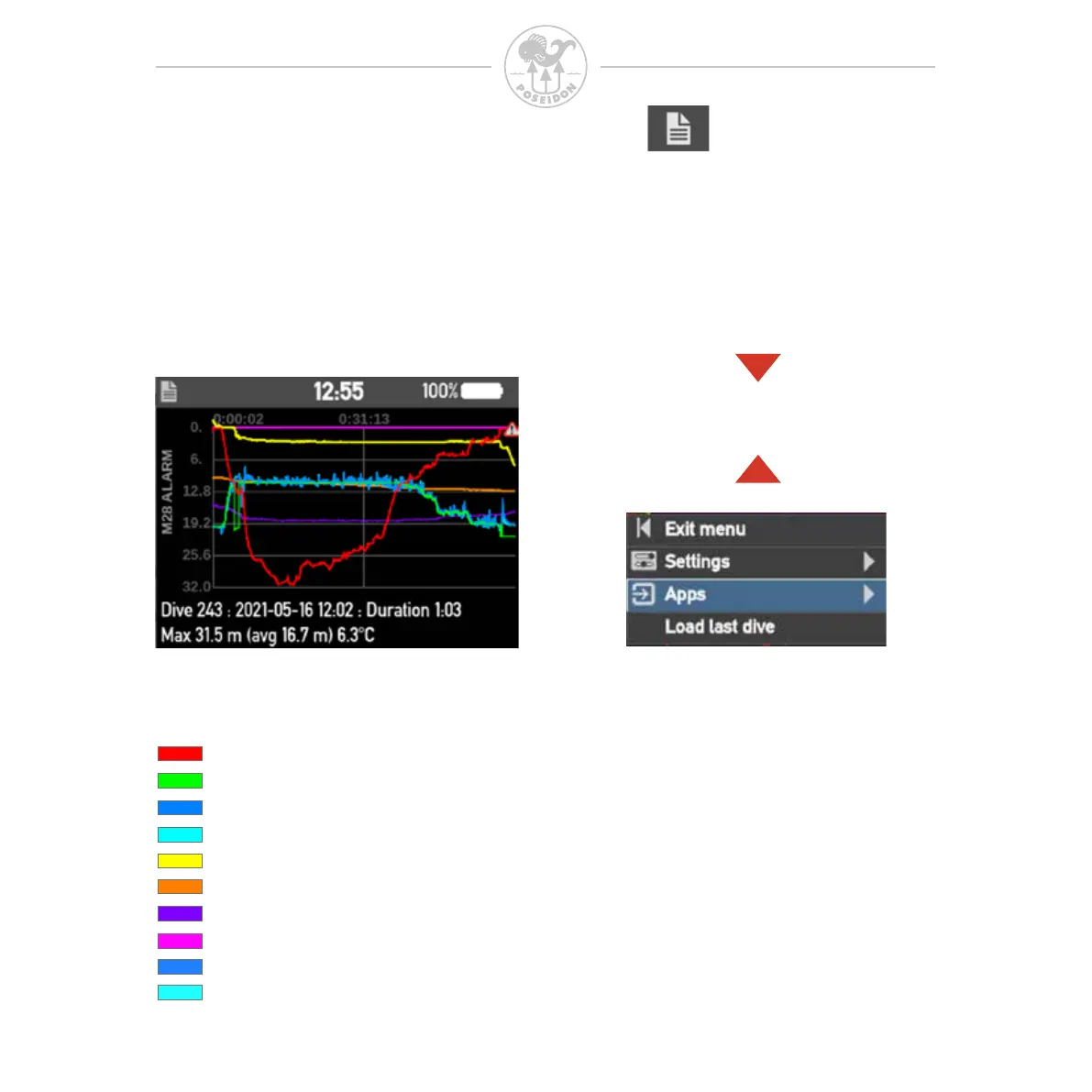
The M28 contains a log viewer where you can look at your recent dives.
Each log has an index number, dive time and max depth displayed below
the plotted curves.
Use the buttons on the M28 to change between the stored dive log.
Press button up or down to change
to the next or previous dive log
Following curves are plotted:
- Depth
- Setpoint
- Primary ppO
2
- Secondary ppO
2
- HP DIL
- HP O2
- Water temperature
- Decompression ceiling
- Primary CPOD ppO
2
- Secondary CPOD ppO
2
Alarms are indicated with an alert
icon on the depth curve.
Use REEF app to read description
of Alarms.



 To Next Page