42
POSEIDON M28 USER MANUAL
Land app
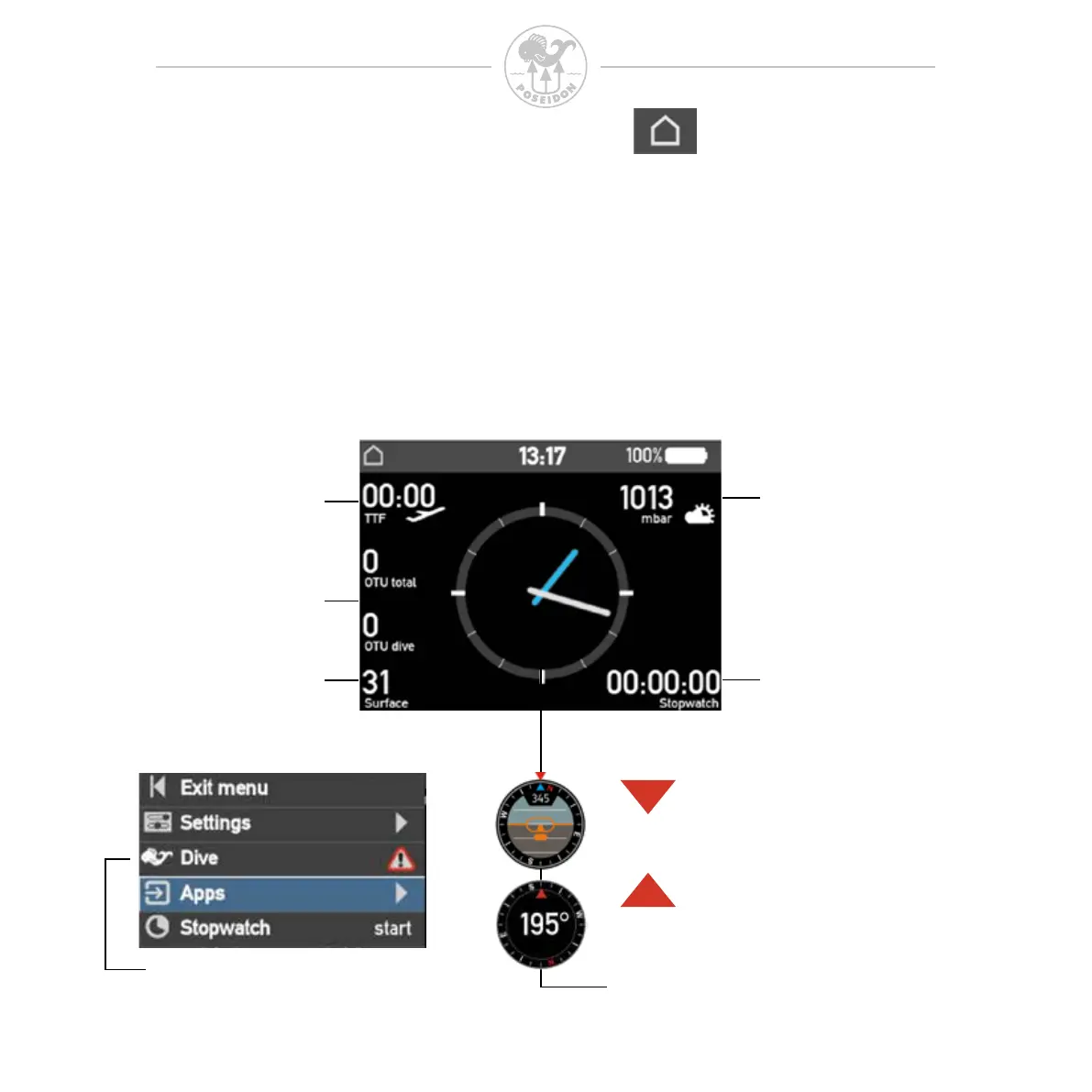
The Land app gives information valuable to the diver after or prior to the dive.
Most of the visible content of the land mode is static but the center icon and
stop watch can be used. To change the center view, press the up or down
button to cycle between the clock and the two compass views. To use the
stopwatch, press both buttons simultaneously and select stopwatch. The
stopwatch will now reset and start counting until both buttons are pressed once
again and stopwatch is selected.
Selectable Center circle
Time To Fly
OTU counters
Surface interval
Barometric pressure
Stopwatch
Press button up or down to change
This option is only available
when an alarm is active



 To Next Page