51
POSEIDON M28 USER MANUAL
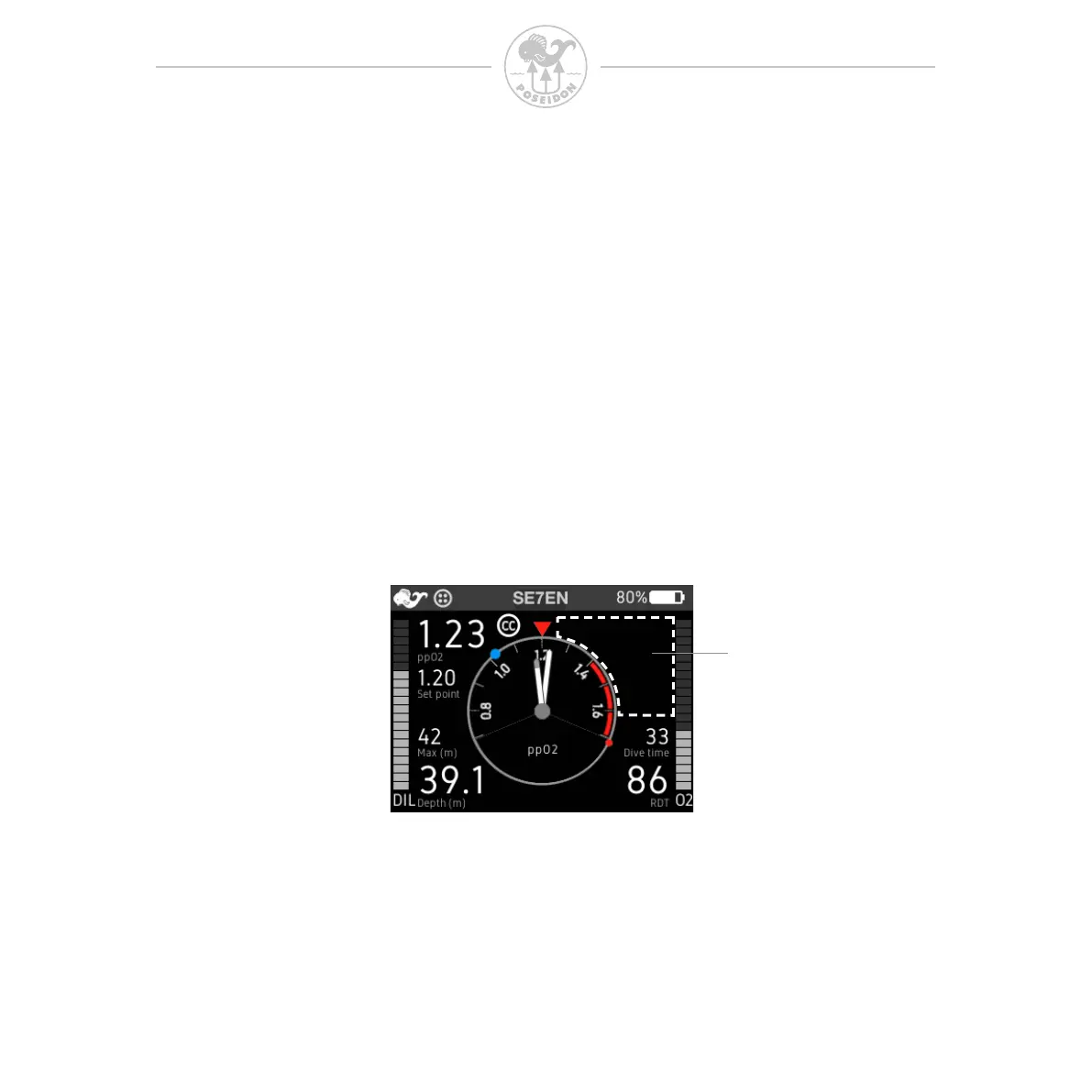
The alarm signal area
The alarm icons are displayed in the alarm signal area in the upper-right corner
of the screen. Under normal circumstances it should be completely blank. It
was designed this way so that a quick glance at the screen would be all that is
necessary to know whether any alarm conditions are active. A blank eld in the
upper-right corner of the screen means all systems are functioning properly,
and all parameters are working correctly. In most cases the signals will ash
when activated to draw attention.
Chapter 3 M28 Alarms
Alarm signals
The M28 uses alarm icons to indicate active alarms and to guide the diver in
what actions to take. The M28 ashes on-screen numbers related to the active
alarms, such as depth or ppO
2
. For some alarms the M28 also displays
on-screen messages. In addition to visual alarm indication, audible alarm signals
can be given from the built-in vibrator and the vibrator in a connected HUD.
When a SE7EN is connected to the M28, the SE7EN will control the M28
screen content equivalent to the classic (“paddle”) display. If SE7EN activates
an alarm it will activate alarm icons on the M28 display. More information about
SE7EN alarms and how they are displayed on the M28 is provided in Appendix
3 of the SE7EN manual.
Alarm signal area



 To Next Page