G2000e/G3000e/G6000e User’s Manual Chapter 2: Setup and Use
12
Figure 2-7 Load Ribbon Roll
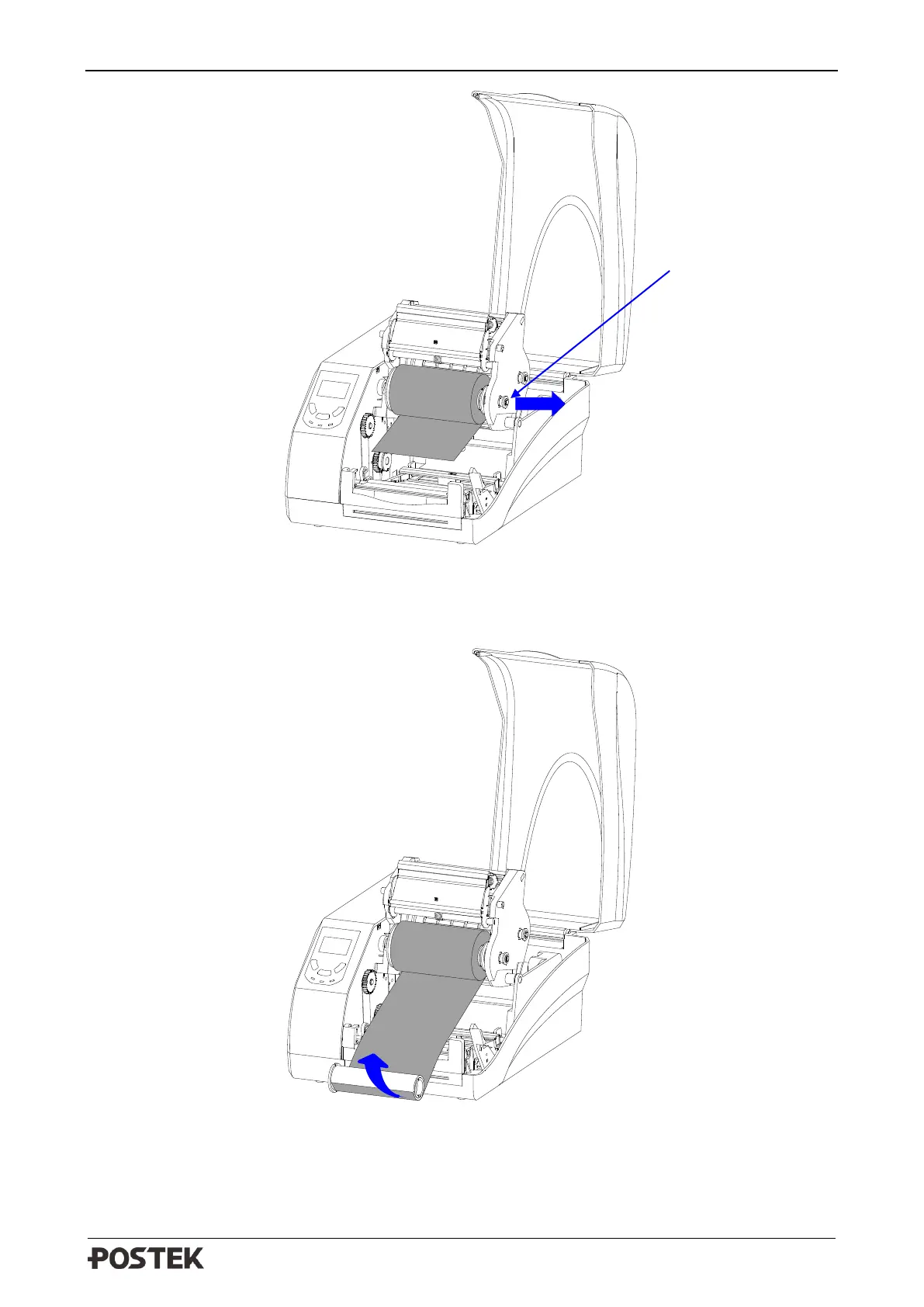
6. Route the ribbon through the Printhead Module and wrap the end of the ribbon around the spare
core, see Figure 2-8.
Figure 2-8 Wrap Ribbon on the Core
7. Pull the Release Knob of the Ribbon Take-up compartment outwards and load the core in the
Ribbon Take-Up compartment, see Figure 2-9.



 To Next Page