Cable Reference PPT VISION, Inc.
5-2 A-Series Hardware Guide
I/O Terminal Block
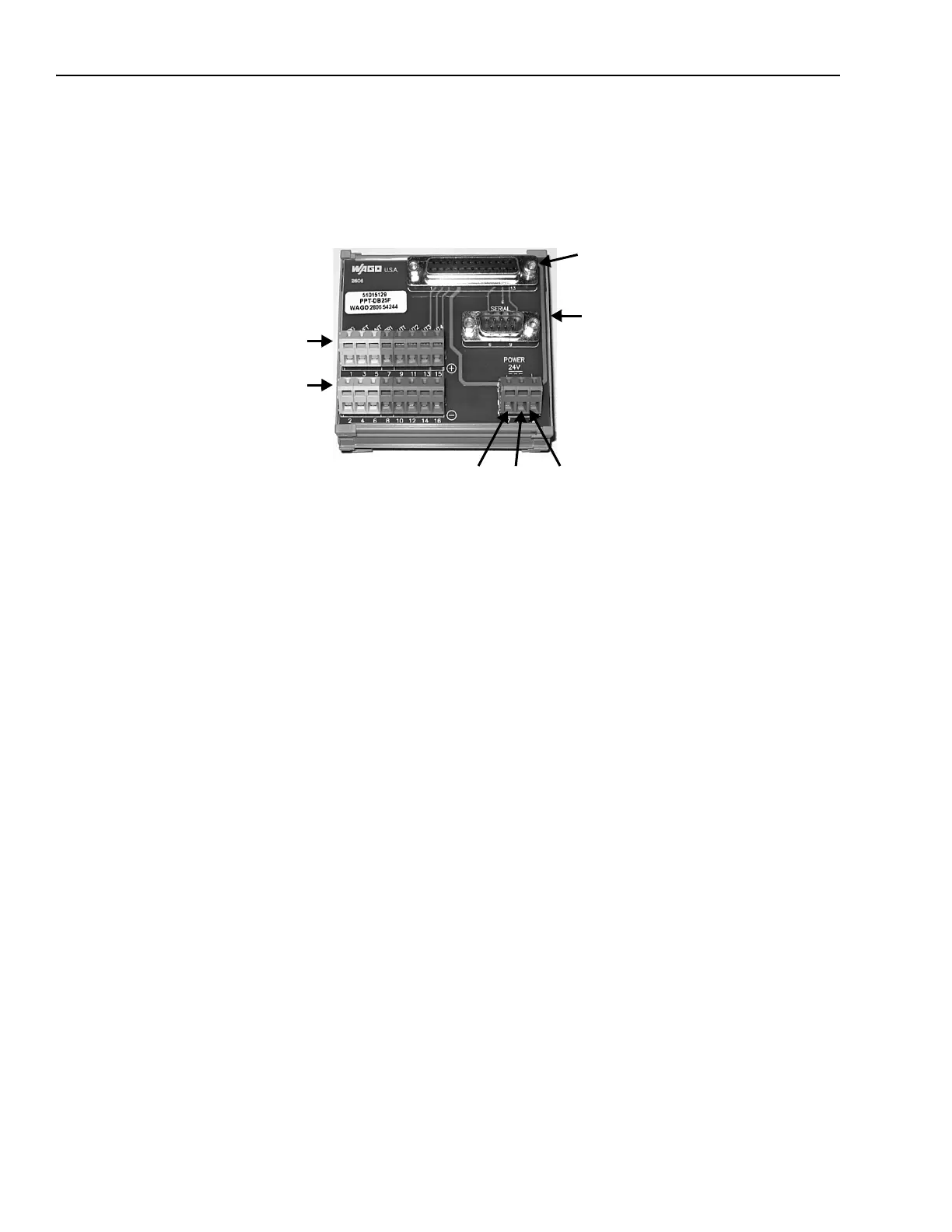
This diagram illustrates the 25-pin high density male to screw terminal I/O block (PPT Part # 248-0138). This terminal
block can be mounted on a DIN rail, connected to the camera with the optional terminated I/O cable, then wired from the
terminal block to the controlled devices (see “Terminal Block Connection Table (A10 Only)” on page 5-3 or “Terminal
Block Connection Table (except A10)” on page 5-7).
25-pin cable connector
to camera
I/O Plus Terminals
+24 VDC
Power
Serial Cable
I/O Minus Terminals
GroundPlus Minus



 To Next Page