A-Series Hardware Guide 2-1
CHAPTER 2
When Your System Arrives
When your system arrives, check the shipping cartons for wrinkled or damaged corners, holes through the cardboard, or
other signs of rough handling or abuse. If you find any signs of damage, ask the delivery service to make a note on the
delivery receipt describing the damage.
Carefully remove the A-Series camera, cabling, and accessories from the shipping package. Place the equipment on a
table and inspect each item. Save all packing materials so you can repack the system in case you need to move or ship it.
Extreme temperature precautions: If your system arrives in very cold or hot weather, allow all the equipment to reach
room temperature before plugging it in. Exposing cold equipment to a warm room can cause condensation. If condensa-
tion forms, wait for the equipment to dry completely before applying power.
Before You Set Up the System
Before we shipped your A-Series camera, we did the following:
• Ran the setup program and specified a default software and hardware configuration. See page 2-4 for more infor-
mation about setting up the hardware. Refer to the Impact Reference Guide for software configuration information.
• Set a default Internet Protocol (IP) address and a default IP Mask value. You will need to change the IP address if
you have multiple devices on a network. (See Chapter 6 of this manual for more information.)
Hardware Components
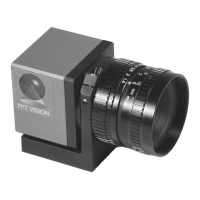
The major hardware components of an A-Series camera system are:
• Camera (A10 = PPT Part # 661-0373; A20 = PPT Part # 661-0384)
• Optional power supply
• Optional unterminated I/O cable (PPT Part # 606-0644-xx)
• Optional terminated I/O cable (PPT Part # 606-0607-xx)
• Optional terminal block (PPT Part # 248-0138)
• Optional screw-down Ethernet cable (PPT Part # 606-0619-xx)
OR
optional standard double-shielded Ethernet cable (PPT Part # 606-0615-xx)
• Optional Ethernet switch (PPT Part # 606-0455)
• Optional Ringlights (see pages 4 and 9)



 To Next Page