A-Series Hardware Guide 1-1
CHAPTER 1
Introduction
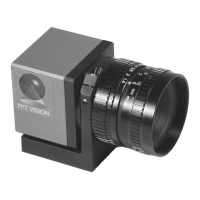
Thank you for purchasing a PPT A-Series camera. Please read the instructions in this document before starting your sys-
tem setup.
This manual explains the various parts of the PPT A-Series camera, including the system inputs and outputs available to
integrate your system into a production line.
NOTE: This manual covers the entire line of PPT A-Series cameras. Sections that apply to a specific A-Series model
number will be indicated.
Contents of This Manual
The Hardware Guide consists of the following chapters:
• Chapter 1: Introduction
The contents of this manual.
• Chapter 2: When your system arrives
This chapter explains the general safety precautions and specifications for the PPT A-Series camera.
• Chapter 3: Basic Hardware Components
This chapter illustrates the hardware components and their dimensions.
• Chapter 4: I/O Reference
These are the diagrams of the inputs and outputs of your camera.
• Chapter 5: Cable Reference
These are the wiring specifications for cables for your camera.
• Chapter 6: Appendix
This chapter explains technical configuration, as well as tips for correcting problems you may encounter while
using the PPT A-Series camera.



 To Next Page