84
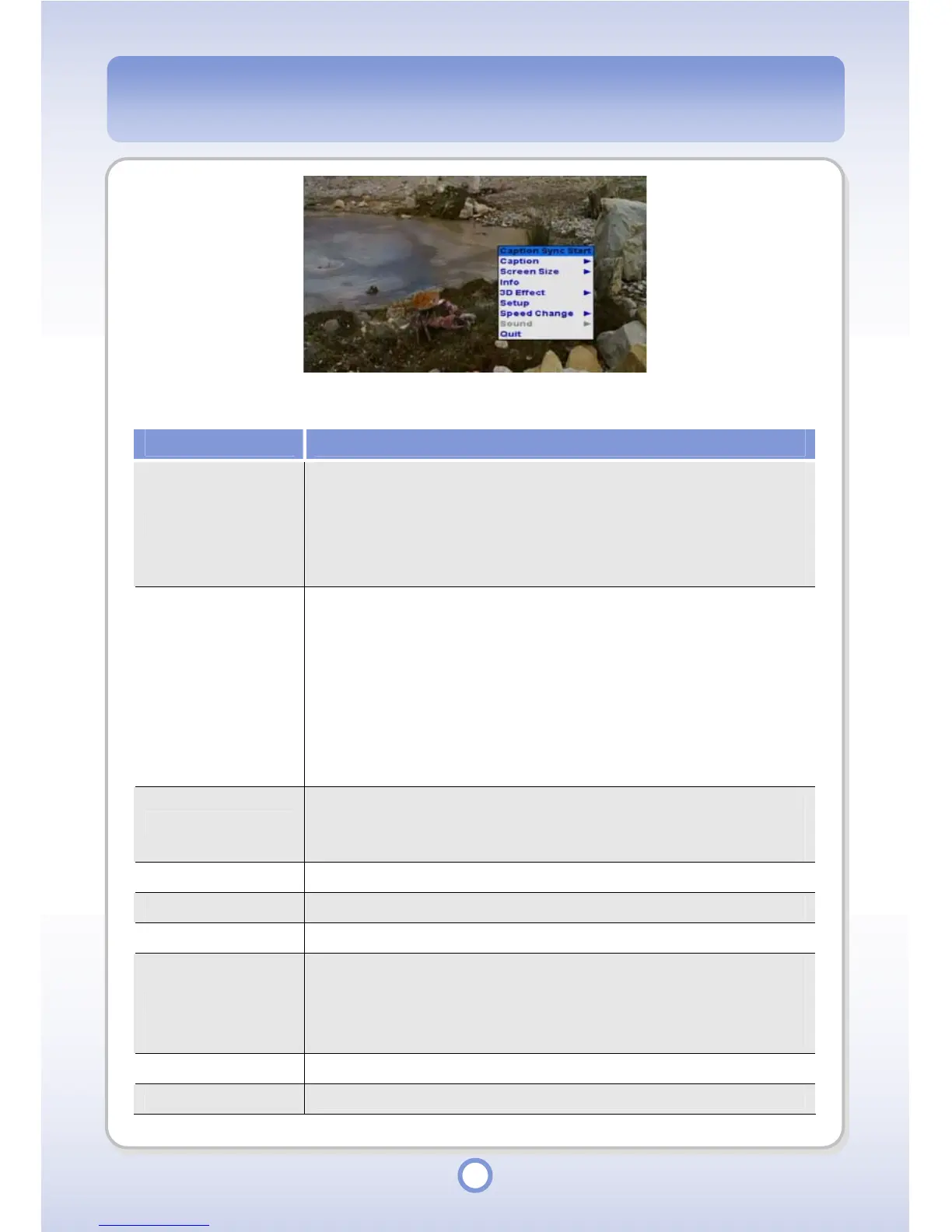
When you press the <MENU> button in the Video Player playlist, a pop-up menu providing
the following functions appears.
Item Description
Caption Sync Start
You can adjust caption sync time. Press the MENU button to save the
changed caption sync information.
●
Left(-)/Right(+): Adjust by 0.5 seconds.
●
Up(+)/Down(-): Adjust by 1 second.
●
Left Long(-)/Right Long(+): Adjust by 10 seconds.
Caption
●
On: Select to show caption.
●
Off: Select to hide caption.
●
Lang1: Select to show Language 1 caption.
●
Lang2: Select to show Language 2 caption.
●
T-On: Select to show Play Time caption.
●
T-Off: Select to hide Play Time caption.
●
T-Position: Select to set the position of Play Time caption.
●
Position: Select to set the position of caption.
Screen Size
You can set the size of the screen.
●
Full: Select to play in full screen.
●
Normal: Select to play in the original size of the video file.
Info You can view information about the video file currently being played.
3D Effect You can set a 3D Effect.
Setup You can set up the video settings.
Speed Change
You can set play speed.
●
2x Forward: Select to play at double speed.
●
2x Backward: Select to play backwards at double speed.
●
Normal: Select to play at normal speed.
Sound
You can select audio multimix if the file supports audio multimix.
Quit
You can exit the Video Player.



 To Next Page