CONTROLS & CONNECTIONS 3Owner’s Manual
41
Overview Getting
Started
Controls and
Connections
Cascading
Units
Technical
Information
Software 3.1
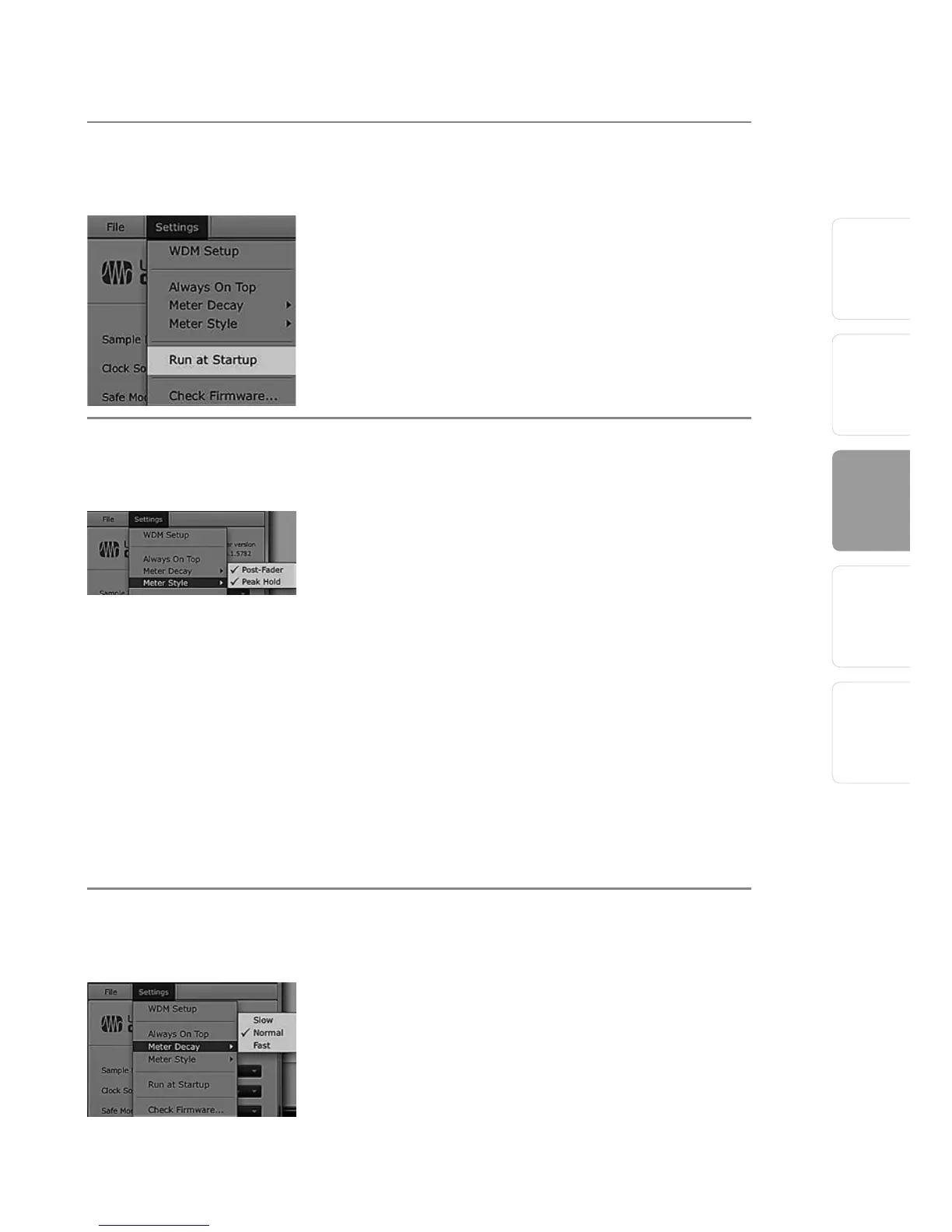
Settings: Run at Startup Launches the Universal Control Application
Automatically on Startup (Windows PCs Only).
When this is enabled, the Universal Control
application will automatically launch each time
you boot your Windows PC.
Settings: Meter Style Provides Options for Metering in the Device
Window.
From the Launch window, you can determine how
your inputs and DAW streams are metered in the
Device window.
• Post-Fader. Displays the metering for any signal
after it has been boosted or attenuated by the
channel fader. By default, all metering is pre-
fader position.
• Peak Hold. When this is enabled, the clip
indicator on any given channel will remain
illuminated until manually cleared, even if the
signal is no longer clipping. This is enabled by
default.
Settings Meter Decay Sets the Response Time for the Meters in the
Device Window.
The Universal Control gives you the option to set
the response time for the meters in the Device
window. By default, this is set to Normal. Enable
Slow Meter Decay for more accurately meter the
peaks and falls of the signal. Enable Fast Metering
to monitor your signal in real time.















 To Next Page