Overview Getting
Started
Controls and
Connections
Cascading
Units
Technical
Information
3 CONTROLS & CONNECTIONS PreSonus
™
FireStudio
™
Mobile
44
Overview Getting
Started
Controls and
Connections
Cascading
Units
Technical
Information
3.1 Software
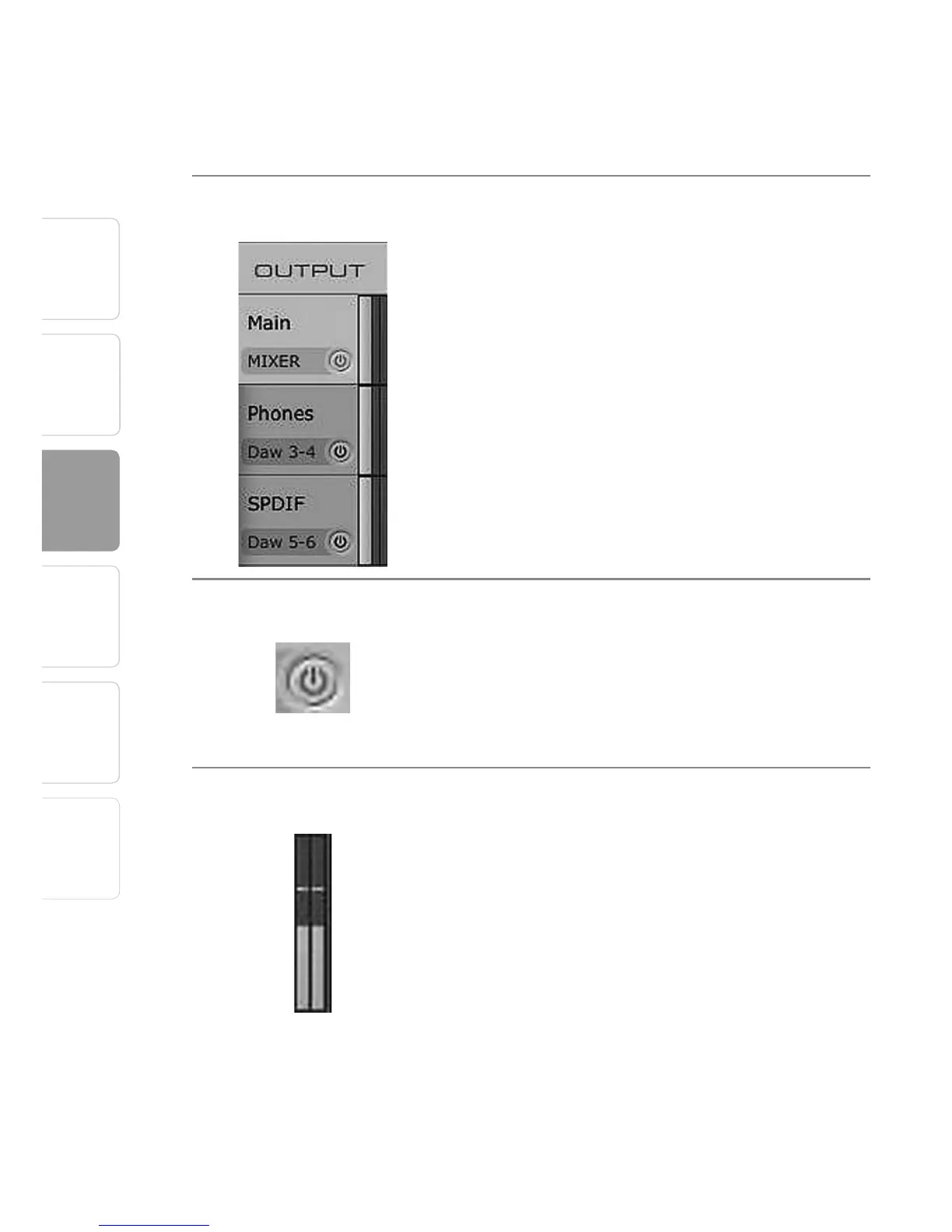
Output Select Section
Output Select Buttons Changes the Output Mixer That is Displayed.
The FireStudio Mobile mixer has three output mixes,
one for each of the FireStudio Mobile’s three stereo
outputs: mains, headphones, and S/PDIF.
Mixer On / Off Button Enables or Disables the Associated Output’s Mixer.
When the Mixer On button is illuminated blue, you
will be able to create a zero-latency mix for that
output. When the button is off, the DAW streams for
that output will be patched directly to the output.
Post-Fader Output Meters Displays the Output Level of Each Stereo Pair.
These meter post-fader levels, which means they
represent the actual audio output levels of your
FireStudio Mobile.















 To Next Page