9
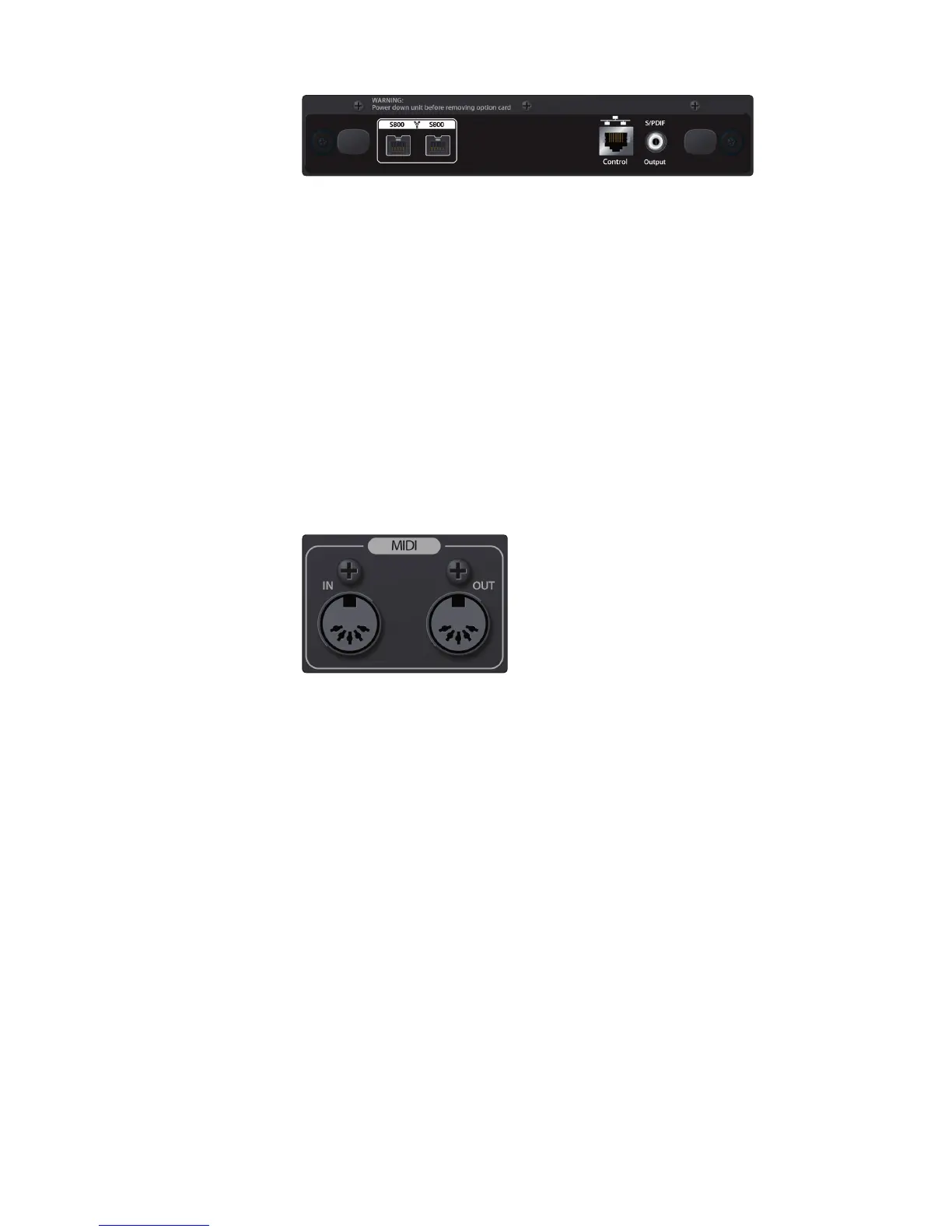
Option card slot. Your StudioLive RM-series mixer comes with a
FireWire s800 option card for digital input and output, network
control, and digital S/PDIF output. Additional option cards will be
available soon, including AVB, Dante, and Thunderbolt.
FireWire s800 Ports. There are two standard 9-pin FireWire s800 ports
on the included option card that can be used for connecting to your
computer. You can use the second FireWire s800 port to connect additional
s800 devices (such as external hard drives) to your computer.
Note: While connecting your StudioLive RM-series mixer to a FireWire 400 connection
on your computer and daisy chaining a FireWire 400 device to the secondary
s800 port are supported, this will reduce the bus speed of your mixer to 400 Mbps,
and you may experience reduced performance. To experience the full power of
your StudioLive RM AI-series mixer, we highly recommend connecting to a true
FireWire s800 connection or to a Thunderbolt connection, using an adapter.
Ethernet Port. This standard RJ45 port allows you to
connect your StudioLive to a wired LAN network.
S/PDIF Output. This digital output can be routed and assigned using UC Surface
touch-control software. By default the Main Left/Right mix is assigned to this output.
MIDI Input and Output (I/O). These inputs and outputs
allow connection to, and communication with, external MIDI
equipment for triggering mixer functions and events.
Note: The MIDI I/O feature will be activated as part of an upcoming firmware update.











 To Next Page