3.0 Installing the UC Surface Touch-Control Software
3.5 Computer Recording Setup
StudioLive™ RM-Series Mixers
Owner’s Manual
17
You can also use the StudioLive RM mixer as an audio
interface and monitor mixer for studio recording.
1. After registering your StudioLive RM mixer, download the Universal Control
installer for Windows or Mac from your My PreSonus account. This installer
includes the UC Surface mix-control software and necessary drivers.
2. Launch the installer and follow the onscreen instructions. When the
installer is finished, reboot your computer to complete the installation.
SERIAL NUMBER
WAR
SHOCK
MOIST
PARTS
AVIS
DESIGNED AND ENG INEERED BY P RESONU S • MANU
“PreSonus”,“STUD IOLIVE” AN D “ACTI VE INTE GRATION” ARE REGIS
This device complies with Part 15 of the FCC Rules and ICE
following two conditions: (1) this device may not cause
accept any interference received, includ ing interference that
WARNING:
Power down unit before removing option card
32 channel x 25 bus digital mix core
with 32 remote XMAX preamps
R
STUDIOLIVE RM32
S800S800
S800S800
S800S800
S800S800
S800S800
S800S800
IN OUT
FireWire 800
cable
S800S800
S800S800
S800S800
S800S800
S800S800
S800S800
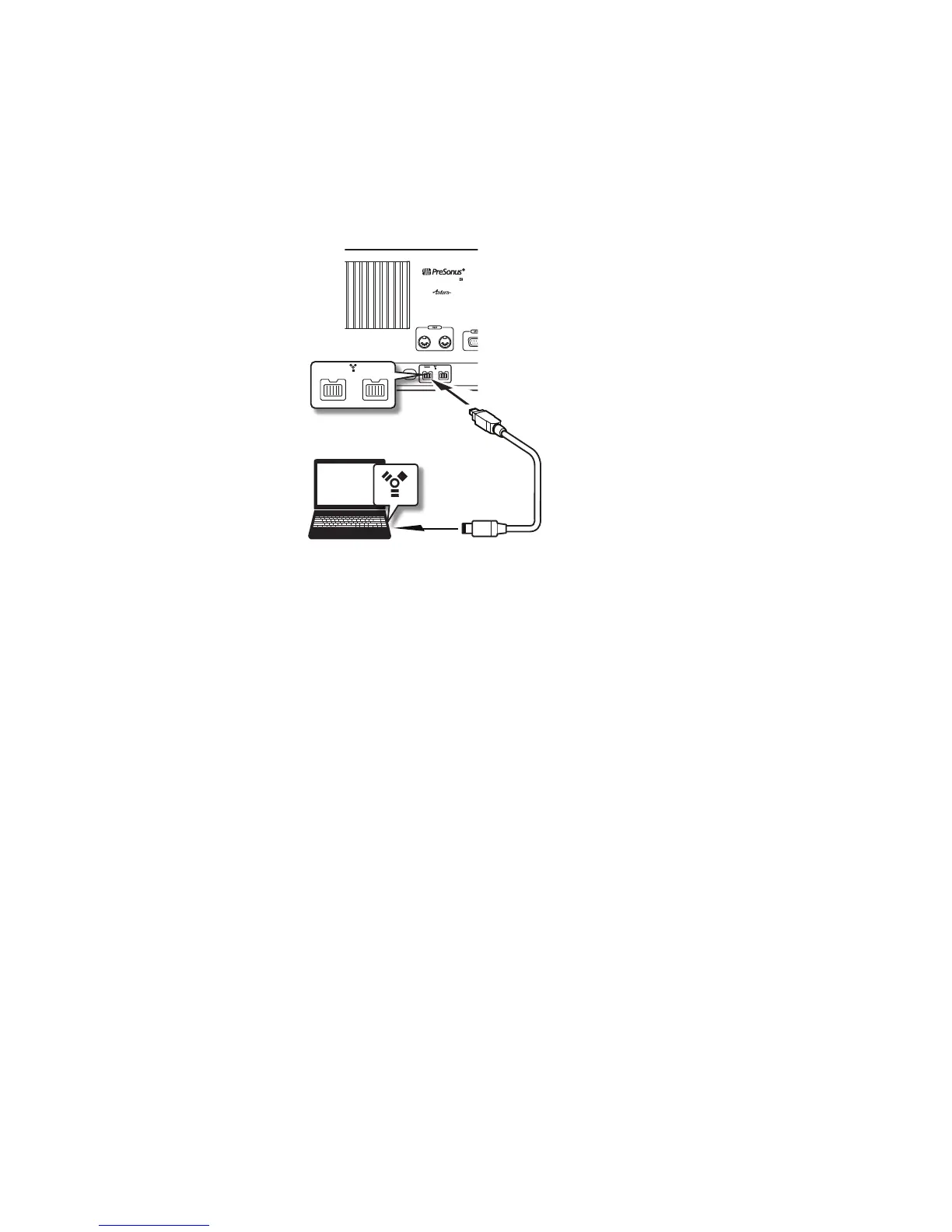
3. When the installation is complete, connect your StudioLive mixer to your computer
with the included FireWire cable for audio and via Ethernet or Wi-Fi for control.











 To Next Page