36
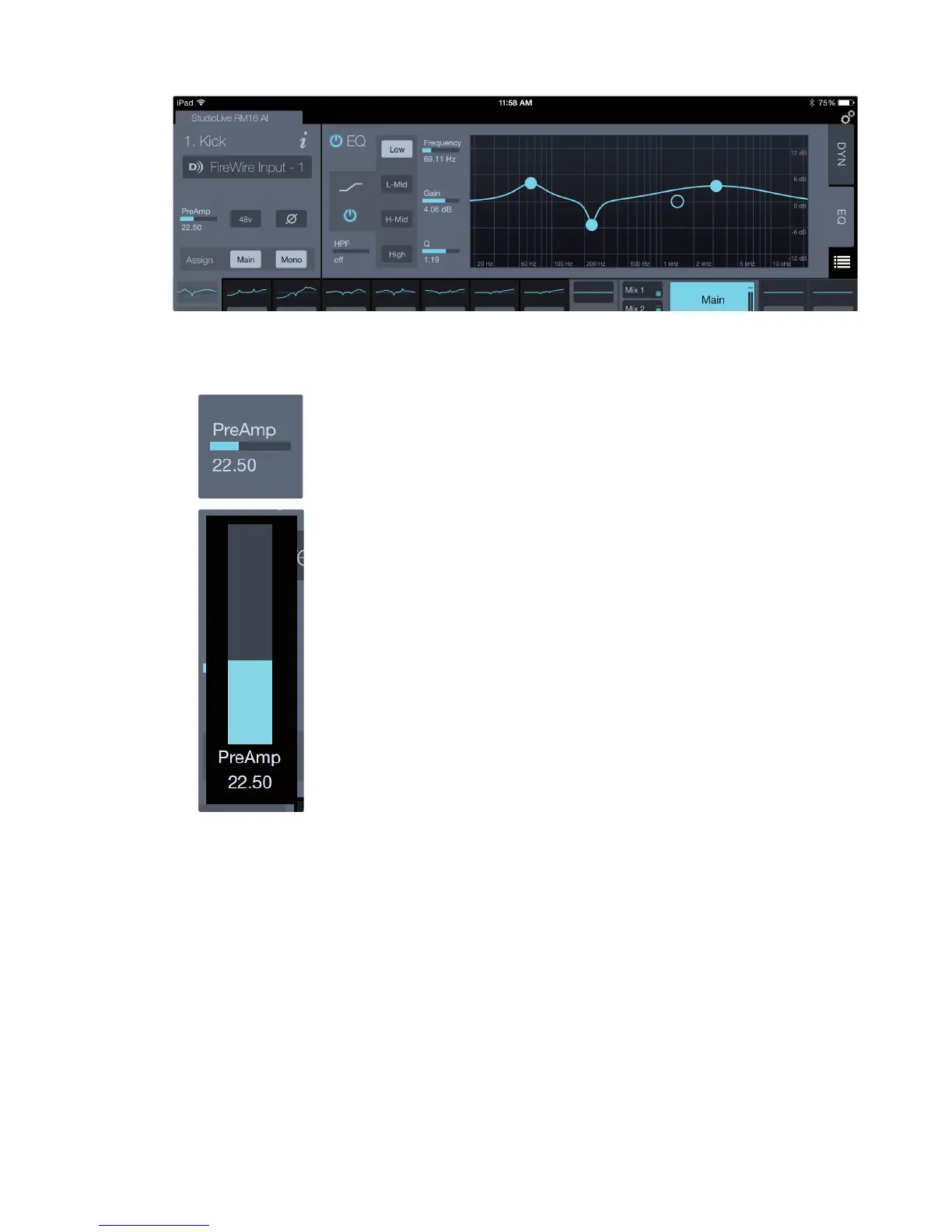
A Note for iPad Users: The iPad version of the Fat Channel is arranged so that
the noise gate/expander and compressor are on the Dynamics page (DYN),
while the EQ is on a page of its own (EQ). You can switch between the pages by
tapping the EQ and DYN tabs, located on the right edge of the Fat Channel.
Parameter Boxes. UC Surface features a better way of viewing adjusting parameters
compared with traditional knobs that mimic hardware controls. Its Parameter Boxes
display the parameter name, a meter with the current setting, and numeric value.
When you touch or click and hold on a Parameter Box, a slider will appear under your
finger or mouse that is centered on the current value position. Move you finger or
mouse to adjust the parameter and then release to snap the slider back and view the
full Parameter Box again.
You can also open the slider by pressing and releasing the Parameter Box. When
done this way, you can then move the slider value in relation to where you touch in
the slider area. Pressing outside the slider area will close the slider and return to the
full Parameter Box view.











 To Next Page