32 A26361-K878-Z102-2-7619
Installing/Removing the Server into/from the Rack Hardware Installation
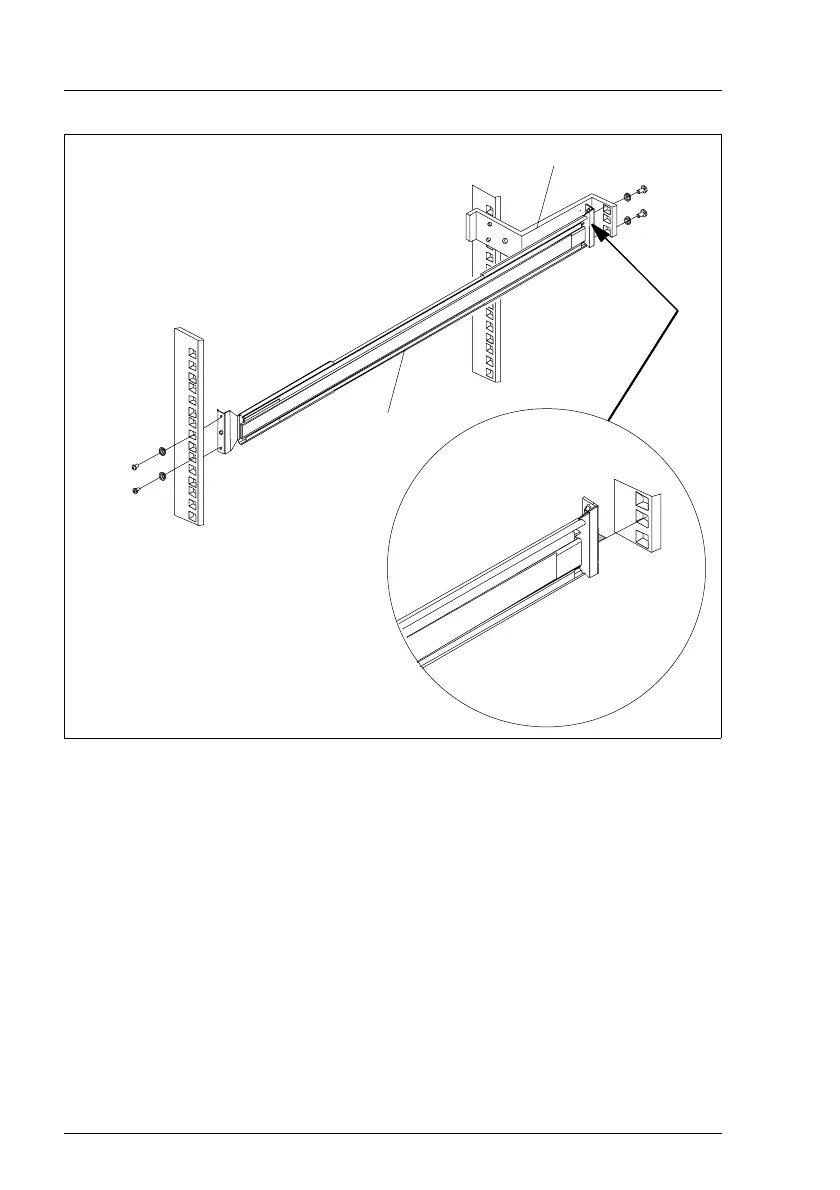
Figure 11: Mounting the left telescopic rail
Ê There is a small horizontal lead (1) between the securing holes on the rear
end of the left telescopic rail. Fit this lead in the corresponding hole of the
support bracket.
Ê Secure the telescopic rail on the frontal left support upright with two screws
M5 (2).
Ê Secure the telescopic rail on the support bracket with two screws M5 (3).
Ê Repeat the steps with the right telescopic rail (to be mounted on the right
support uprights).
Ê Mount the server (see section “Installing the Server” on page 34).
a
b
c
c
2xM5
2xM5
1
2
3



 To Next Page