A26361-K878-Z102-2-7619 31
Hardware Installation Installing/Removing the Server into/from the Rac
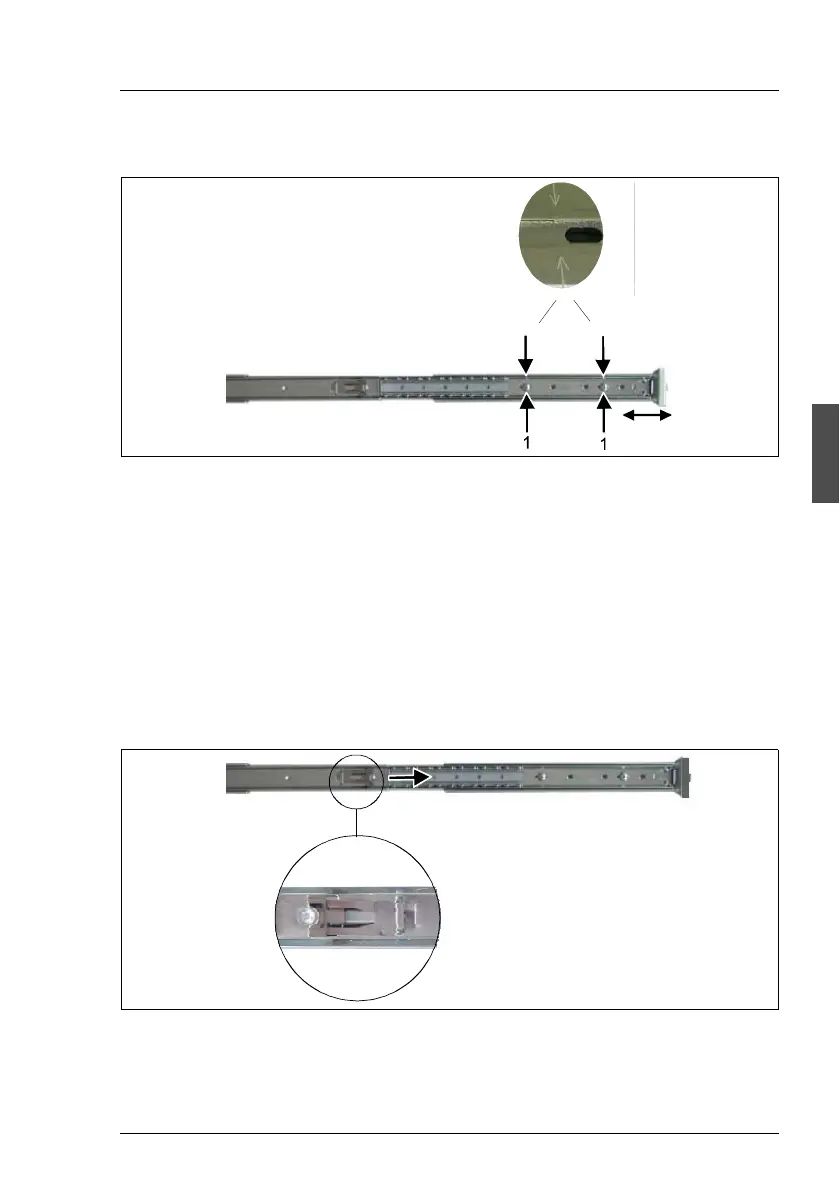
Length adjustment of the rails
Figure 9: Performing adjustment
Ê Open the telescopic rails completely.
Ê Release the both adjustment screws (1).
Ê On the external side of the rails, there are two punched arrows. Set these
arrows (2) with the center of the adjustment screws (1) to coincide. In order
to reach this, push together or pull apart the telescopic rail (3).
Ê Fasten the adjustment screws (2).
Mounting the telescopic rails into the rack
Figure 10: Pushing together the telescopic rail
Ê Press in the safety spring (1) and push together the telescopic rails (2) in the
direction of the arrow.
1
2



 To Next Page