16 © 2015 Proceq SA
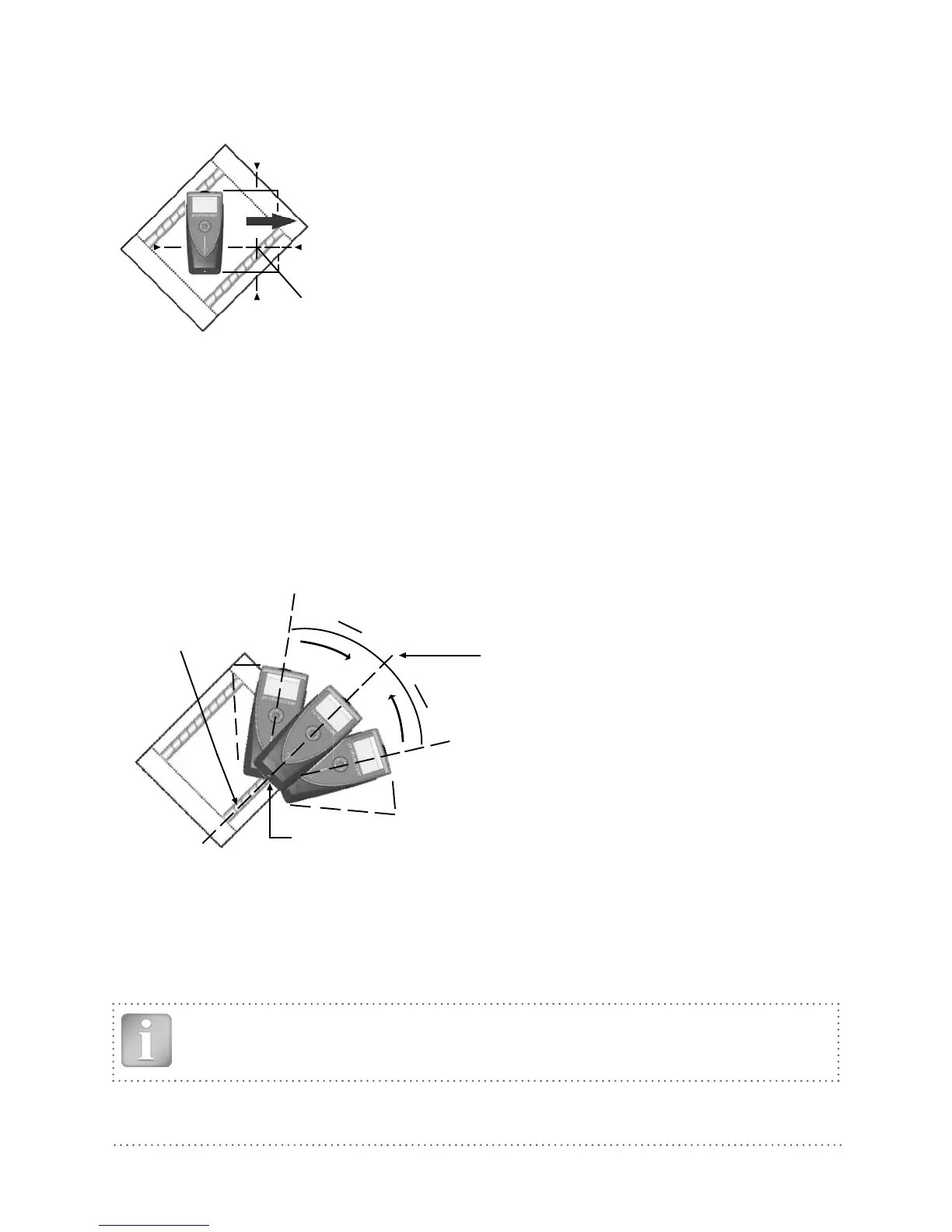
Scenario C: Sweeping at an Angle to the Rebars
Markings for MC (4)
Center point
Try it out on the start up test kit.
Fig 19: Sweeping at an angle
The response on the screen will be similar to the case when you are sweeping perpendicular (Sce-
nario A), but the movement of the Rifle Scope will be slower.
Move the Profoscope until the LED lights. The MC (4) is precisely above the rebar. Mark the position
of the MC (4) on all four sides of the Profoscope, thus the center point for checking the orientation
(see 5.2.2) is defined on the test surface.
5.2.2 Check the Rebar Direction
Once you have defined the center point, you need to check the direction of the rebar by rotating
around the center point.
Center point
above rebar
Direction of rebar
R
L
Try it out on the start up test kit.
LED-Light up when Center Line (9) over the
rebar
Fig 20: Checking the rebar direction
Position the Profoscope with the lower edge (LED output) of the Center Line (9) at the center point
of the rebar. Rotate the Profoscope around this center point either from left (L) or right (R). It will light
up once the Center Line (9) is precisely over and parallel to the rebar. Mark the position of the Center
Line (9) at the display side of the Profoscope. A line drawn through this point and the marked center
point will give the orientation of the rebar.
NOTE! The signal strength arrow can be used as an aid here. The signal strength
will increase as you rotate towards the correct orientation and decrease as rotate away.




 To Next Page