3-4
Getting Started With Access Point Configuration
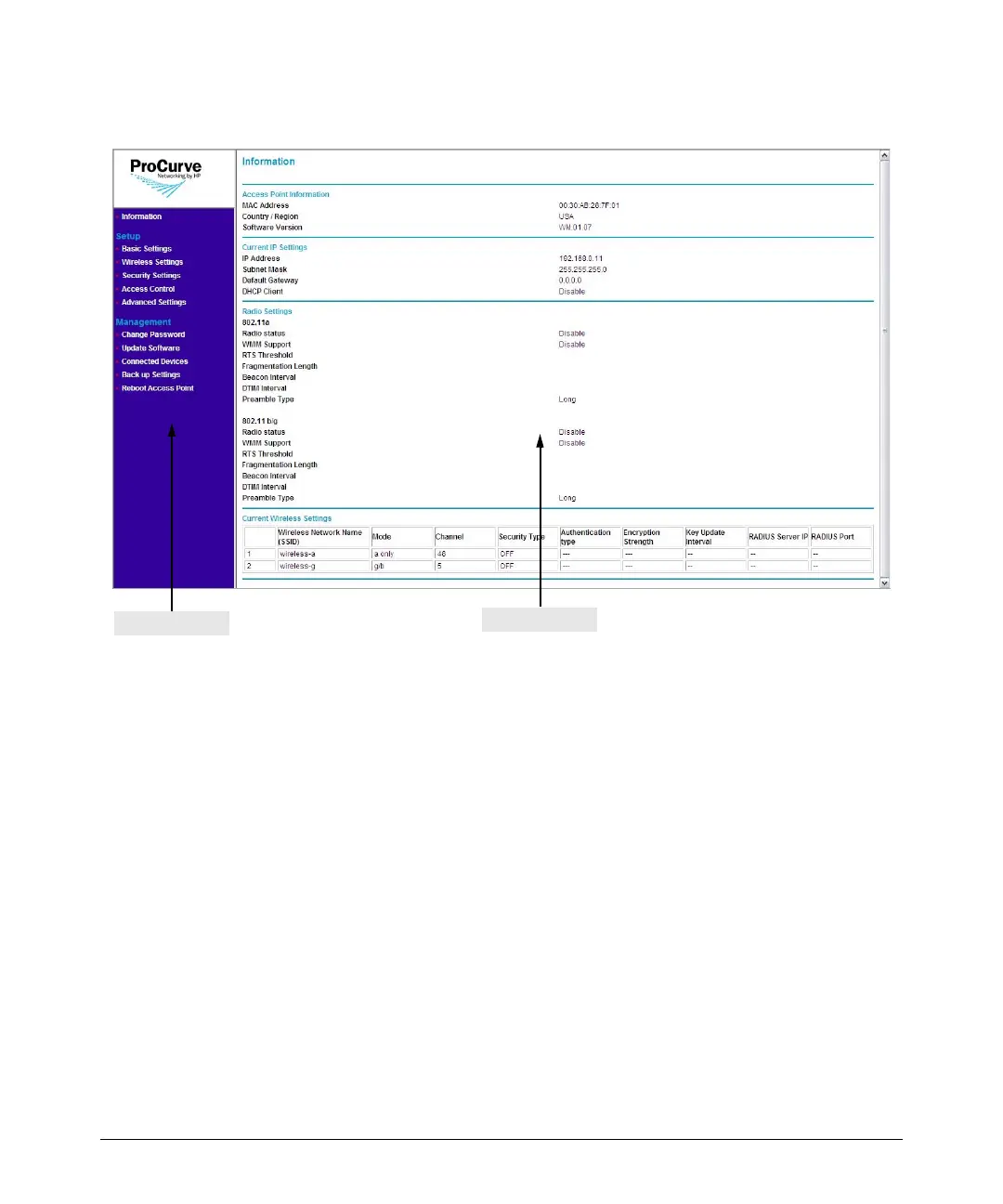
Introducing the Management Web Interface
Figure 3-2. Web Interface Elements
The Web interface has two primary sections:
■ The menu: Located on the left-hand side of the page, the menu contains
links to the primary configuration options on the Web interface. Menu
items are grouped into three categories:
• Information (default home page): Shows information about the
access point, including the MAC address, software version, current
IP address settings, and configured wireless networks.
• Setup: Contains options for configuring the essential access point
settings, such as basic IP address settings, basic wireless settings,
security settings, and access control.
• Management: Contains options for performing administrative tasks
on the access point, including changing the password, updating the
software, backing up and restoring settings, viewing the list of asso-
ciated wireless clients and devices, and rebooting the access point.
Information Pane
Menu



 To Next Page