4-18
Setting Up the Access Point
Configuring Security Settings
Configuring WPA (TKIP)
This security profile uses TKIP as the encryption cipher and 802.1X as the
authentication mechanism. In this way, each device is going to utilize a unique
master key to derive the encryption between the access point and device.
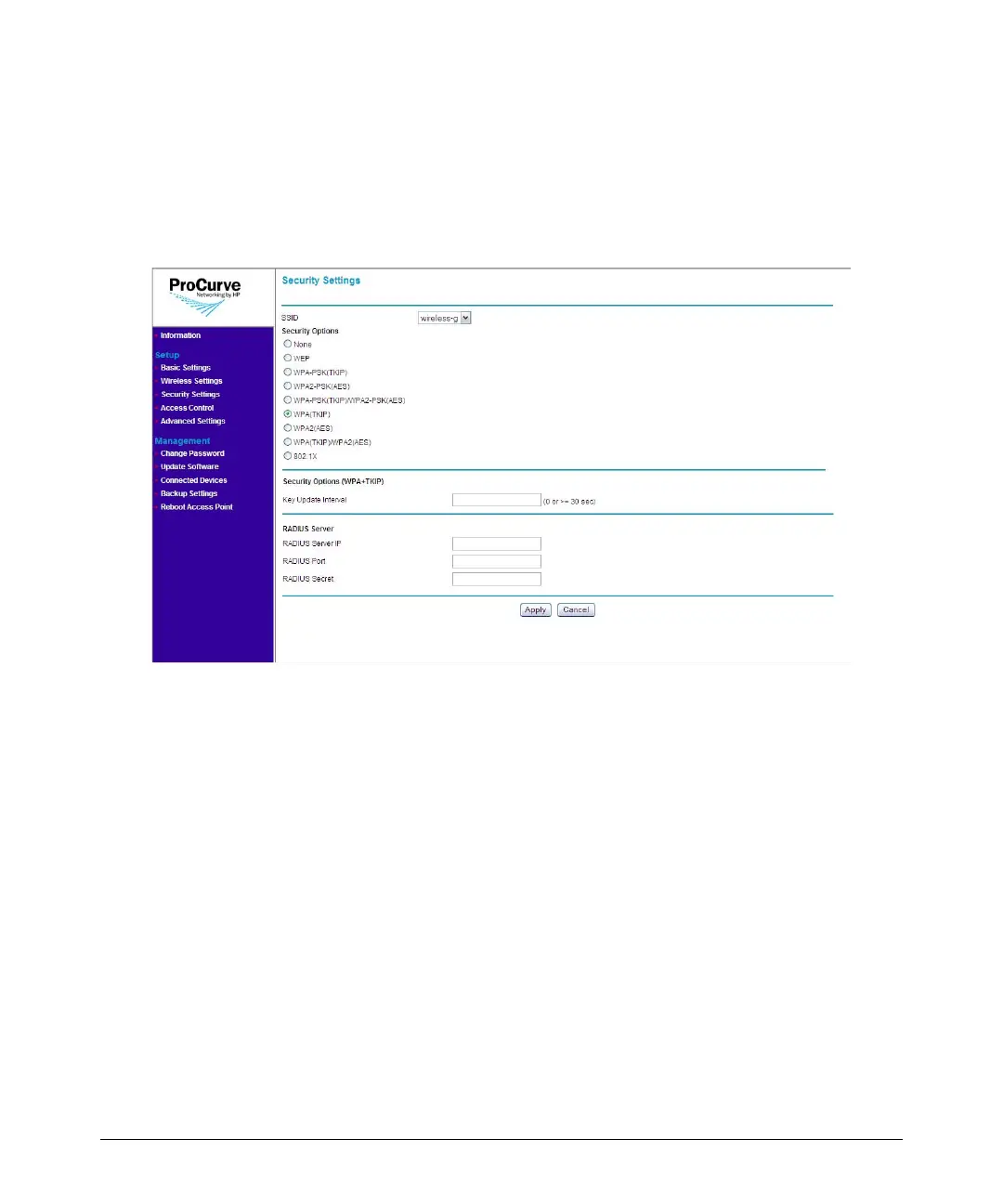
Figure 4-10. WPA (TKIP) Options
To use WPA (TKIP):
1. On the menu, click Security Settings. The Security Settings page
appears.
2. In SSID, select the SSID for which you want to set the security profile.
3. Under Security Options, click WPA (TKIP).
4. In the Key Update Interval box, define the time interval (in seconds)
for regenerating a group key.
5. Under RADIUS Server, configure the RADIUS server settings:
• RADIUS Server IP: Type the IP address of the RADIUS server on the
network.
• RADIUS Port: Type the User Datagram Protocol (UDP) port number
used by the RADIUS server for accounting messages. Setting the port
number to zero disables RADIUS authentication.



 To Next Page