7.6 Number conversion
7.6.1 Standard numbering
By default, the number entered from the keyboard will be directly the device number (physical) with which PBX will
try to establish a connection. It is possible to redirect the logical number (from the keyboard) to any other, and to
limit the supported range of numbers.
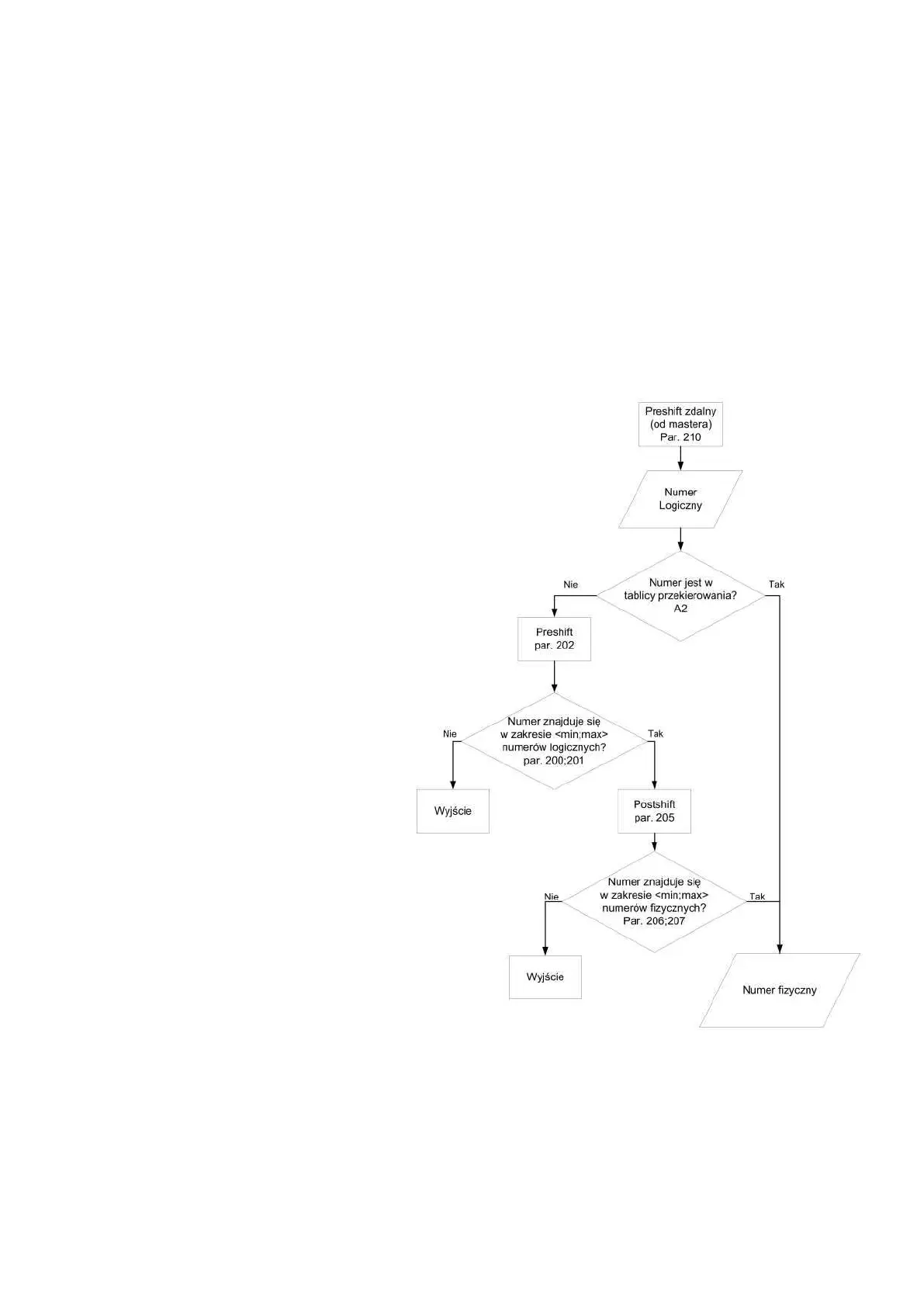
Diagram showing the algorithm structure supporting number conversions is shown in Figure 6.
Principle of operation:
1. Logical number reaches the PBX (from the
cassette or slave module)
2. PBX checks if the number is not already
redirected manually (definition in subprogram A-
2). If it is, the PBX goes straight to addressing the
decoder with a number from table (point 7). If
there is no redirection, the control panel goes to
point 3.
3. This number is summed up with PostShift field
(see Table 18). Please note that summing up takes
into account the character.
4. PBX checks if the number with preshift is in the
range from “Range “from” for logical numbers”
to “Range “to” for logical numbers” (see Table
18). If the number is within the interval, the PBX
goes to the next point. If not, the procedure of
establishing a connection will be interrupted.
5. This number is summed up with PostShift field
(see point 18). Please note that summing up takes
into account the character.
6. PBX checks if the number with preshift is within
the range from “Range “from” for physical
numbers” to “Range “to” for physical numbers”
(see Table 18). If the number is within the
interval, the PBX goes to the next point. If not,
the procedure of establishing a connection will be
interrupted.
7. Decoder with obtained physical number is
addressed.



 To Next Page