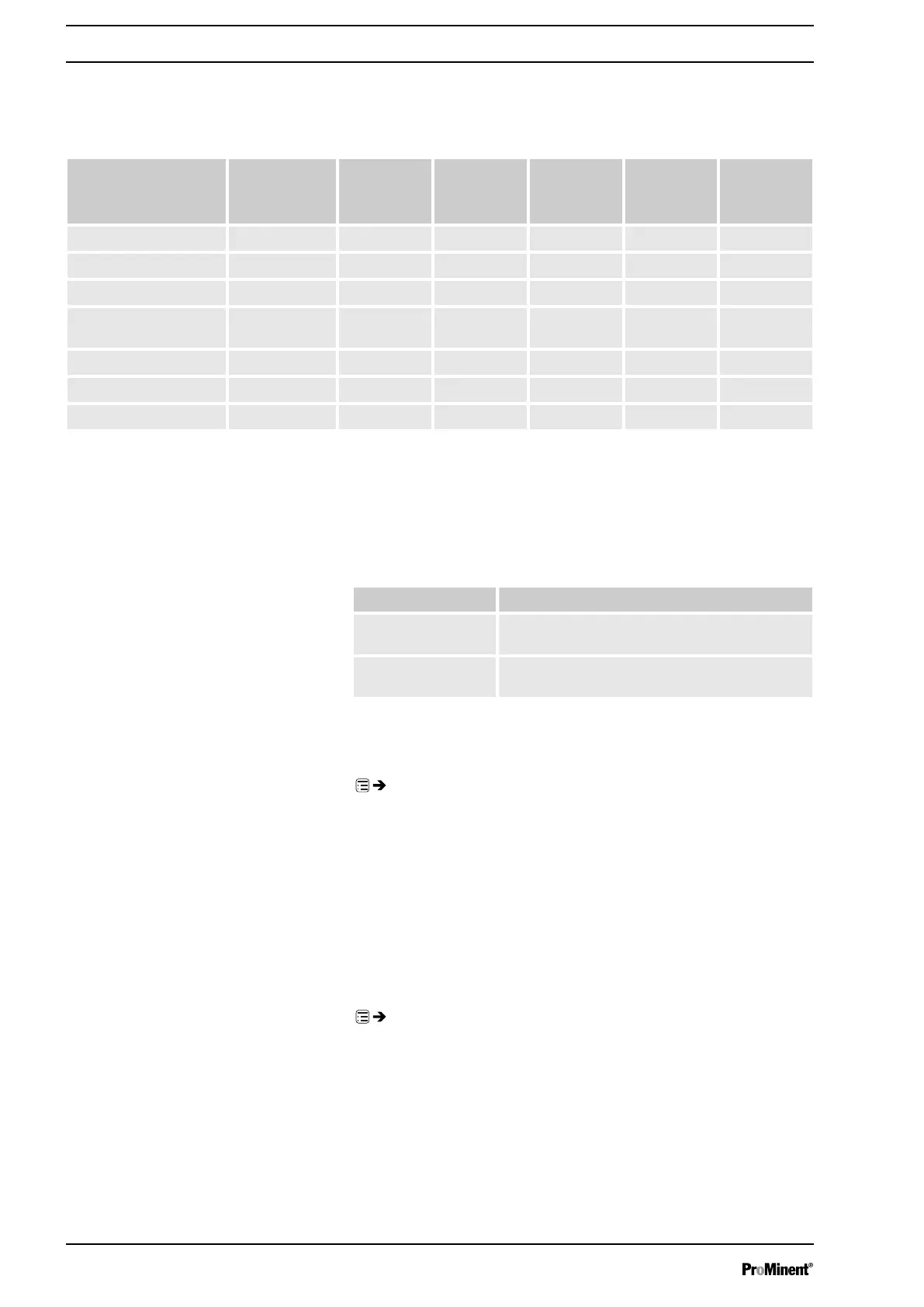
You can reprogram the relays to these types:
Tab. 7: Relay type / relay reactions setting
Menu setting Warning mes‐
sage
yellow LED*
Error mes‐
sage
red LED*
Manual stop Stop via bus Pause Stroke rate
‘Warning’
X
‘Error’
X
‘Warning + error’
X X
‘Warning + error +
stop’
X X X X X
‘Stop’
X X X X
‘Stroke rate’
** X
‘Pump inactive’
X X
* see the "Troubleshooting" chapter
** only use
‘Relay 2’
for this relay type (semiconductor relay). The relay
switches with every stroke.
You can set here how a relay is to switch.
Menu setting Effect
normally-closed (NC) The relay is closed in normal mode and opens
with a triggering event.
normally-open (NO) The relay is open in normal mode and opens
with a triggering event.
9.3.4.3
‘Relay2 (optional)’
‘Menu / Information
è
Settings
è
Inputs/outputs
è
Relay2
è
...’
You can set the metering volume for which the pacing relay is to switch
once here.
For more information on
‘Relay2’
- see
Ä Chapter 9.3.4 ‘ ‘Inputs/outputs’ ’
on page 53
.
9.3.4.4
‘mA-Output (optional)’
‘Menu / Information
è
Settings
è
Inputs/outputs
è
mA-Output
è
...’
You can set which current range is to be used at the mA output here.
Under
‘Function’
, you can then set whether the current stroke rate
(
‘strokes / minute’
) is to be signalled at the mA output or the capacity
(litres / hour).
Relay type
Relay polarity
Relay cycle quantity
Set up /
‘Menu’
54






 To Next Page