Try the other port of your Hub to connect with TR515/TR510.
Try the other WAS-1499 cable if you have more than one cable.
2. If “Corrupted installation: unable to find SDF files” message appears in
the software DS Manager after clicking [Settings]
The old version of the software TR515 Tool/TR510 Tool (V1.6R9 or below)
may cause this problem. Go to [Control Panel]\ [Add or Remove Programs]
to uninstall the old TR515 Tool/TR510 Tool. Then login your computer
with “Administrator” account to install the latest TR515 Tool/TR510 Tool
(V1.6R13 or above).
3. If “The firmware on this Device Server is outdated (earlier than V.xx) and
does not support this function. You are recommended to upgrade to
firmware V3.xx or higher” message appears in the software DS Manager
Upgrade the firmware for the Ethernet module of your TR515/TR510 by
the following steps. Contact GIGA-TMS and advise the detailed “PART
NO” of your TR515/TR510 to get the latest firmware of Ethernet module.
(You can see PART NO information on the label at the bottom of your
time recorder.) Then use “Upgrade” function in the software DS Manager
to upgrade the firmware for the Ethernet module of your TR515/TR510.
4. Will you lose anything or have to redefine anything after using
“Initialize” function of the software DS Manager
“Initialize” function allows you to initialize the Ethernet module of
TR515/TR510. After initializing, all the settings in the Ethernet module of
TR515/TR510 will be changed to default. However, IP-address will not be
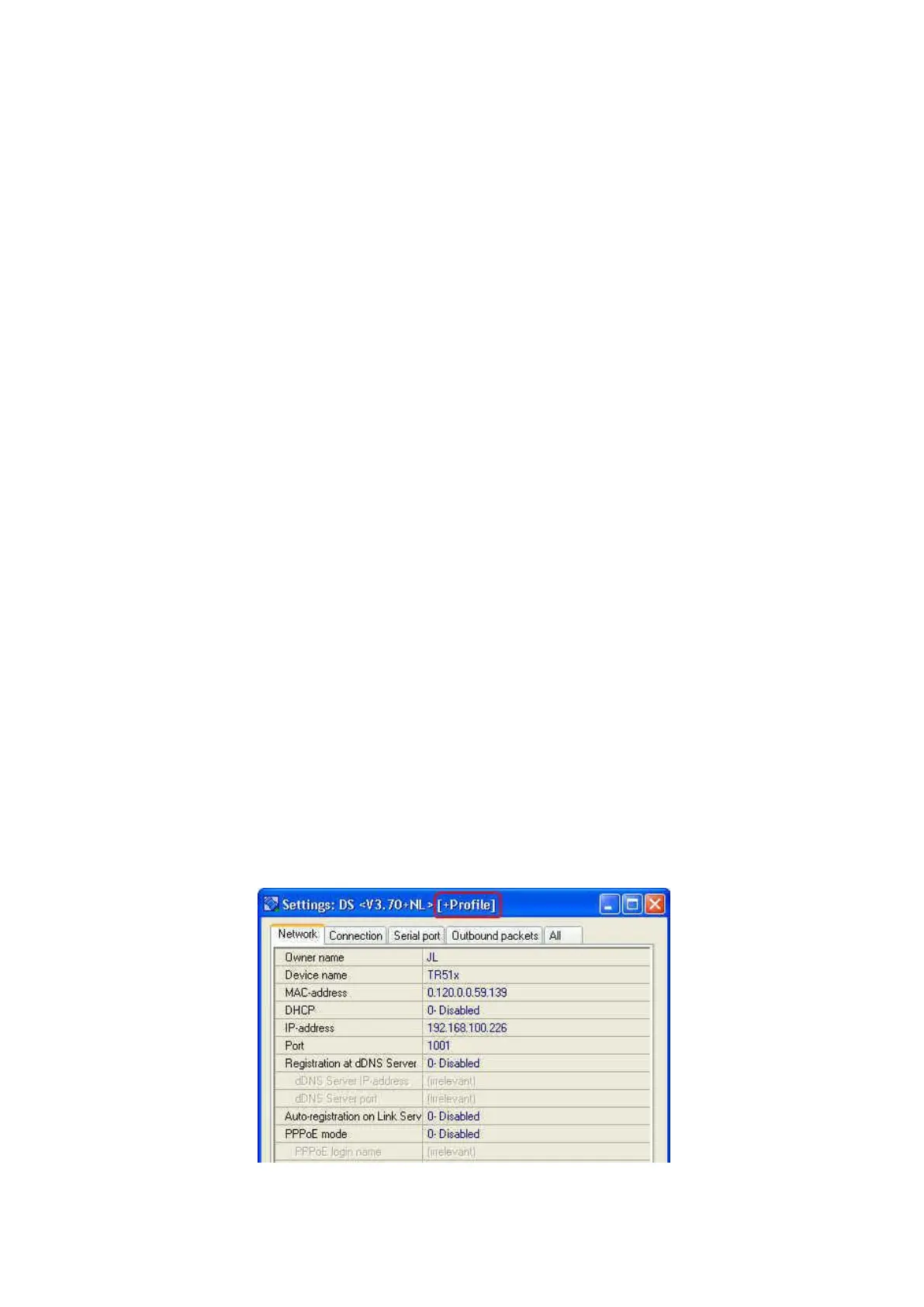
changed. The records in TR515/TR510 will not be lost. Note: If [+Profile]
(see the picture as below) doesn’t show with the firmware version at the
top of [Settings] window, it means some settings like “Transport protocol”
and “Baud rate” won’t be changed to default after initializing the
Ethernet module of TR515/TR510. “Transport protocol” and “Baud rate”
need to be set to correct settings manually.



 To Next Page