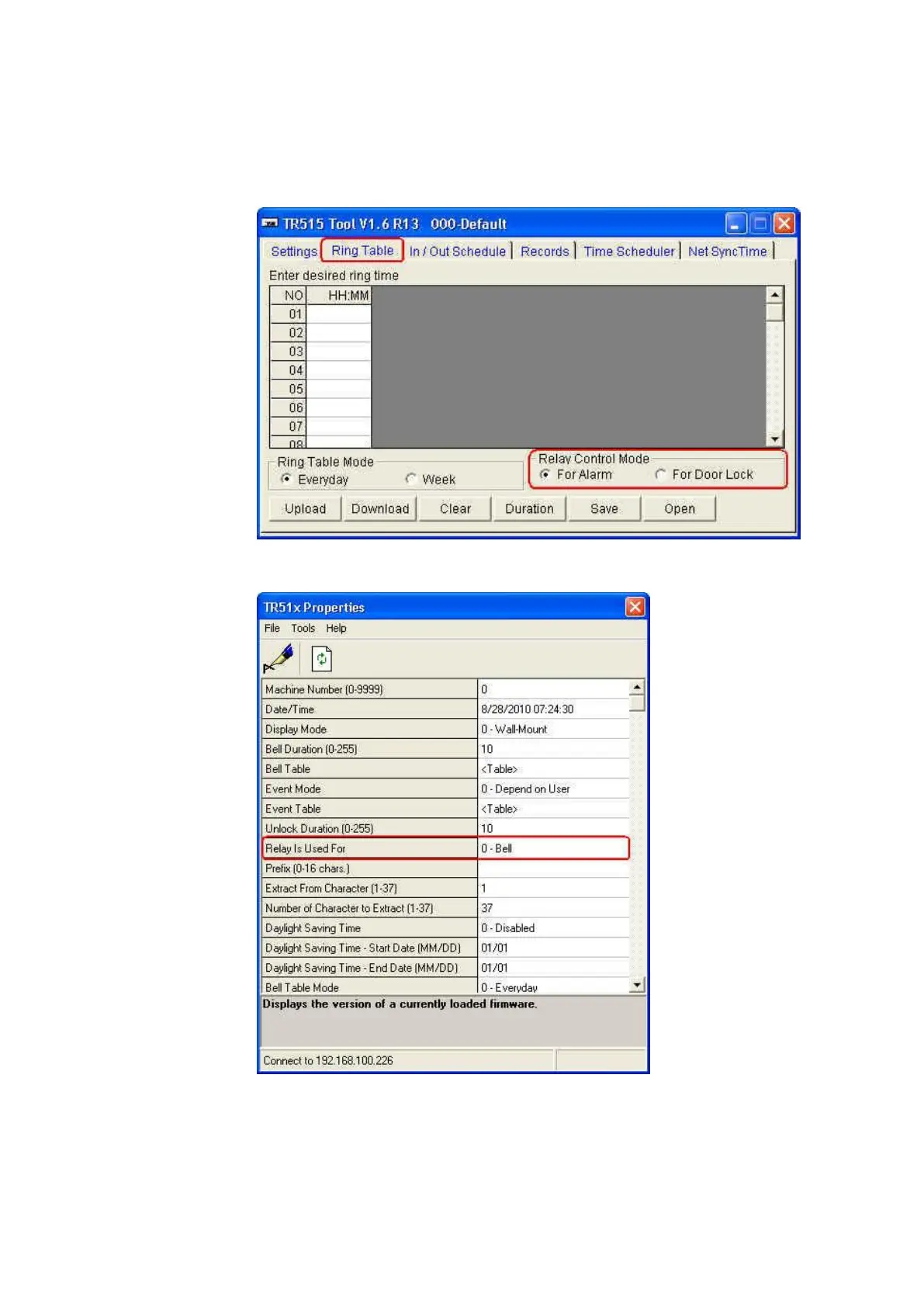
8. If you need to set the relay mode for TR515/TR510
If you use the software TR515 Tool/TR510 Tool, set [Relay Control Mode]
under [Ring Table] tab to the mode you want.
If you use the software Time Recorder Utility, set [Relay is Used for] in
[TR51x Properties] window to the mode you want.



 To Next Page