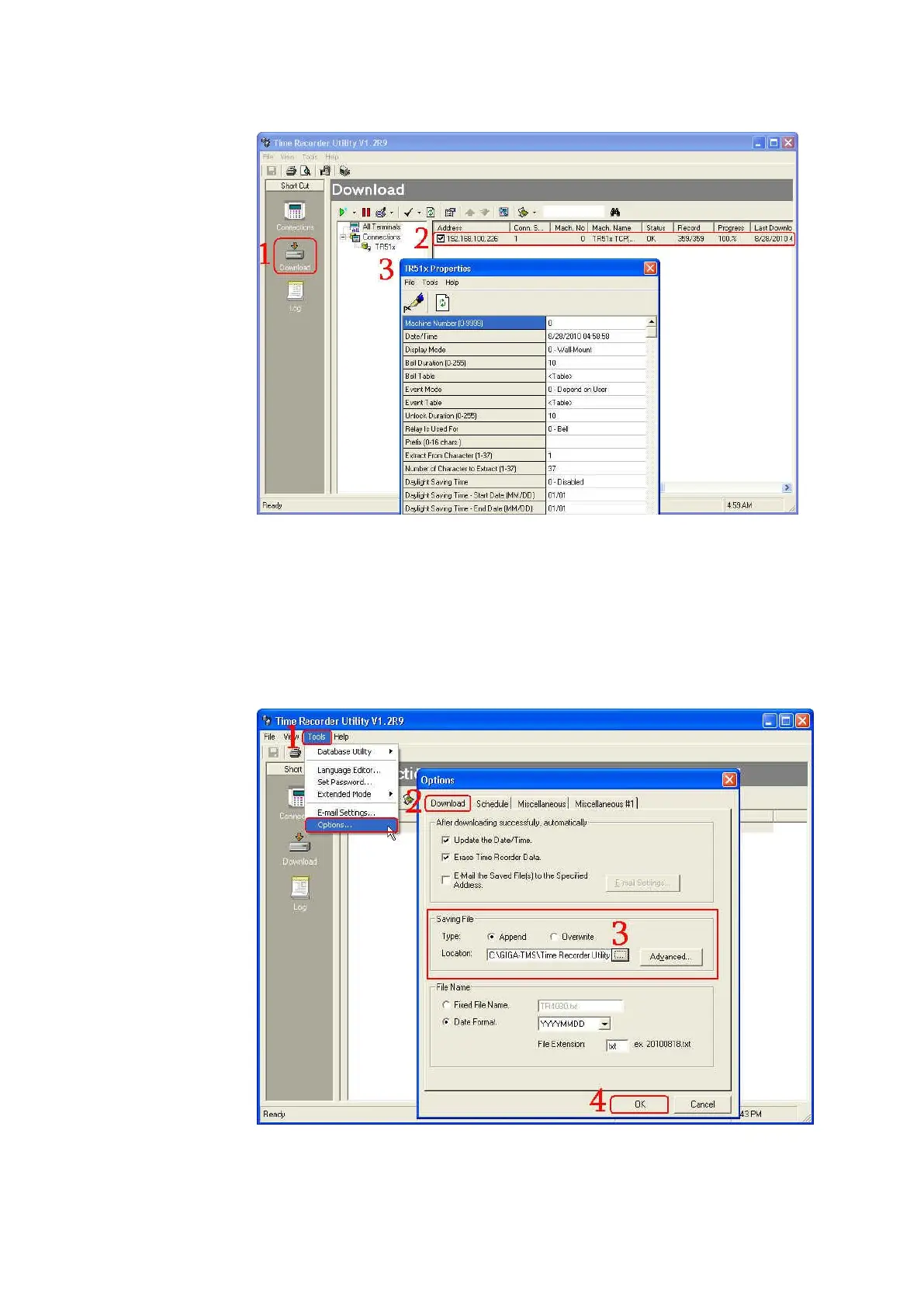
4. Where can you find the data file after downloading it under the normal
mode
Once the date is downloaded successfully, the data will be saved as a
“yyyymmdd.txt” file at the following default path, C:\GIGA-TMS\Time
Recorder Utility. If you want to change the path, go to [Tools]\
[Options…]\ [Download]\ [Saving File]\ [Location] and then click […] to
assign a specified path that you want. Then click [OK].



 To Next Page