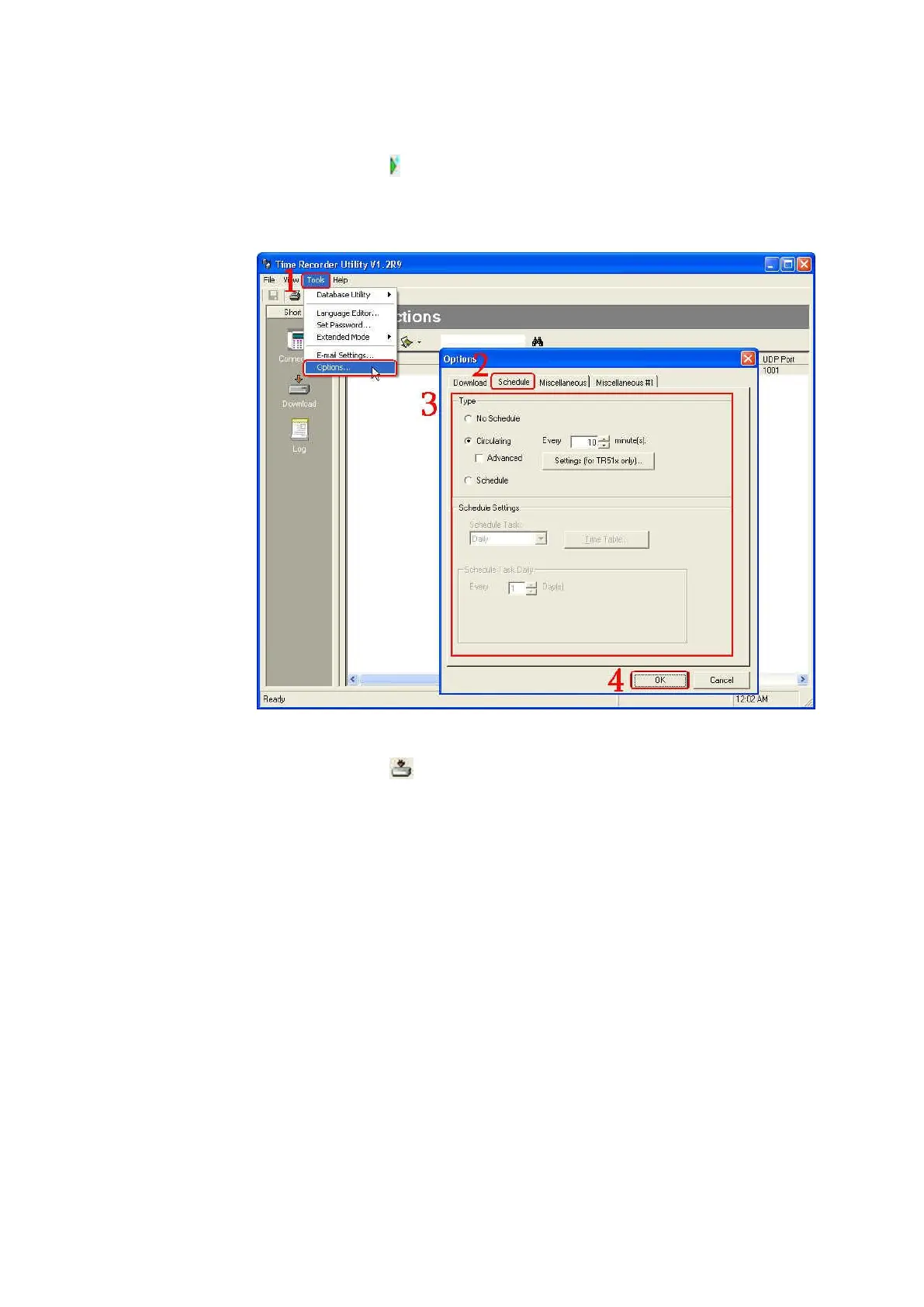
5. If you want the data to be downloaded automatically without clicking
“Download” icon ( ) under the normal mode
Under the normal mode, go to [Tools]\ [Options…]\ [Schedule] to set
[Circulating] or [Schedule] you like. Then click [OK]. The data will be
downloaded automatically according to your setting.
6. If you want the data to be downloaded automatically without clicking
“Download” icon ( ) under the extended mode
Go to the extended mode first. Under the extended mode, go to [Tools]\
[Options…]\ [Auto-Download Time Data]. Enable [Enable Auto-Download
Time Data Function] checkbox and set the auto-download time you want.
Then click [OK]. The data will be downloaded automatically according to
your setting.



 To Next Page