About Software (TR515 Tool/TR510 Tool)
1. If the connection is failed and “The device failed to reply to the
computer’s command. Either the device is currently offline, or you have
selected the wrong COMM port” message appears in the software TR515
Tool/TR510 Tool (for RS232 interface type)
Make sure TR515/TR510 is powered on.
Make sure the “Comm. Port” selection in the software is correct.
If you have set the machine ID for TR515/TR510 in the software TR515
Tool/TR510 Tool, make sure the machine ID is set correctly. It needs the
particular steps to set machine ID. See “Adding new Machine ID”
instruction of the section “Appendix F. Installation”(or “Appendix E.
Installation”) in TR515/TR510 users manual for the correct procedure to
add the time recorder and set its machine ID.
Change the other computer to try.
2. If the connection is failed and “The device failed to reply to the
computer’s command. Either the device is currently offline, or you have
selected the wrong COMM port” message appears in the software TR515
Tool/TR510 Tool (for Ethernet interface type)
Make sure TR515/TR510 is powered on.
Make sure TR515/TR510 is connected with Hub via “WAS-1499” cable.
Make sure the firewall and antivirus program in your computer are
disabled before using the software.
Make sure IP address entered is available.
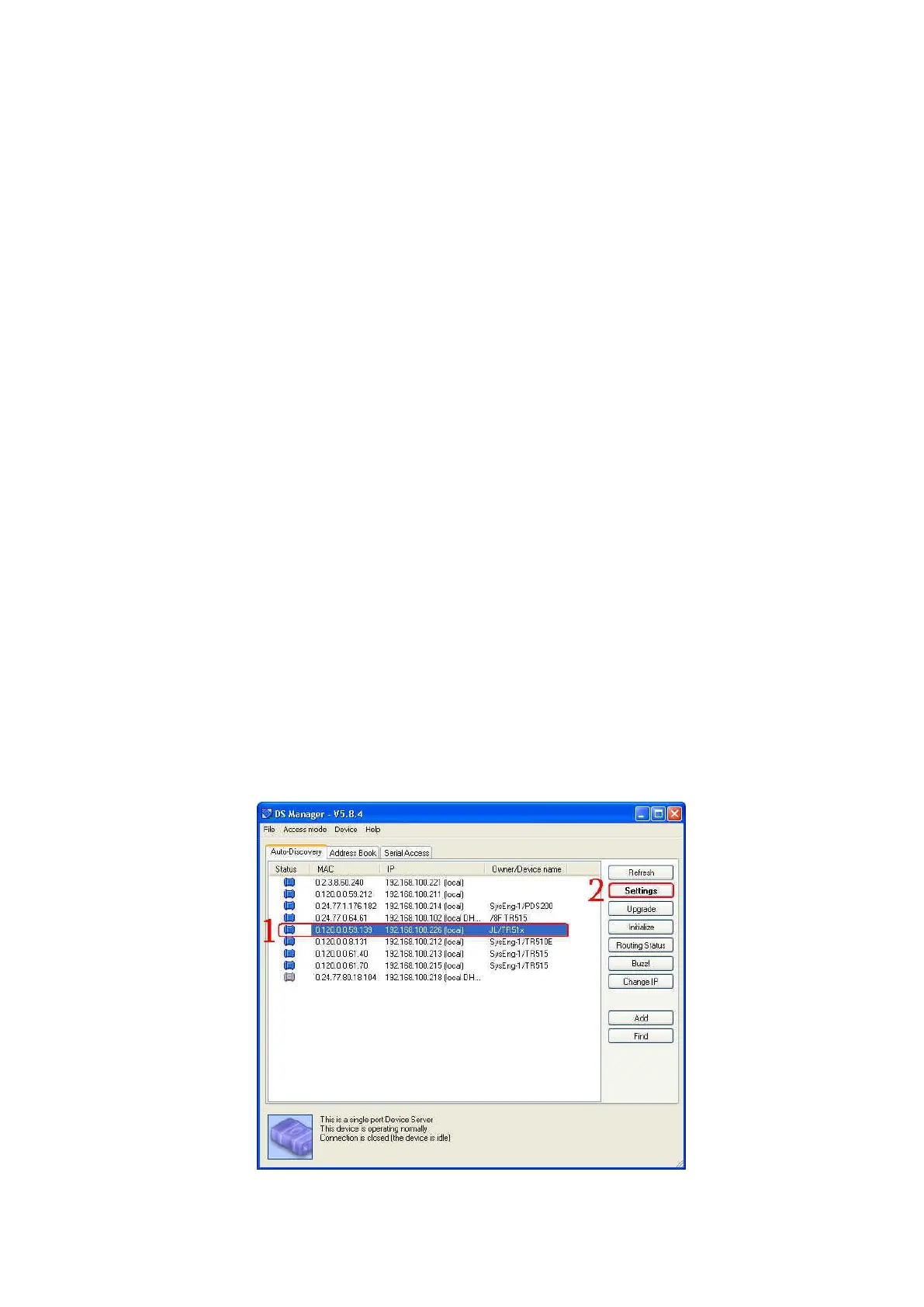
Make sure the settings of Ethernet module in the software DS Manager
are correct as below.



 To Next Page