3. Is there a limitation of punches and what will happen when the record
memory gets full
The database capacity is about 8164 records. (For the Track 1 reader type
or the JIS-II reader type, the database capacity is about 4084 records.) If
the record memory gets full, “FULL” message will appear on the display of
TR515/TR510 when you present (swipe) the card to it. This punch will not
overwrite the original data because TR515/TR510 will not accept it when
the record memory gets full.
4. If you want to set/change IP address for TR515/TR510
For RS232 interface type, it uses the serial port for communication, not IP
address. It doesn’t need to set IP address.
For Ethernet interface type, follow the steps as below.
(1) Connect TR515/TR510 with Hub via WAS-1499 cable.
(2) Power on TR515/TR510.
(3) Disable the firewall and antivirus program in your computer!
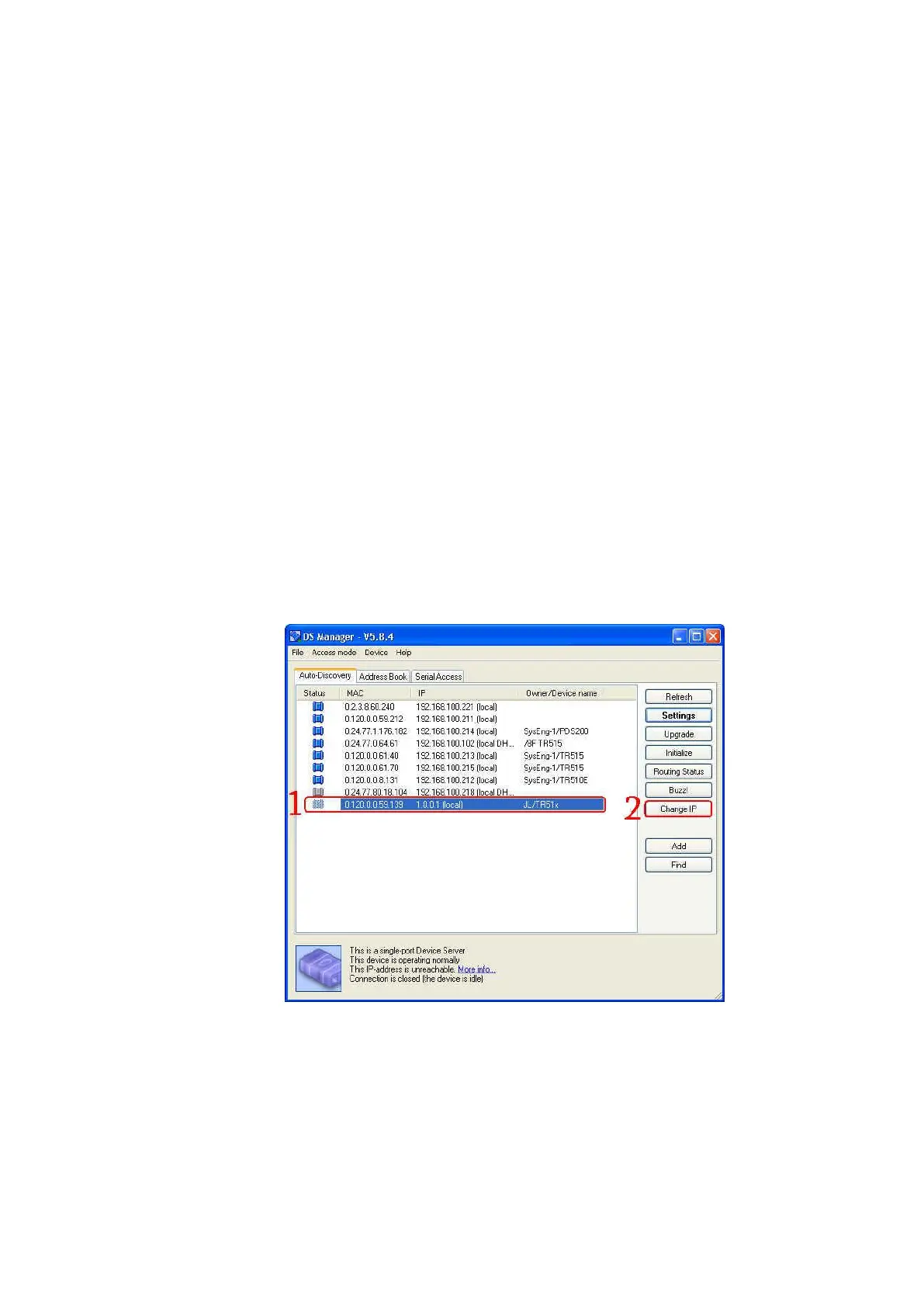
(4) Open the software DS Manager (Start\Programs\Tibbo Terminal
Server Toolkit\Tibbo DS Manager). Find your TR515/TR510 on the
“Auto-Discovery” list. (Default IP address of TR515/TR510 is “1.0.0.1”.)
(5) Click your TR515/TR510 on the list and click [Change IP].



 To Next Page