10. If you want to reset TR515/TR510
For Ethernet interface type, follow the steps as below.
(1) Connect TR515/TR510 with Hub via WAS-1499 cable.
(2) Power on TR515/TR510.
(3) Disable the firewall and antivirus program in your computer!
(4) Use “Change IP” function of the software DS Manager to set an
available IP address for TR515/TR510.
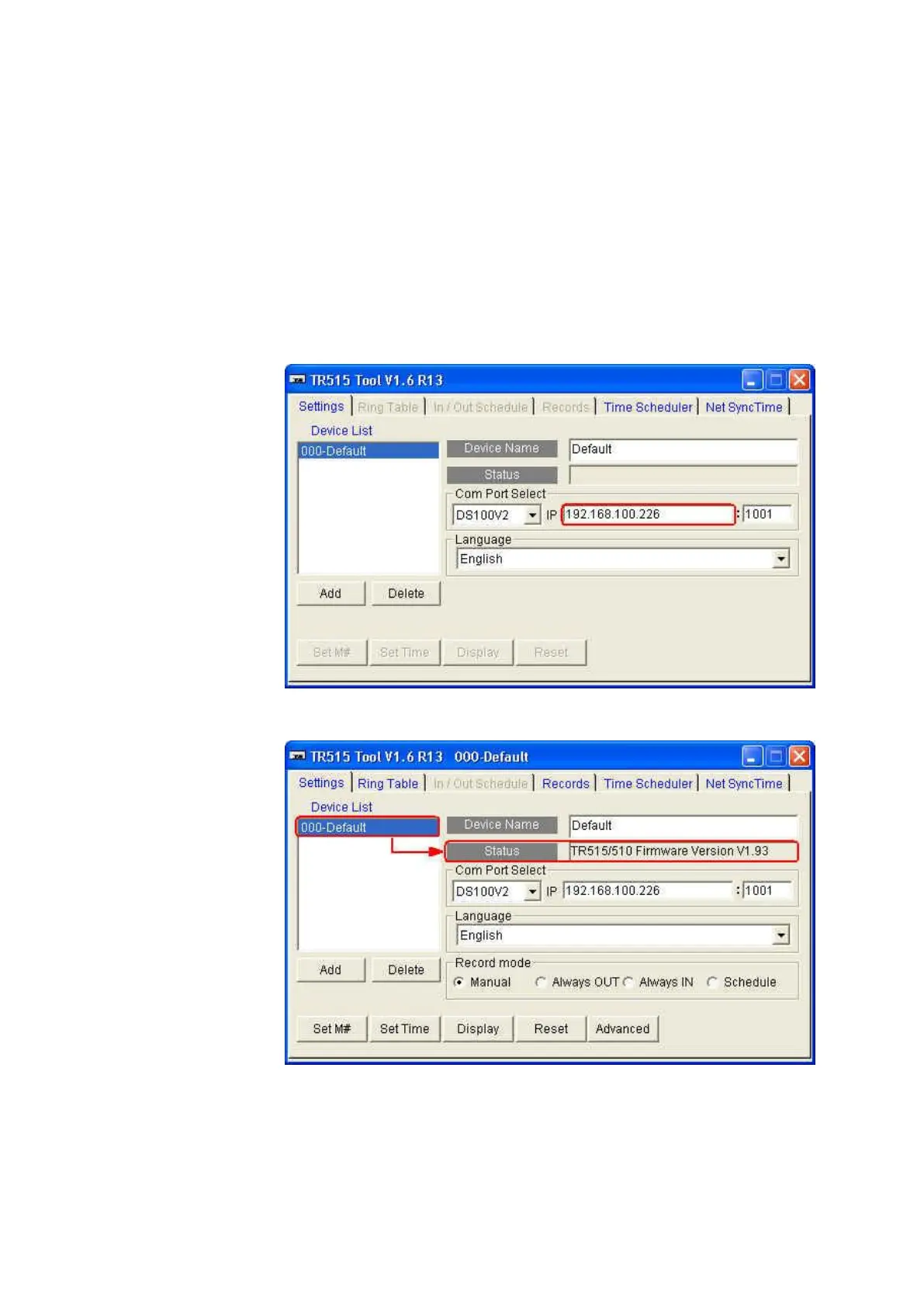
(5) Open the software TR515 Tool/TR510 Tool.
(6) Enter the IP address you have set at the step (4).
(7) Double click [000-Default]. Once the connection is successful, the
firmware version message will appear in [Status] box.



 To Next Page