to set machine ID. See “Adding new Machine ID” instruction of the
section “Appendix F. Installation” (or “Appendix E. Installation”) in
TR515/TR510 users manual for the correct procedure to add the time
recorder and set its machine ID first.
5. If the record memory of TR515/TR510 is full and you want to delete all
the data in it
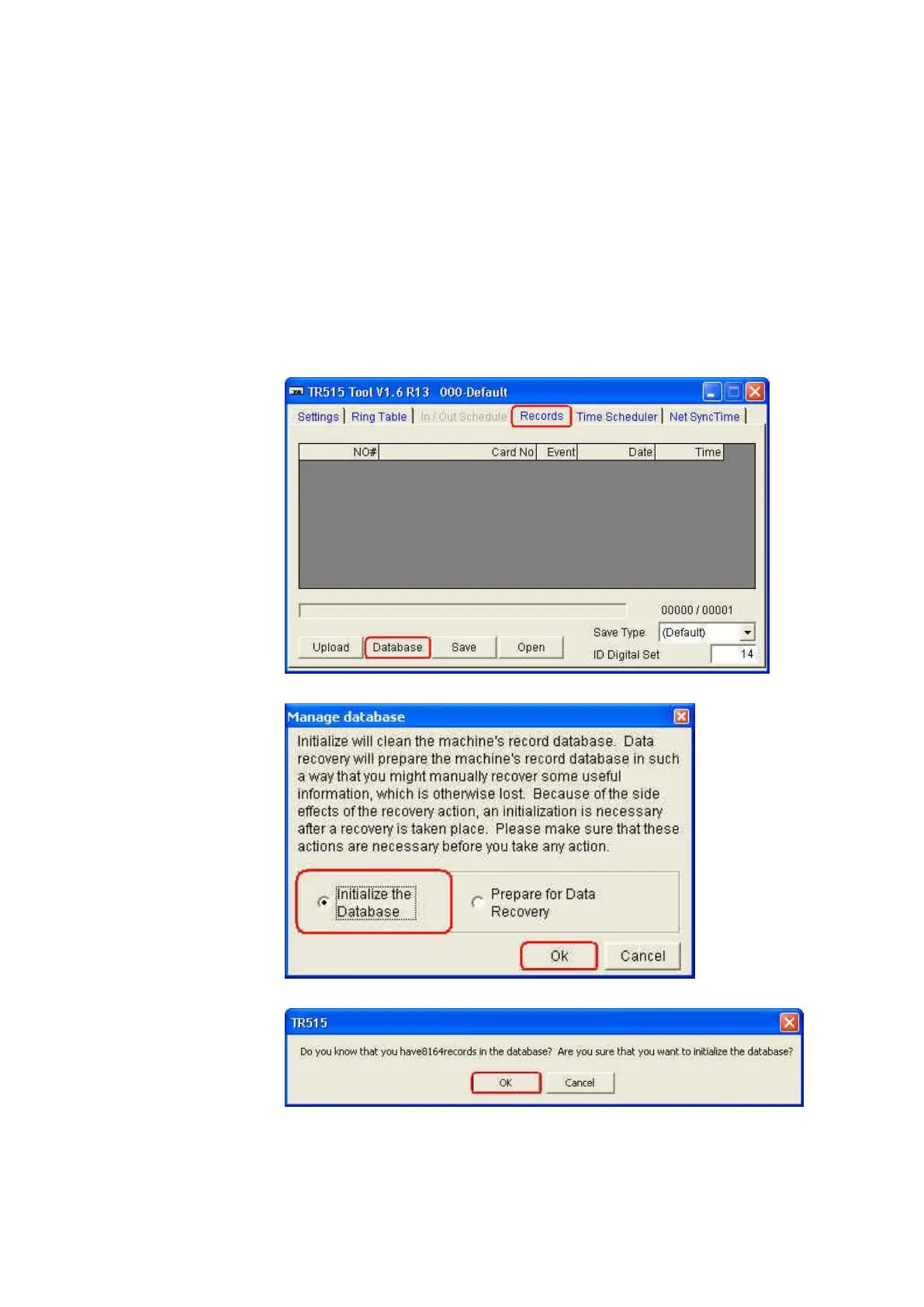
Once TR515/TR510 is connected successfully with the software TR515
Tool/TR510 Tool, follow the steps as below to delete all the data.
(1) Under [Records] tab, click [Database].
(2) Click [Initialize the Database] and then click [OK].
(3) Click [OK].



 To Next Page