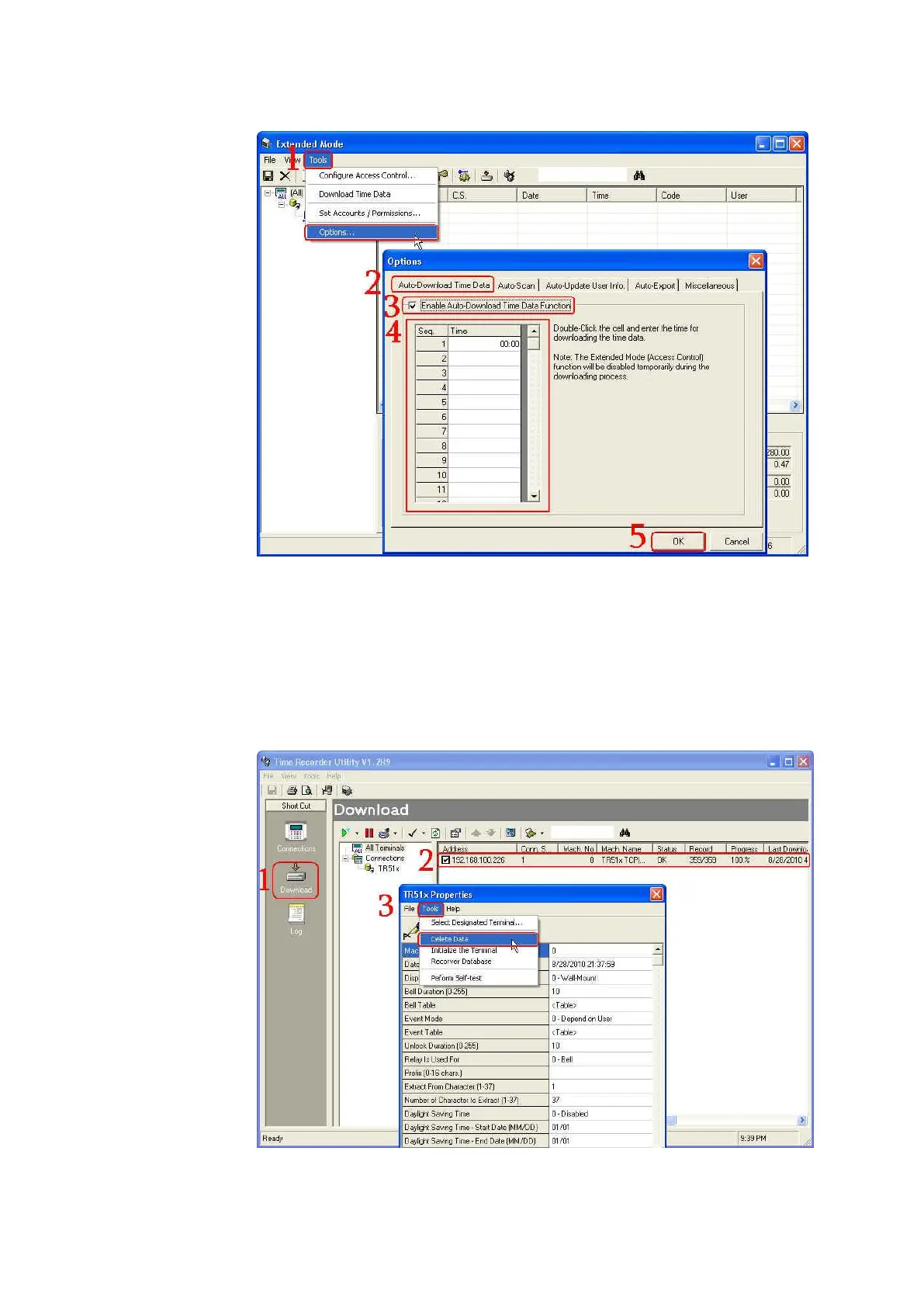
7. If the record memory of TR515/TR510 is full and you want to delete all
the data in it
Use “Delete Data” function in the software Time Recorder Utility to
delete all the data by the following steps. Under the normal mode of
software Time Recorder Utility, click [Download] inspection and then
double-click your TR515/TR510 on the terminal list to launch [TR51x
Properties] window. Click [Tools] and then click [Delete Data].



 To Next Page