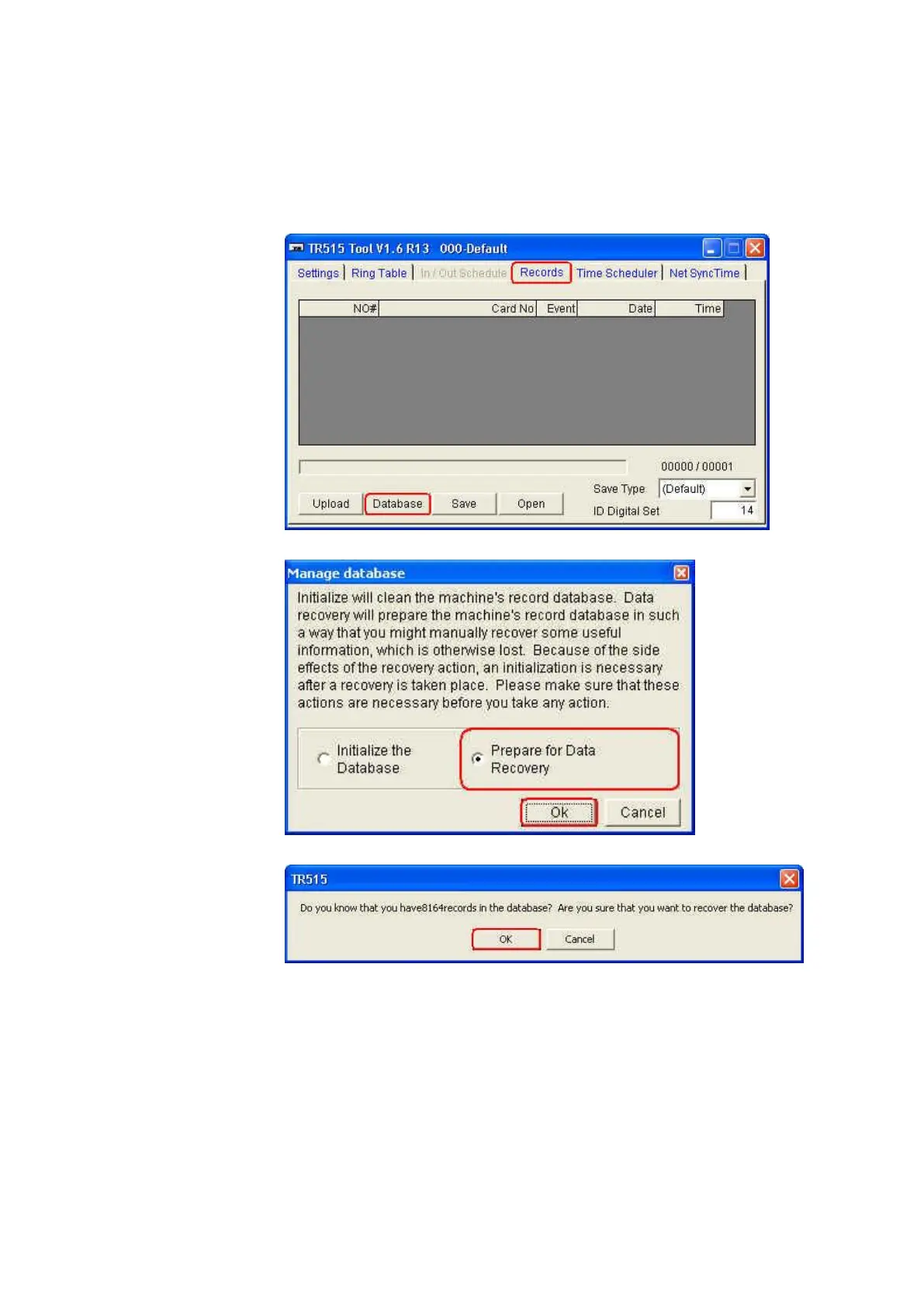
6. If the important data has been deleted and you want to get it back
Once TR515/TR510 is connected successfully with the software TR515
Tool/TR510 Tool, follow the steps as below to recover the data.
(1) Under [Records] tab, click [Database].
(2) Click [Prepare for Data Recovery] and then click [OK].
(3) Click [OK].
7. If you want the data in TR515/TR510 to be deleted automatically
whenever it is downloaded successfully by using “Time Scheduler”
The default setting behaves that the old data will be deleted until the
records occupy up to 80% capacity of the record memory. If you want the
data in TR515/TR510 to be deleted automatically whenever it is
downloaded successfully. Follow the steps as below.
(1) Find the file “TR515.ini” (or “TR510.ini”) at the following path



 To Next Page