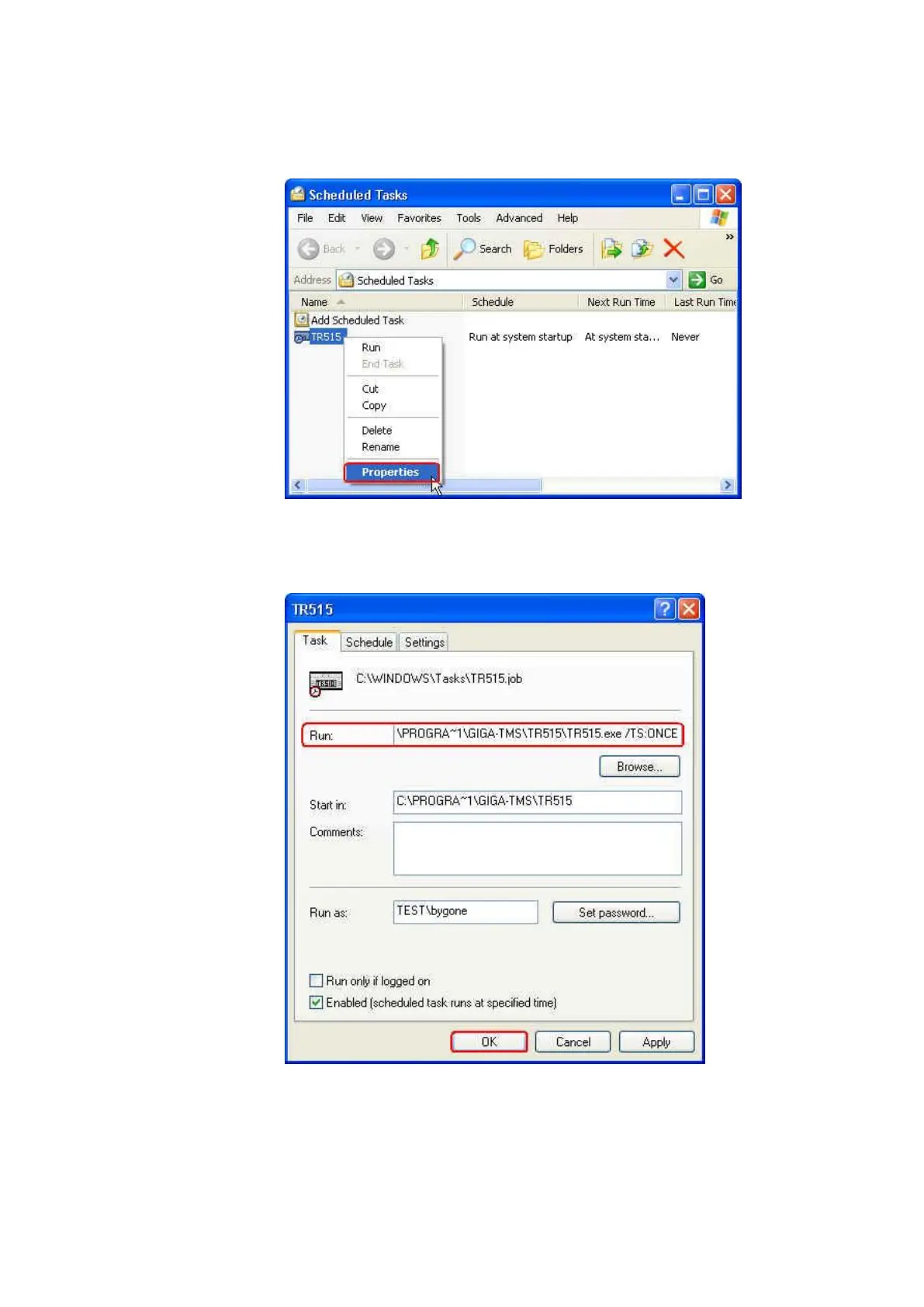
(8) Right-click “TR515.job” (or “TR510.job”) schedule task that is just
created in [Scheduled Tasks] window and click [Properties].
(9) Under [Task] tab, add the command /TS:ONCE in [Run] box.
Example, C:\PROGRA~1\GIGA-TMS\TR515\TR515.exe /TS:ONCE (or
C:\PROGRA~1\GIGA-TMS\TR510\TR510.exe /TS:ONCE) Then click
[Apply] and click [OK].



 To Next Page