25
clients by the DHCP server. When the lease time expires, the client has to
acquire an IP address from the DHCP server again.
For example, to establish a DLNA network and share the multimedia files on the
NAS to the DLNA digital media players by UPnP while there is no NAT gateway
that supports DHCP server, you can enable the DHCP server feature of the NAS.
The NAS will allocate dynamic IP address to the media players or other clients
automatically.
Note: If there is an existing DHCP server on your LAN, do not enable this
function. Otherwise, there will be IP address allocation and network access
errors.
This option is available to Ethernet 1 only when both LAN ports of dual LAN NAS
models are connected to the network.
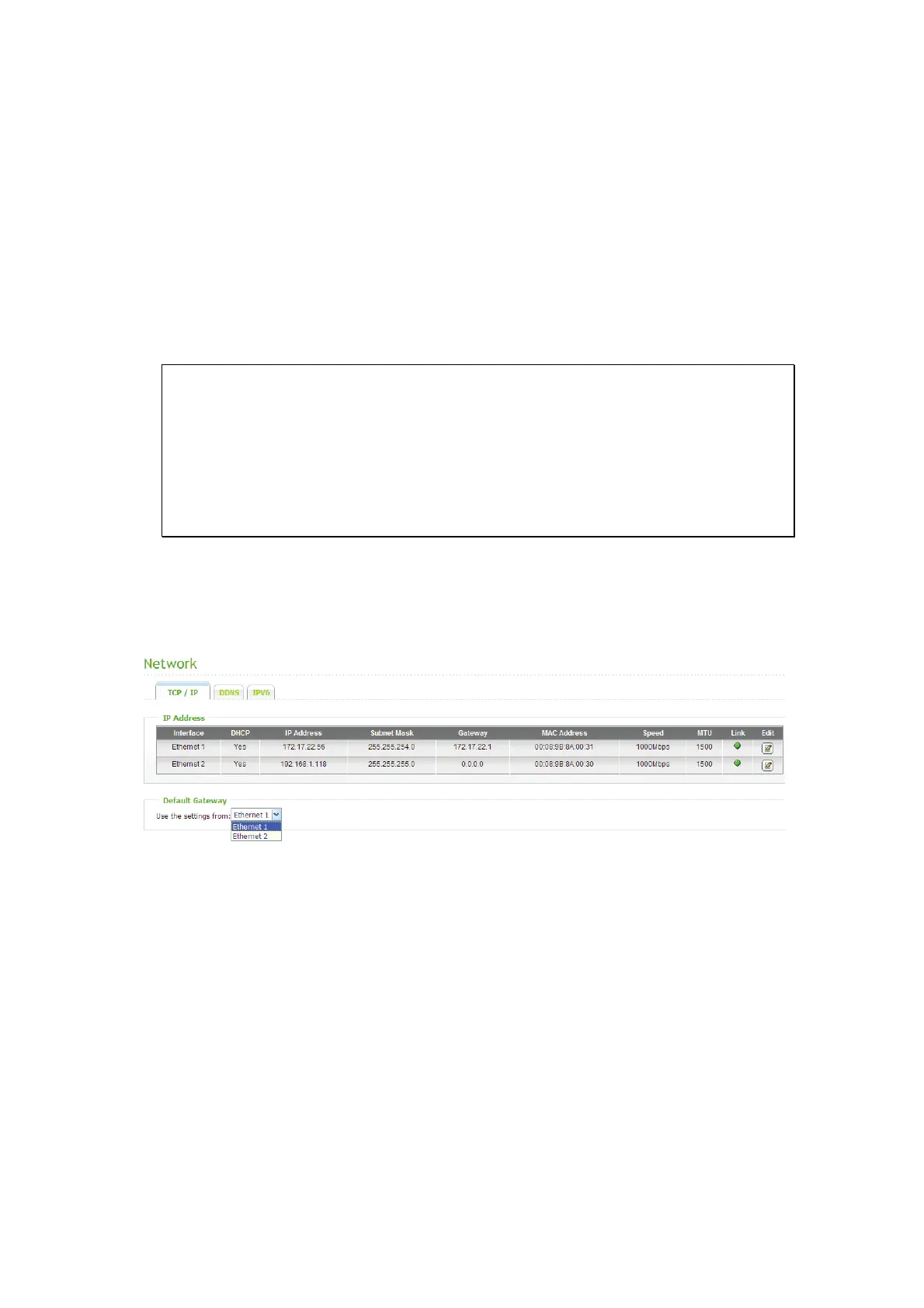
ii. Default Gateway
Select the gateway settings to use if you have connected both LAN ports to the
network (dual LAN NAS models only).



 To Next Page
 Loading...