EasyManua.ls Logo

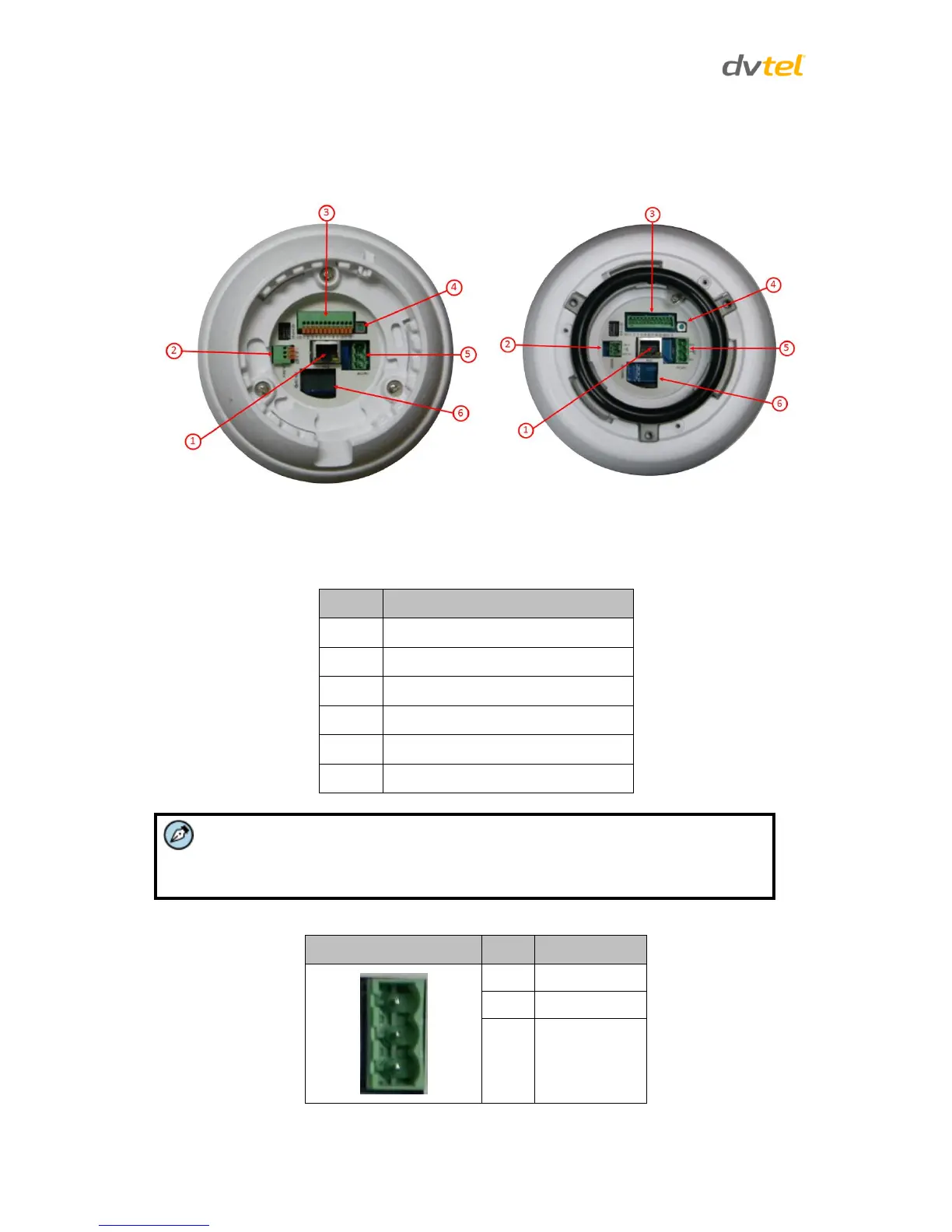
Quasar CP-3211 - Camera Connectors; Figure 5: Indoor;Outdoor Connector Locations

Quasar CP-3211
169 pages
Print Icon
To Next Page IconTo Next Page
To Previous Page IconTo Previous Page
Loading...
Quasar CP-3211/CP-4221 User and Installation Guide
6
3.3 Camera Connectors
Following are an illustration and explanation of the connectors located on the Quasar HD PTZ
camera’s back plate.
Indoor Camera
Outdoor Camera
Figure 5: Indoor/Outdoor Connector Locations
Table 1: Indoor/Outdoor Camera Connectors
Callout
Description
1
RJ45 connector
2
Audio I/O connector
3
Alarm I/O connector
4
Factory default reset button
5
Power connector terminal block
6
microSD card slot
Note:
Do not change the Quasar HD PTZ camera’s communication switch from the
original factory settings.
Table 2: Power Connector Pin Designations
Power Connector
Pin
Definition
1
AC 24-
2
FG
3
AC 24+

Table of Contents