Configuration and Operation
73
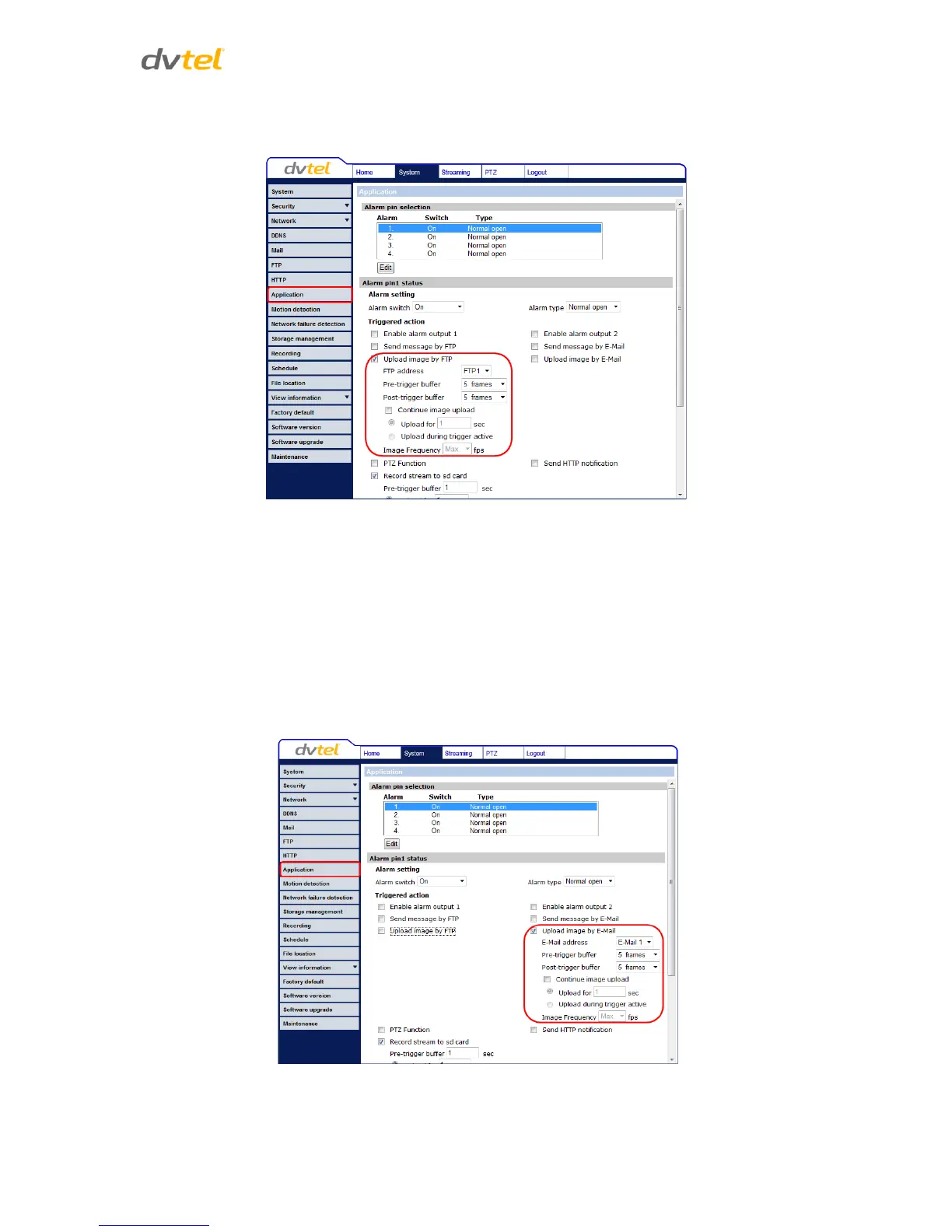
Upload Image by FTP – Selecting this option enables you to assign an FTP site and configure
various parameters, as seen below.
Figure 55: Application – Upload Image by FTP
When tampering is detected, event images will be uploaded to the designated FTP site.
Specify the FTP address to use from the drop-down menu. Select the number of frames for
the pre-trigger and post-trigger buffers from the drop-down menu of 1-20 frames.
Check the box for Continue image upload if you wish to use this option. To specify the length
of time for the upload, click on this radial button and enter the number of seconds. To
upload during the active trigger, click on this radial button. Finally, select the number of
frames per second from the drop-down menu next to Image Frequency.
Upload Image by E-Mail – Selecting this option enables you to assign an e-mail address and
configure various parameters, as shown below.
Figure 56: Application – Upload Image by E-Mail



 To Next Page
 Loading...